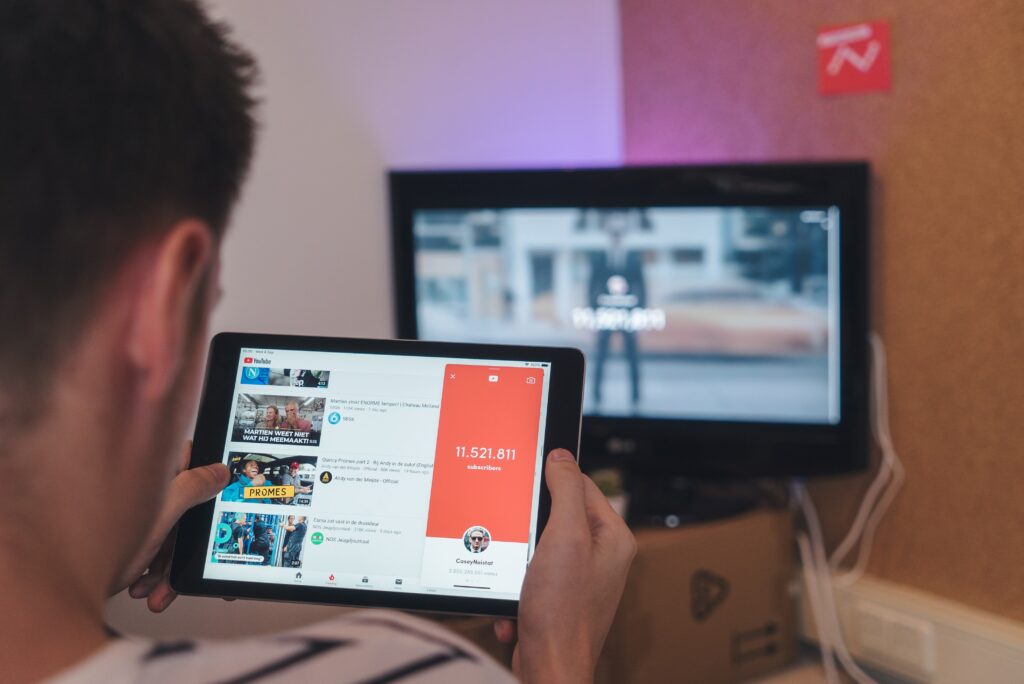
Photo by CardMapr.nl on Unsplash
There are good reasons to save a YouTube video to your device: a long flight, a patchy connection, footage you uploaded yourself, or a clip you're licensed to reuse. The tools for the job changed a lot since 2023, and the safe picks are now clearer than they used to be.
Quick Answer: For most people the best YouTube downloader is yt-dlp — free, open source and constantly updated. If you want a point-and-click app, use 4K Video Downloader. The official route is YouTube Premium's offline downloads. Skip online downloader sites; their ad networks are a malware trap.
What changed since the 2023 guide
| Was in the 2023 list | What happened |
|---|---|
| Y2Mate and online converter sites | Removed deliberately. These sites monetize with aggressive ad networks that routinely serve fake "Download" buttons and push pop-ups; browser security tools flag them repeatedly. This guide no longer links to any of them. |
| Freemake Video Downloader | Aged out of the list. The installer historically bundled extra software, and the product hasn't kept up with yt-dlp-style tools. |
| 4K Video Downloader | Still the best GUI option. |
| Any Video Converter | Still exists, but yt-dlp covers the same conversions without the upsells. |
The legal routes come first
Before picking a tool, know where you stand. YouTube's Terms of Service prohibit downloading content unless YouTube provides the feature or the owner allows it. In practice that gives you three clean paths:
1. YouTube Premium offline downloads. The official feature. Premium lets you save videos in the YouTube app on phones, tablets and desktop, and it works for playlists and music too. Check the current plan pricing on YouTube's Premium page.
2. Your own uploads. YouTube Studio lets any creator download their own videos in original quality, free. If you archived nothing but your channel, this is the highest-quality route.
3. Creative Commons and public-domain material. YouTube's search filters include Creative Commons videos, which are licensed for reuse with attribution. Downloading these for permitted purposes is the normal, intended use case.
yt-dlp: the standard everything else copied
yt-dlp is a free, open-source command-line tool that handles YouTube plus hundreds of other sites, downloads at up to your connection's full speed, can grab entire playlists and channels, and can extract audio to MP3 or M4A in one step. It's maintained constantly, which matters — downloader tools break every time YouTube changes something, and yt-dlp fixes it first.
The command line is the hurdle. If typing `yt-dlp <URL>` doesn't appeal, wrap it in a free GUI front-end like Stacher, which adds a normal window, queue management and format picking on top of the same engine. This is the setup I've used for archiving my own channel's uploads, and it hasn't needed babysitting since configured.
Best for: regular use, playlists, audio extraction, any platform (Windows, macOS, Linux).
4K Video Downloader: the point-and-click pick
4K Video Downloader gives you a clean desktop app for Windows, macOS and Ubuntu: paste a link, choose resolution up to 4K, download. Subtitle support and smart download modes are included. The free tier limits daily downloads and playlist sizes; a paid license removes the caps.
Best for: occasional downloads without touching a terminal.
Which one should you pick?
| Tool | Cost | Type | Standout strength |
|---|---|---|---|
| yt-dlp | Free, open source | CLI (+ GUIs like Stacher) | Playlists, channels, audio extraction, always first to fix breakage |
| 4K Video Downloader | Free tier + paid license | Desktop GUI | Easiest polished experience |
| YouTube Premium | Subscription | Official app feature | Fully within YouTube's rules, works on iPhone |
If you download weekly, run yt-dlp once and you'll never shop for a downloader again. If you grab a video a few times a year, 4K Video Downloader is the friendlier tool.
Why the online downloader sites are missing
The browser-based converters that filled the bottom half of most 2023 lists survive on ad networks that legitimate advertisers won't touch. The typical experience: multiple look-alike "Download" buttons, pop-ups that open on every click, and occasional redirects to pages that try to phish credentials or push sketchy browser extensions. Some also cap quality or throttle speed unless you disable your ad blocker, which is the last thing you should do on a site like that.
The task those sites perform — fetching a stream and repackaging it — is exactly what yt-dlp does locally, without serving you a single ad. There's no remaining reason to accept the risk.
The legal line, in plain words
Downloading a video you don't own and don't have permission to copy is a copyright issue in most countries, independent of YouTube's own terms. The tools above are legal software; what matters is what you point them at. Stick to your own uploads, Creative Commons material, or content the owner has said you may reuse, and use Premium's downloads for everything else.
FAQ
Is downloading YouTube videos legal?
Downloading your own uploads, Creative Commons videos, or content the owner permits is fine. Downloading other people's copyrighted videos breaches YouTube's Terms of Service and may infringe copyright depending on your country and purpose. Personal viewing doesn't make it officially allowed — it just makes it unlikely to be enforced.
What is the best free YouTube downloader right now?
yt-dlp. It's free, open source, updated within days whenever YouTube changes its internals, and it downloads playlists, channels and audio without ads or caps. Add a free GUI like Stacher if you prefer clicking to typing.
Can I download YouTube videos on an iPhone?
Not with third-party apps — Apple's App Store rules keep real downloaders out. The practical options are YouTube Premium's built-in downloads in the iOS app, or running yt-dlp on a computer and transferring files. Safari "document" workarounds for downloader websites are the same risky sites discussed above.
How do I extract audio from a YouTube video?
yt-dlp does it in one command with the `-x` flag, writing an MP3 or M4A file at the source quality. 4K Video Downloader also offers an audio-only mode. Both are cleaner than online "YouTube to MP3" sites, which pack ads into every step.