


A zombie invasion crawling across your desktop — hands clawing at the screen while you pretend to work — remains one of the best cheap pranks in computing, and in 2026 setting it up is easier (and safer) than the sketchy download-and-DLL era this trick came from. I've run animated wallpapers on my work PC for years, and this guide covers the two tools worth using, where the zombie wallpapers actually live now, and the settings that keep your PC fast.
Quick Answer
The easiest way: buy Wallpaper Engine (~$4 on Steam), search the Workshop for zombie wallpapers, and click Subscribe — hundreds of animated zombie invasions are one click away. Prefer free? Lively Wallpaper (open source) plays any video or web wallpaper at no cost. Both let you pause animations while gaming or on battery.
What Happened to the Old "Zombie Invasion" Download?
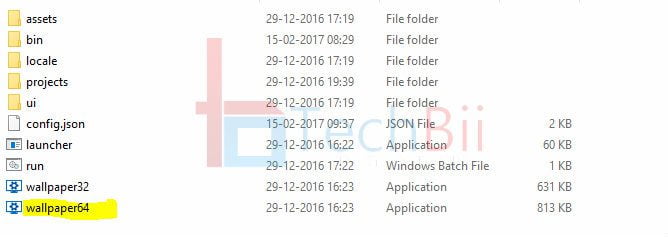
If you came here from the older wave of download links: those posts shipped a ripped video file plus a cracked or bare installer, and in 2026 that route is both dead and genuinely risky — mirrored "wallpaper" installers are a classic malware delivery, and the old advice to grab missing DLL files from random DLL websites is exactly how people got infected. The official tools below cost less than a coffee (or nothing) and include the same zombie effects, legally, with updates. That's the whole reason this guide moved to them.
Option 1: Wallpaper Engine (The Best Zombie Invasion Experience)
Wallpaper Engine is the paid standard for animated wallpapers on Windows, sold on Steam for roughly the price of a snack. Its Workshop hosts thousands of animated zombie wallpapers — full-screen invasions, zombie apocalypses behind rainy windows, interactive hordes that react to your cursor — and quality is crowd-filtered by ratings.
Setup takes five minutes:
1. Buy and install Wallpaper Engine from Steam, then launch it.
2. In the Workshop tab, search "zombie invasion" (also try "zombie apocalypse" and "walking dead").
3. Sort by Top Rated, preview any wallpaper live in the app, and hit Subscribe — it installs automatically.
4. Click the wallpaper to apply it. Right-click Wallpaper Engine in the system tray for settings.
The settings that matter: enable auto-start with Windows (so the zombies survive reboots), set playback to pause on battery on laptops, and add exceptions so wallpapers stop while you're gaming or in fullscreen apps. Multiple-monitor support just works — each screen can have its own invasion.
Option 2: Lively Wallpaper (Free and Open Source)
If you don't want to spend anything, Lively Wallpaper is the genuinely free, open-source alternative — Microsoft Store recommended, no ads, no nags. It doesn't have Wallpaper Engine's Workshop catalogue, but it plays any video file as a wallpaper, so any zombie-animation video you legally have (or make) becomes your desktop. It also supports web-page and Shader wallpapers, and a small library of bundled animated wallpapers.
Setup: install Lively from the Microsoft Store or GitHub, drag-and-drop a video file onto its library window, and it becomes your wallpaper. The same pause-on-gaming and multi-monitor settings live in its UI. For a zero-budget zombie desktop, find a looping zombie video (several animators publish free loops on Pixabay/Pexels), then let Lively run it.
Making the Prank Land (From Experience)
The wallpaper alone is good; the delivery makes it great. My best results over the years: set it up on a colleague's or family member's PC during their lunch break, make sure it's their everyday browser session that comes back to it, and — the crucial bit — turn the speakers on if your wallpaper has sound. The first head-turn when the growling starts is the entire payoff. Do schedule pause-on-fullscreen so their actual work survives, and maybe don't do it to someone mid-deadline. Choose your victim with love.
Performance: Do Live Wallpapers Slow Your PC?
Modern animated wallpapers are video loops or lightweight WebGL, and on any PC from the last decade the impact is small — but it's not zero. On desktops with a decent GPU, CPU usage typically sits in low single digits. On laptops, the wallpaper constantly redraws, which costs battery; that's why both tools' pause-on-battery and pause-on-fullscreen rules exist — enable both. If you notice fans spinning at idle, drop the wallpaper's quality setting or pick a shorter, lower-resolution loop. And if your PC is already struggling with everyday tasks, fix that first; a live wallpaper won't cause it, but it will advertise it.
Fixing Common Problems
- Black screen instead of wallpaper: update your GPU drivers — nine of ten black-screen cases are graphics-driver related.
- "MSVCP140.dll missing" style errors: this means the Microsoft Visual C++ runtime isn't installed. Get it free and safely from Microsoft's official redistributable page — never from third-party DLL download sites, which are a known malware vector.
- Wallpaper freezes after sleep: in Wallpaper Engine's settings, re-enable the 'start with Windows' and 'restore on wake' toggles; in Lively, toggle the wallpaper off and on from the tray icon.
- Wallpaper doesn't pause during games: add the game to the tool's fullscreen/app rules list; some anti-cheat overlays also block wallpaper detection, which is normal.
- High CPU on a specific wallpaper: it's usually one badly-optimised entry — switch to another; ratings exist for a reason.
Safety Notes (Seriously)
Two rules keep this hobby malware-free: download wallpaper tools only from their official pages (Steam, the Microsoft Store, or the developer's site), and never run "free Wallpaper Engine" installers from file-sharing sites — the software costs $4; the cracked version can cost you your passwords. The same goes for "zombie wallpaper .exe" files from random mirrors. If a wallpaper site asks you to disable antivirus to install something, that's your answer.
FAQ
Is the zombie invasion live wallpaper free?
The original files from old posts are gone, but the modern routes are: Lively Wallpaper is completely free and open source, and plays any zombie video loop you supply. Wallpaper Engine costs a small one-time price on Steam and includes hundreds of ready-made zombie wallpapers through its Workshop. Between them, every budget is covered — and both are safe.
Do live wallpapers affect gaming performance?
They can, which is why both tools include pause rules. A running wallpaper competes for GPU and CPU with your game; enabling 'pause on fullscreen/game' stops the wallpaper while a game runs, so gameplay is untouched. On battery, the pause-on-battery rule does the same job. With those two settings on, the performance cost of a live wallpaper is effectively zero during games.
Can I use these live wallpapers on Windows 11?
Yes — both Wallpaper Engine and Lively Wallpaper support Windows 11 and Windows 10, including multi-monitor and mixed-resolution setups. The installation flow is identical to Windows 10. Feature-wise, Windows 11's own personalisation settings don't include video wallpapers natively, so these tools remain the way to do it even on the newest systems.
How do I make my own zombie invasion wallpaper?
Easiest route: download any free looping zombie video (Pixabay and Pexels have free-for-use animation loops), then load it into Lively or Wallpaper Engine as a video wallpaper — both accept MP4/WebM directly. For higher polish, Wallpaper Engine's editor lets you build interactive wallpapers with effects and cursor reactions, and the community tutorials on its website walk you through the editor step by step.
Are animated wallpapers safe for OLED monitors?
Worth a thought: static elements shown for hours can contribute to OLED burn-in over long periods, and animated wallpapers reduce that risk by constantly changing pixels — though bright animations add wear over years. If you run an OLED desktop, use darker zombie scenes (conveniently thematic), lower the wallpaper brightness in the tool's settings, and let the screen sleep when idle. LCD and VA monitors have no burn-in concern here.
Related Reading
- 10 Must-Try Optimization Tricks for PC Gaming
- How Much Memory Do You Need for Gaming?
- Android Phone Running Slow? Causes and Fixes
—
I've been pranking coworkers with animated wallpapers since the Windows 7 days — if your setup hits a snag, describe it in the comments and I'll help you debug it before the zombies get you.





please unlock
Zombie Invasion Video download link doesn’t work anymore…
The download link has been updated. Check now.
still shows .dll error
Which dll file?
your download suck, i share everywher still no link
It’s the problem with your browser and flash. Use IE and try. If that fails, let me know. I will give you alternative links.