R-Studio has been the professional's data recovery tool for over two decades, and unlike most software in this category it has kept pace: the current 9.x releases recover from APFS and ReFS drives, run on Windows 11, macOS and Linux, and still do things consumer tools can't — like recovering data over a network from a machine that won't boot. It is also pricier and more technical than the average person needs. Here's who should actually buy it in 2026.
Quick Answer: R-Studio is a professional-grade data recovery suite for Windows, macOS and Linux, priced from $49.99 to $79.99 one-time. It's the right choice for technicians, RAID/NAS recovery and serious partition-level damage. Casual users with a deleted file or two should start with the free demo and a simpler tool first.
What Is R-Studio?
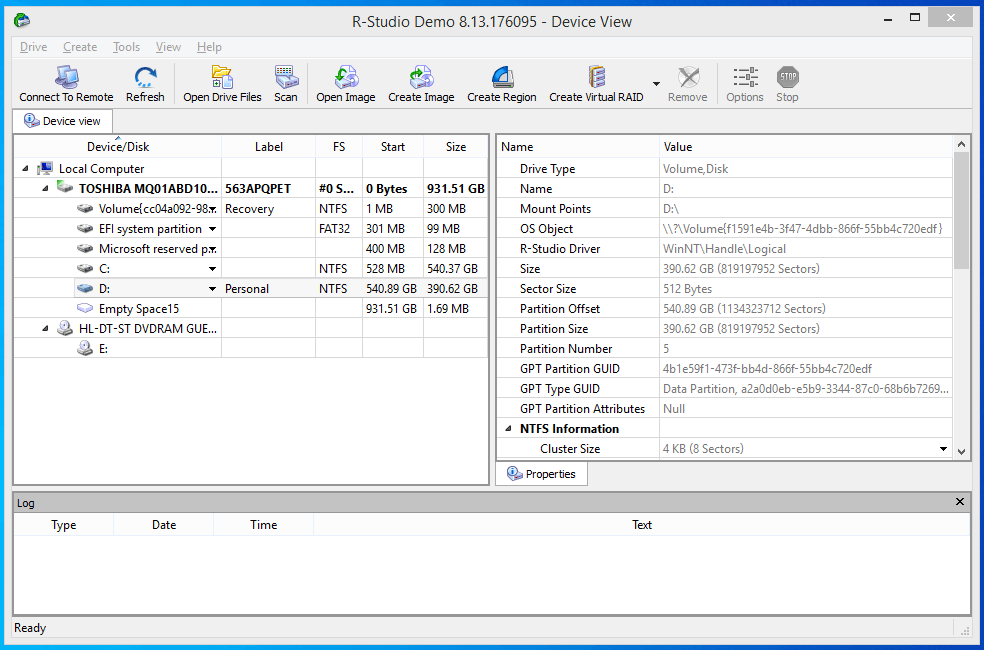
R-Studio is developed by R-Tools Technology, and it sits a tier above consumer recovery apps. Where tools like Recuva or Disk Drill wrap a friendly wizard around a scan engine, R-Studio gives you a full forensic-style workbench: hex editor, partition manager, imaging tools, and flexible scan configurations. The official product pages lay out the feature set in detail.
That power has a cost — the interface assumes you know what a file system is. If you've never done recovery before, the learning curve is real but not impassable; the default scan settings handle most jobs fine.
What It Recovers, and From Where
File systems: NTFS, FAT/exFAT, ext2/3/4, HFS+, APFS, UFS and ReFS — full version. This is broader than most rivals: APFS support (Mac-formatted drives read on a Windows PC) and ReFS (Windows Server, some NAS boxes) are still uncommon at this price.
Devices: internal HDDs and SSDs, USB flash drives, SD cards, external drives, and RAID arrays — including software and hardware RAIDs with reconstruction, which is one of R-Studio's signature strengths. NAS recovery is the classic use case: a failed Synology or QNAP volume is where consumer tools give up and R-Studio starts working.
Scenarios: deleted files, formatted partitions, corrupted file systems, and damaged partitions. Like all recovery software it cannot conjure data from a physically dead drive — if the drive clicks or isn't detected in BIOS, that's a lab job, not a software job.
The Features That Set It Apart
Network recovery
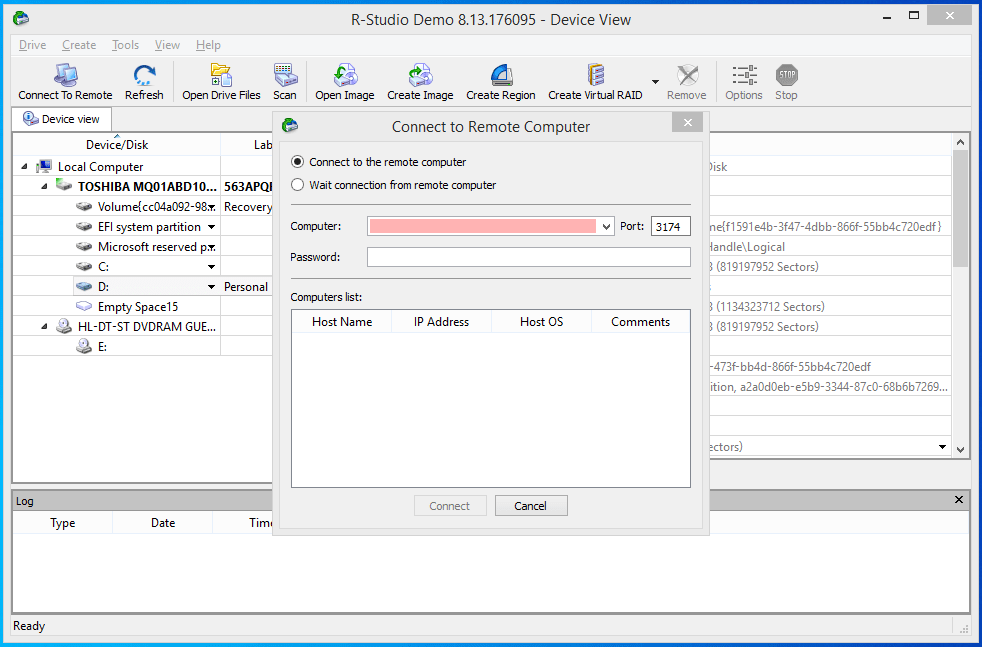
R-Studio's standout feature: the client part can run on a remote machine and the scan is driven from your workstation. In practice this means recovering the drive of a laptop that won't boot Windows by booting it from a USB environment and connecting over the network — no drive removal, no enclosure. Support teams and IT departments get outsized value from this alone.
Built-in file preview
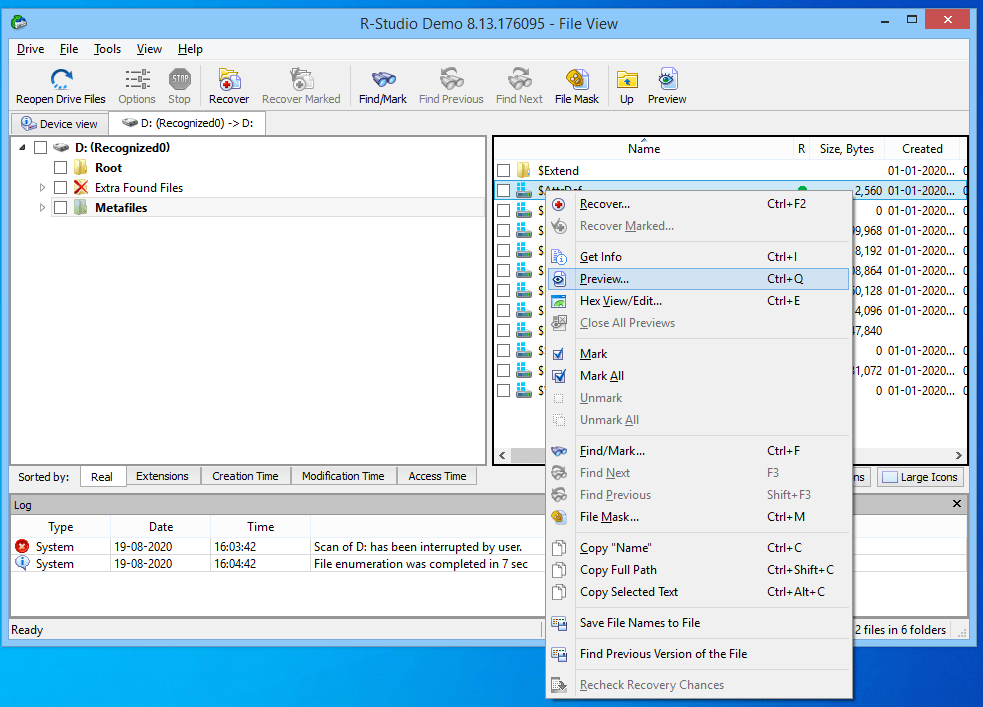
The viewer previews images, video, audio and documents before you commit to recovery — essential, because recovery licenses are one-time but your confidence shouldn't be. You can see exactly what's recoverable and in what condition before paying anything.
Disk imaging
For a drive showing early signs of failure, R-Studio can image the disk sector-by-sector and recover from the image instead of stressing the failing hardware. This is standard professional practice — every scan pass on a dying drive risks making things worse — and consumer tools at this price point often lack it.
Pricing: The Tiered Model Explained
R-Studio's one-time licenses are split by file system, which confuses first-time buyers:
| Tier | Price | File systems |
|---|---|---|
| R-Studio FAT | $49.99 | FAT, exFAT, ext2/3/4 |
| R-Studio NTFS | $59.99 | + NTFS |
| R-Studio (full) | $79.99 | + ReFS, HFS+, APFS, UFS |
The trap: Windows system drives are NTFS, so the $49.99 tier only fits external drives, SD cards and Linux partitions. Most Windows users need the $59.99 or $79.99 tier. The free demo recovers files up to 256 KB and previews everything larger — use it to confirm your files are actually recoverable before buying. Prices are one-time, not subscriptions, which undercuts EaseUS-style annual licensing on value.
How It Compares
| R-Studio | Disk Drill | EaseUS Data Recovery | PhotoRec | |
|---|---|---|---|---|
| Price (one-time) | $49.99–$79.99 | ~$89 Pro | ~$70/yr (subs.) | Free |
| Free tier | Demo (256 KB) | 500 MB (Win) | 2 GB | Unlimited |
| RAID/NAS recovery | Yes | No | Limited | No |
| APFS / ReFS | Yes | APFS (Mac ver.) | No / partial | Partial |
| Network recovery | Yes | No | No | No |
| Ease of use | Technical | Friendly | Friendly | Command-line |
(Prices are the publishers' listed rates as of early 2026 — check before buying; subscription terms change often.)
Pros and Cons
Pros
- Broadest file-system coverage in its class, including APFS and ReFS
- RAID reconstruction and NAS recovery genuinely work
- Network recovery for non-booting machines
- One-time pricing with a useful free demo
- Cross-platform (Windows, macOS, Linux)
Cons
- Intimidating interface for first-timers
- Tiered pricing means the cheapest license won't touch NTFS
- Overkill for a single deleted document
- No substitute for a data-recovery lab on physically failed drives
Verdict
For technicians, IT support and anyone facing RAID, NAS or serious partition damage: R-Studio remains the best value in professional recovery software, and the $79.99 full license costs less than one hour of a lab's time. For everyone else, download the free demo first — if it previews your files intact and they're on an SD card or external drive, a simpler tool may honestly be enough. Whatever you choose, recover to a different drive, never onto the one you're recovering from.
And if the drive in question is still healthy, the real lesson is upstream: a backup habit beats any recovery tool. Start with our OneDrive folder backup walkthrough.
Frequently Asked Questions
Is R-Studio free?
There's a free demo that scans, previews and recovers files up to 256 KB — enough to confirm whether your data is recoverable. Full recovery requires a one-time license from $49.99 (FAT/exFAT/ext) to $79.99 (all file systems).
Which R-Studio license do I need for Windows?
The NTFS tier ($59.99) covers typical Windows drives and mixed externals; the full $79.99 tier adds ReFS, HFS+, APFS and UFS. Only pick the $49.99 FAT tier if you're certain your source drive is a FAT/exFAT SD card or Linux-formatted disk.
Can R-Studio recover data from a failed hard drive?
From a logically failed drive — corrupted, formatted, deleted partitions — yes, and its imaging mode is the right way to handle a drive showing early failure signs. From a physically dead drive (clicking heads, not detected in BIOS) no software will help; that's a cleanroom lab job.
Is R-Studio better than Recuva or Disk Drill?
Different league. Recuva is free and fine for recently deleted files; Disk Drill is friendlier for home use. R-Studio wins on file systems, RAIDs, network recovery and imaging — the professional cases — but its interface demands more from you.
Does R-Studio work on macOS and Linux?
Yes — R-Studio for macOS and R-Studio for Linux share the same engine and feature set, and every version can read file systems from the other platforms. A single Windows license won't run on a Mac, though; each platform is licensed separately.
Related reading:
- Recover Data from a Corrupt Memory Card (Without Formatting)
- 4 Steps to Recover Files from a Formatted SD Card
- Recovering from a Failed Drive: Essential Steps
- Stellar Data Recovery for Android: A Review
- Choosing a 1TB External Hard Disk
Have you used R-Studio on a job that other tools couldn't handle — or bounced off its interface? Tell us in the comments.