Picking out the right ecommerce platform goes beyond creating an online shop. It will really be tested once there is a growing product line, more traffic, changing customer requirements, and the need for integration.
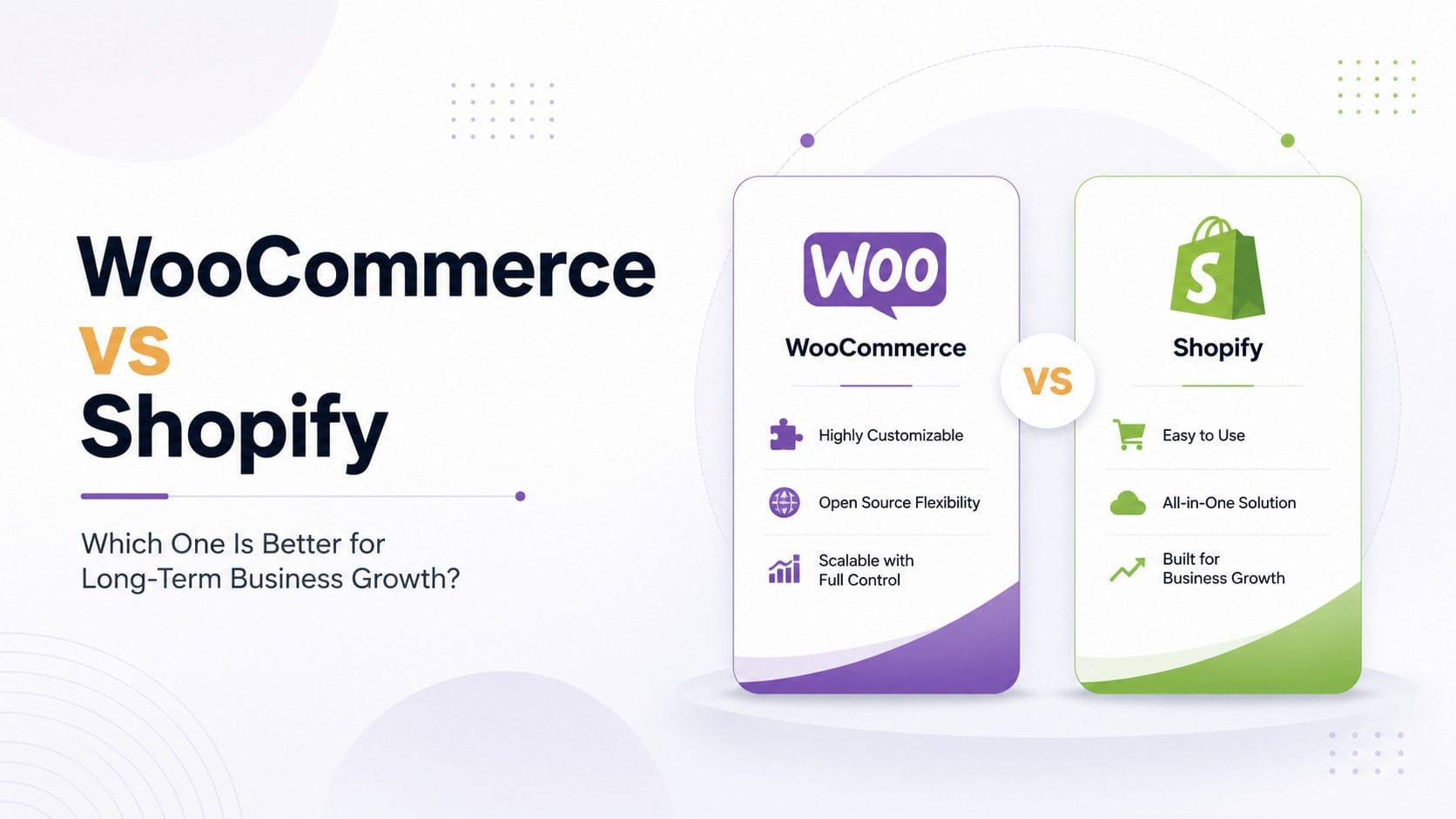
Shopify and WooCommerce are both able to meet the demands, however, in different ways since Shopify offers a fully managed ecommerce system and WooCommerce gives you total control via WordPress.
Which one is the better choice all depends on how flexible and responsible you can be.
Understanding the Main Difference
Shopify is an online storefront software, where the hosting, updates to the platform, security and the majority of the technical things are done by Shopify.
In contrast to this, WooCommerce is an open-source plugin of WordPress that allows the businesses to choose their hosting provider and have full control over the coding and technical details of the site.
In short, Shopify is all about ease of use while WooCommerce is about flexibility.
Setup and Daily Management
Shopify is always simpler to configure and manage. Online sellers can sign up for an account, pick a theme, list their products, set up payment, and start making sales without having separate hosting.
At the same time, Shopify’s dashboard unites products, orders, customers, promotions, reporting tools, and apps into one place. Thus, it is convenient for those who prefer to concentrate on marketing and operational activities rather than website management.
On the other hand, WooCommerce demands more initial work. Companies will require hosting for WordPress, an SSL certificate, proper theme, backups, security solutions, and plugins.
Extra configuration means extra options; however, it is important to make all choices wisely. It is possible to turn to WooCommerce developers in order not to encounter any problems associated with low-quality hosting or plugins.
Design and Customization
They both provide a possibility of creating branded stores.
Shopify offers free and paid themes that can be modified with the help of the platform’s theme system. Custom design, layout, navigation, and even mobile versions can be made by a Shopify web design agency without dealing with infrastructure.
Greater coding possibilities can be found in WooCommerce. You can modify checkout procedures, product formats, pricing models, user profiles, and other aspects of the software.
Such freedom of choice may come in handy for businesses having unique products or specific demands. Nevertheless, each custom feature should be checked and supported. More opportunities are needed if a company has a technical team.
Performance and Scalability
Shopify offers managed hosting and infrastructure. The company does not require configuring the servers or upgrading the hosting infrastructure during increased traffic during sales seasons or product launches.
The Shopify store might still get slow because of heavy images, themes, and unnecessary applications; however, infrastructure management is mostly taken care of by the platform itself.
WooCommerce’s performance is based on hosting, code of themes, plugins, caching, and the database. The well-optimized WooCommerce store will be able to work with heavy traffic and many products. An inefficient WooCommerce store could start to slow down as the company grows.
Professional WooCommerce development can provide server configuration optimization and database optimization.
WooCommerce vs Shopify: Quick Comparison
Area | Shopify | WooCommerce |
|---|---|---|
Setup | Faster and simpler | Requires more configuration |
Hosting | Included | Selected separately |
Customization | Flexible within Shopify | Greater code-level control |
Maintenance | Mostly managed | Business responsibility |
Scalability | Easier to manage | Flexible but more technical |
Content | Good blogging tools | Strong WordPress capabilities |
Best For | Managed growth | Control and customization |
Cost of Ownership
Shopify is based on a subscription plan. Companies are to pay monthly fees for the platform and may also pay for themes, apps, development, and related payments.
WooCommerce is completely free; however, hosting, premium plugins, backups, security, maintenance, and developers’ services are needed for setting up a professional store.
WooCommerce might be cheaper at first glance; however, the total expenses can grow due to customization of the website. Shopify can become expensive as well due to the usage of many paid apps.
It is necessary for companies to consider the total amount of expenses within several years.
Security and Maintenance
Shopify is responsible for hosting, security, updates, and SSL. However, store owners should be in charge of permissions for the employees, passwords, clients’ data, and application access.
WooCommerce requires continuous updates for WordPress, themes, and plugins as well as backups, protection against viruses, security on the host site, and compatibility tests.
Nothing is wrong with WooCommerce security-wise. It is just that there are many issues because the site is not maintained and poor-quality extensions are being used.
Companies who are going to use the services of the WooCommerce developers should select a team aware of performance, security, and maintenance, not design.
SEO and Content Marketing
WooCommerce is beneficial to those enterprises that produce a lot of content since it runs on WordPress.
Moreover, Shopify incorporates all key features of ecommerce SEO, such as metadata editing, redirects, sitemap generation, image alt text, and even blog creation.
However, for the majority of online stores, Shopify’s SEO capabilities will be enough. The main things that make a difference are not the platform but quality content, site structure, speed, etc.
Which Platform Should You Choose?
Shopify will be an ideal choice compared to WooCommerce for business owners who want immediate implementation, hosting facilities, reliable maintenance, and scalability. In case any customization is needed for themes, plugins, and advanced stores features, businesses can employ the services of developers for Shopify.
The perfect choice for enterprises who need complete code ownership, flexibility of choice of host, good content management, and customizable checkout process would be WooCommerce.
Final Verdict
Shopify remains the more stable choice for most companies who don’t have an IT department. This is because of reduced need for maintaining infrastructure and being able to dedicate time to sales and customer experience.
WooCommerce emerges as the preferred choice where there is need for flexibility and independence. However, this is applicable to firms that have capable developers.
Both platforms require some amount of effort from their users to be successful. Growth is determined by planning, content creation, quality development, and UX.