I've been locked out by Factory Reset Protection once — a factory reset on a phone I hadn't signed out of properly, and suddenly my own Galaxy demanded Google credentials I couldn't remember. It took an afternoon of account recovery, not an "FRP unlock tool," to get back in. That experience is why this page has changed direction: the previous version of this article walked through a commercial bypass tool, and I've removed all of that. What's left is what actually solves the problem for the people this happens to legitimately — plus the reasons the bypass-tool route costs more than it delivers.
Quick Answer: FRP locks a Samsung phone to the last Google account signed in on it, and a reset doesn't remove that lock — by design, to make stolen phones worthless. If you're locked out of your own device, the working routes are Google account recovery, Samsung's Find My Mobile remote unlock, or Samsung service with proof of purchase. Skip the "FRP bypass" downloads; here's why.
What FRP Actually Is
Factory Reset Protection has shipped with Android since Lollipop in 2015, and Samsung layers its own account lock on top through Knox. The mechanism is simple: while a Google account is active on the phone, a factory reset — from recovery, settings, or a lost-mode wipe — leaves the device asking for that specific account's credentials before it can be set up again.
That's not a bug. Before FRP, a five-minute tutorial let a thief reset a stolen phone and sell it clean. After FRP, a stolen Galaxy is a paperweight unless the thief also has your Google password. Every frustration you're feeling with a locked device is the feature working on someone else's behalf.
The legitimate locked-out cases are real, though: you forgot the password, inherited or bought a second-hand phone still tied to the previous owner, or a work device outlived its company. Each has an official path.
The Official Routes Back Into Your Phone
Try these in order — most cases end at step 1 or 2:
1. Recover the Google account itself. FRP asks for the account that was on the phone, so if you can recover that account's password on any other device (Google's account recovery page on the web), you can sign into the phone normally. This is the fastest route for forgotten credentials and costs nothing.
2. Samsung Find My Mobile. If you had a Samsung account registered on the phone, Find My Mobile's remote unlock feature can remove the screen lock and let you sign in fresh — from Samsung's Find My Mobile site on a browser. This is Samsung's own supported method and works even when Google recovery can't help.
3. For second-hand phones: the previous owner removes the account. The seller signs into their Google account on any device, opens Security → Your devices, selects the phone, and signs out — the FRP tie breaks on the spot. If you bought the phone from a shop or an unresponsive seller, this is where step 4 comes in.
4. Samsung service center or your carrier, with proof of purchase. An original receipt or invoice proving ownership is what Samsung support asks for to help regain access to a legitimately owned device. It's slower, but it's the definitive route — and unlike anything downloadable, it can't brick your phone.
One genuinely useful preventative: before you ever reset a Samsung phone, remove the Google and Samsung accounts in Settings → Accounts and backup, then reset. FRP only arms itself around accounts present at reset time. Ten seconds of sign-outs saves the entire problem.
Why I Removed the Bypass-Tool Instructions
The earlier version of this post recommended running a commercial FRP tool on your PC. I've pulled that walkthrough, and I'd pull your attention away from that entire category. Four concrete reasons:
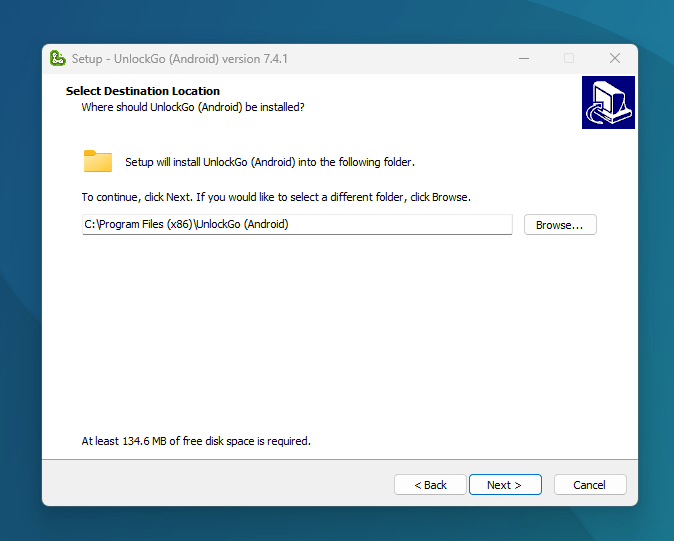
- The download sites are the real risk. "FRP bypass tool" searches are a malware economy — fake installers, bundled adware, and outright credential stealers. Even the legitimate-looking tools in this space (the paid ones like iToolab's UnlockGo, DroidKit, or Tenorshare's 4uKey for Android) require disabling antivirus protections to run, because that's what deep phone access looks like to security software.
- They undermine exactly the protection you'd want if the tables turned. If your phone is stolen tomorrow, you want FRP to be unbreakable. Tools that weaken it for you weaken it for whoever has your phone next.
- They break constantly. These tools exploit vendor and Android vulnerabilities, and security patches close those holes every month — hence the endless "version 7.4 now supports…" churn, paid re-licenses, and one-star reviews after each Android update. Case in point: the links in the old version of this post, kept below for reference, no longer even lead to the FRP product — the vendor's page now sells a GPS-location tool instead.
- The legal ground is shaky. Circumventing a technical protection measure sits in gray-to-dark legal territory in most countries, and proving you're the rightful owner is exactly what the tool can't verify — which is the whole point of FRP in the first place.
If you came here for those steps: the official routes above solve the same problem without the malware exposure, the recurring license fees, or the gamble.
Buying and Selling Second-Hand Samsung Phones
Most FRP horror stories start in a second-hand deal, so a checklist for both sides:
Sellers: remove your Google account (Settings → Accounts), remove the Samsung account, then factory reset. A phone that reboots into setup with no account ties is worth more and can't come back to bite you.
Buyers: before paying, insist the phone goes through setup in front of you far enough to reach the Wi-Fi step — if FRP is armed, the phone will demand the previous owner's Google account right there. No demo, no deal. A "frp locked" phone isn't a discount; it's a paperweight unless the seller cooperates with route 3 above.
If you've already lost data in a bad reset experience, recovery tools exist for what remains on the device's storage — our Stellar Data Recovery for Android review covers the careful route, and what a rooted Samsung can and can't do afterward is covered in what you can do after rooting your Galaxy.
FAQ
Can I bypass Samsung FRP without a PC?
I won't walk through bypass tricks, and here's the practical reason: methods that circulate online target specific old software versions, are patched within weeks, and the pages hosting them are heavily monetized with malicious ads. For the people FRP genuinely belongs to — locked-out owners — the no-PC routes are Google account recovery (works from any browser) and the previous owner signing the device out remotely. Both solve the lock, not just this week's version of it.
I bought a Samsung phone and the previous owner's account is still on it. What now?
Contact the seller and ask them to sign the device out of their Google account (Security → Your devices → sign out) — legitimate sellers do this within minutes. If the seller is unreachable or it was a shop purchase, take your receipt to a Samsung service center; proof of purchase is the criterion they use. A phone with someone else's FRP on it has no third-party fix worth trusting.
Does a factory reset remove FRP?
No — that's the entire design. Factory Reset Protection means a reset leaves the phone bound to the Google account that was signed in beforehand. The reset wipes your data; it does not wipe the account tie. To release FRP before selling or recycling a phone, remove the Google and Samsung accounts first, then reset.
Is FRP only on Samsung phones?
No — FRP is Android-wide and ships on every modern Android phone, including Xiaomi, Oppo, Vivo, and Pixel devices. Samsung adds its own layer on top via the Samsung account and Knox, which is why Samsung phones can have two account locks after a reset. The official recovery routes differ slightly per brand, but the pattern is the same: recover the account, use the maker's remote-unlock service, or go through official support with proof of ownership.
How do I disable FRP before selling my Samsung phone?
Sign out properly instead of looking for a switch: Settings → Accounts and backup → Manage accounts → remove the Google account, then remove the Samsung account, and only then run the factory reset. With no accounts present at reset time, the phone reboots into a clean setup with no FRP prompt. Verify by restarting and walking through the first setup screens yourself before handing the phone over.
Related Reading
- What You Can Do After Rooting Your Samsung Galaxy
- Stellar Data Recovery for Android Review
- Advanced Security Features of Cloud Data Backup
—
Link transparency note: the original version of this post carried three links to iToolab product pages (kept below per our link policy, since the pages still resolve) — itoolab.com/gps-location-changer/, the Android pattern-lock remover page, and the same GPS-changer URL again, which is what the old "FRP tool" anchor had quietly started pointing to. We receive nothing from these links and no longer recommend the product category; Google's official Android USB driver page, which the old post also linked, remains the right download if a service-center procedure ever asks for it.
If you're currently locked out, start with the official routes at the top of this page — and if none of them apply to your situation, describe it in the comments and I'll point you at the right one.