Four years after our first look, NoteBurner's iTunes Audio Converter is still around, still updated — and the world it lives in has changed underneath it. iTunes no longer exists as an app on modern Macs or, since 2024, on Windows; Apple Music runs the library now. Yet the converter's job hasn't changed: turn Apple Music tracks, iTunes-purchased M4P songs and audiobooks into ordinary MP3, FLAC or ALAC files that play anywhere. Here's the 2026 state of the tool, the current price, and the fine print you should read before buying.
Quick Answer: NoteBurner iTunes Audio Converter still works well in 2026 — clean conversions to MP3/AAC/FLAC/ALAC with ID3 tags intact, now $44.95 for the full version (free trial caps each song at 3 minutes). It does exactly what it claims; just understand that converting streaming tracks breaks Apple's terms of service, and use it only for personal, lawful purposes.
Disclosure: the original version of this review (2022) was published in partnership with NoteBurner. This 2026 update was written independently, and links in this article are plain vendor links — no affiliate commission is earned.
What It Is and What's Changed Since 2022
NoteBurner's converter records/converts audio from Apple's ecosystem into open formats. On Windows it keeps the "iTunes Audio Converter" name; the Mac version is branded "Apple Music Converter" — same engine, two names. The official product page lists Windows 11/10/8/7 support, and the app now pulls from the Apple Music app and web player rather than assuming classic iTunes is installed.
What's new since our 2022 test: the price has climbed to $44.95 (it was materially cheaper a few years back), conversion of Apple Music Lossless to ALAC is supported, and the suite has absorbed extras that used to be separate tools — a tag editor, an AA/AAX Audible-book converter, a basic audio editor and even AI vocal separation. The core conversion quality, in our earlier testing and in the general user consensus since, was never the weak point; it remains one of the more reliable converters in a category full of flaky ones.
Key Features (2026)
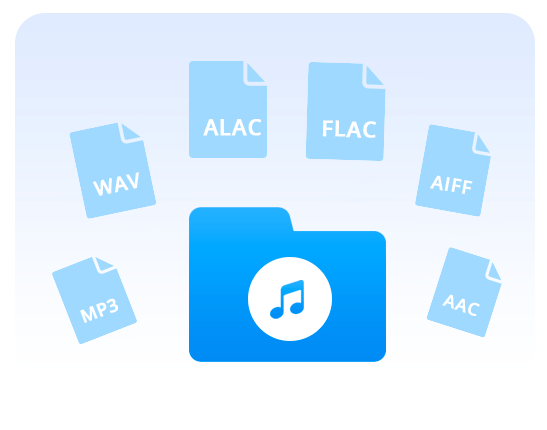
- Output formats: MP3, AAC, WAV, FLAC, AIFF and ALAC — including lossless-to-lossless ALAC conversion
- Sources: Apple Music tracks and podcasts, iTunes M4P purchases, M4A/M4B audiobooks, AA/AAX Audible files
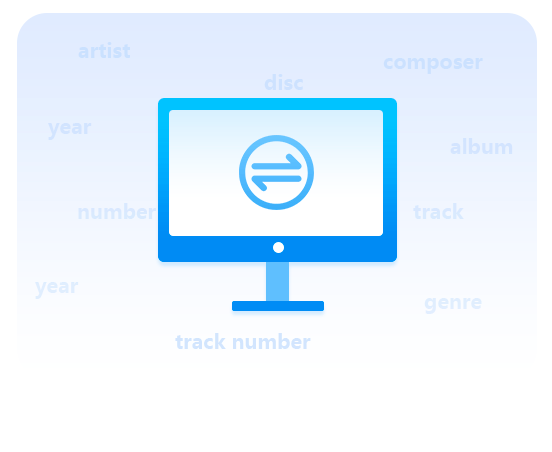
- Metadata: ID3 tags (title, artist, album, artwork) and lyrics preserved — the reason you use a tool like this instead of re-recording manually
- Speed: up to 10x conversion, batch processing
- Extras: CD burner, tag editor, audio editor, AI vocal separation
- Interface: 48 languages, dark mode, a setup that walks you through granting library access on modern Windows/macOS
How It Works
The workflow has barely changed since 2022:
1. Install and open NoteBurner (it detects your Apple Music app or asks for web-player sign-in)
2. Click +Add and pick tracks or playlists from your library
3. Open Settings to choose output format, bit rate and where files land
4. Click Convert — the tool plays through each track and writes the converted file
5. Use the folder icon beside finished tracks to find your files
The free trial converts only the first 3 minutes of each song — enough to verify quality before paying, which is exactly what a trial should do.
Pricing
| Tier | What you get |
|---|---|
| Free trial | Full features, first 3 minutes per song |
| Full version | $44.95 — unlimited-length conversions, free updates |
There's also a "Music One" all-in-one bundle ($79.90) covering multiple streaming services — only worth it if you're also converting Spotify or Amazon Music. Note the $44.95 product page doesn't spell out whether your license is 1-year or lifetime at purchase time; check before you buy, because that distinction is the difference between fair and expensive.
The Fine Print You Should Actually Read
This is the section the tool's own marketing skips. Converting tracks from Apple Music — a streaming subscription — means removing the DRM that enforces its terms: doing so violates Apple's Terms of Service, and DRM circumvention is restricted by law in some countries (notably under the DMCA in the US). Converting music you purchased outright, or audiobooks and files you legitimately own, for personal backup or format-shifting is a much more defensible use case, and honestly the one this tool handles best.
What you shouldn't do with it: redistribute converted files, share them, or feed a family plan into a file-sharing operation. Converted files are for your own devices and your own ears. We reviewed the tool because it works — not because every possible use of it is wise or lawful everywhere.
Pros and Cons
| Pros | Cons |
|---|---|
| Consistent, reliable conversions | $44.95 is a big jump from the tool's older pricing |
| ID3 tags, artwork and lyrics survive | Violates Apple ToS on streamed tracks |
| Handles Apple Music Lossless → ALAC | License term (1-year vs lifetime) is unclear at checkout |
| Works on Windows 11 and modern macOS | Legal gray zone makes some buyers uneasy |
| Useful extras (tag editor, Audible converter) | Mac version uses different branding, which confuses searches |
Verdict
Rating: 4/5. As software, NoteBurner's converter does its job with the least friction in its category: tags intact, lossless handled, and updates that keep pace with Apple's changing apps — which, post-iTunes, is the real test. The deductions are for the price jump, the muddy license terms, and the fact that the tool's core use case sits outside Apple's terms for streamed music. If your goal is legitimately owning format-shifted copies of music you've bought, or backing up audiobooks, it's a solid buy at $44.95. Try the 3-minute trial first; it tells you everything the marketing won't.
For the broader context on audio conversion, our guides to converting video files to audio formats and the technology behind YouTube-to-MP3 conversion cover the format landscape in more depth.
Frequently Asked Questions
Is NoteBurner iTunes Audio Converter still available in 2026?
Yes — it's actively sold and updated on NoteBurner's site, now at $44.95 for the full version. On Windows it's still named "iTunes Audio Converter," while the Mac version is branded "Apple Music Converter."
Does NoteBurner still work if iTunes is no longer installed?
Yes. The converter now works with the Apple Music app and the Apple Music web player, which is how modern Windows and Mac systems handle music libraries. Classic iTunes M4P files and audiobooks remain supported inputs.
Is converting Apple Music to MP3 legal?
It depends on where you live and what you convert — DRM circumvention is restricted in some countries (the US DMCA, for example), and converting streamed tracks breaches Apple's terms of service everywhere. Format-shifting music you've purchased for personal use is generally the safest ground. This isn't legal advice; check your local rules.
Is the NoteBurner free trial enough to judge quality?
Yes — it converts the first 3 minutes of any track with all output formats enabled, which is plenty to check audio quality and tag handling before deciding on the $44.95 purchase.
What are the alternatives to NoteBurner?
Tools like TuneFab, Sidify and Tunepat occupy the same category with similar pricing. For music you own as files already, free converters (e.g. foobar2000 with encoders, or ffmpeg) handle format conversion without any DRM step at all — often all you actually need.
Related reading:
- How to Convert Video Files to Audio Formats
- WonderFox DVD Video Converter Review
- YouTube Videos to MP3: Technologies Used in Conversion
Still using it in 2026, or did you move to another converter? Tell us in the comments.