Between burst shots, downloads, edits, and phone backups, my Pictures folder had quietly accumulated 40 GB of duplicates before I ever noticed. A good duplicate photo finder fixes that in an afternoon — but the honest review this page needed: the previous version of this article recommended exactly one tool (in advertorial depth), while the genuinely useful answer in 2026 is a comparison. Here are the five I'd actually install, including the one from the old version.
Quick Answer: Duplicate Cleaner 5 is the best overall for Windows (deepest rules, image preview, ~£39 one-time for Pro). dupeGuru is the best free option — open-source with fuzzy picture matching. AllDup is the best free all-rounder for any file type, Duplicate Photos Fixer Pro is the easiest for beginners, and Czkawka is the fastest scanner I've run. All work on Windows 10 and 11.
The 5 Best Duplicate Photo Finders at a Glance
| Tool | Price | Platform | Best for |
|---|---|---|---|
| Duplicate Cleaner 5 | Free; Pro ~£39 one-time | Windows | Power users |
| dupeGuru | Free, open-source | Win/Mac/Linux | Best free picture matching |
| AllDup | Free core | Windows | Any file type, no cost |
| Duplicate Photos Fixer Pro | ~$40/yr subscription | Win/Mac/mobile | Beginners |
| Czkawka | Free, open-source | Win/Mac/Linux | Huge libraries, speed |
1. Duplicate Cleaner 5 — Best Overall
DigitalVolcano's Duplicate Cleaner is what the others are measured against. Its image mode compares actual picture content (rotated, flipped, and resized copies included), and its selection assistant can keep the newest, largest, or highest-resolution copy of each group automatically — the single feature that turns a two-hour manual review into a five-minute confirmation. Search profiles let you save complex rules for repeat runs. The free version covers basic duplicate search; Pro (around £39 one-time, no subscription) unlocks image comparison and the advanced rules. Get it at duplicatecleaner.com.
Best for: anyone with a serious photo library who wants precise, repeatable cleanup.
2. dupeGuru — Best Free Duplicate Photo Finder
dupeGuru is open-source, cross-platform, and — critically — its Picture mode uses fuzzy matching to catch photos that are similar but not byte-identical: the same shot exported twice, a cropped version, a slightly compressed copy. The interface is plain and the scan is slower than paid rivals, but the price (free, forever, no upsells) and the quality of matching make it the first tool I recommend to anyone who won't pay. Its official site hosts downloads for Windows, macOS, and Linux.
Best for: free, no-strings duplicate photo cleanup that actually understands images.
3. AllDup — Best Free All-Rounder
AllDup's superpower is scope: photos, videos, documents, music, even similar-named files — all free. Its picture comparison handles rotated and flipped copies, its result list groups duplicates clearly, and it can search inside folders on external drives and network shares. The trade-off is a dense, utilitarian interface that takes ten minutes to learn. For households that want one free tool for every duplicate problem, not just photos, this is the pick. Downloads live at alldup.de.
Best for: a single free tool for every kind of duplicate file.
4. Duplicate Photos Fixer Pro — Easiest for Beginners
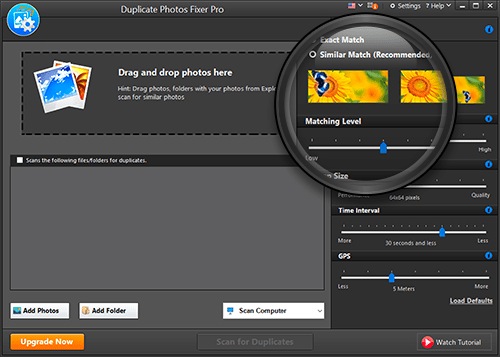
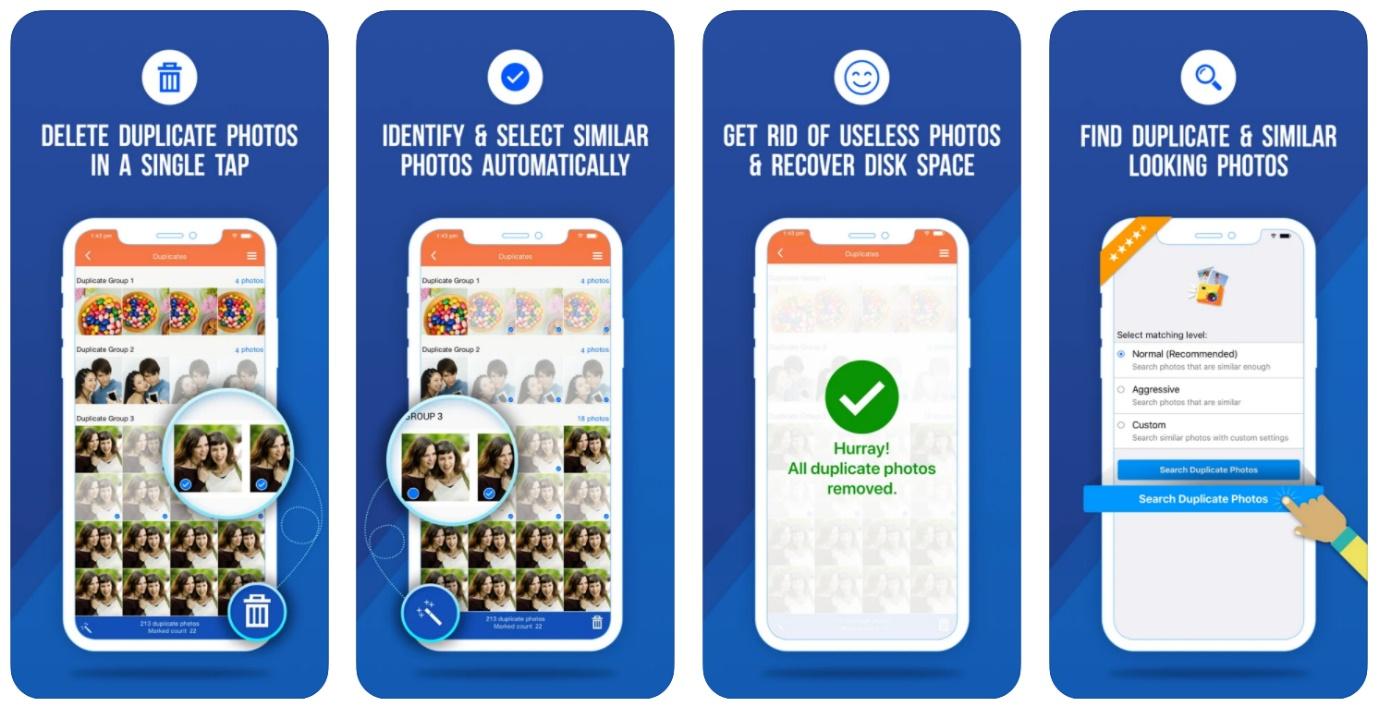
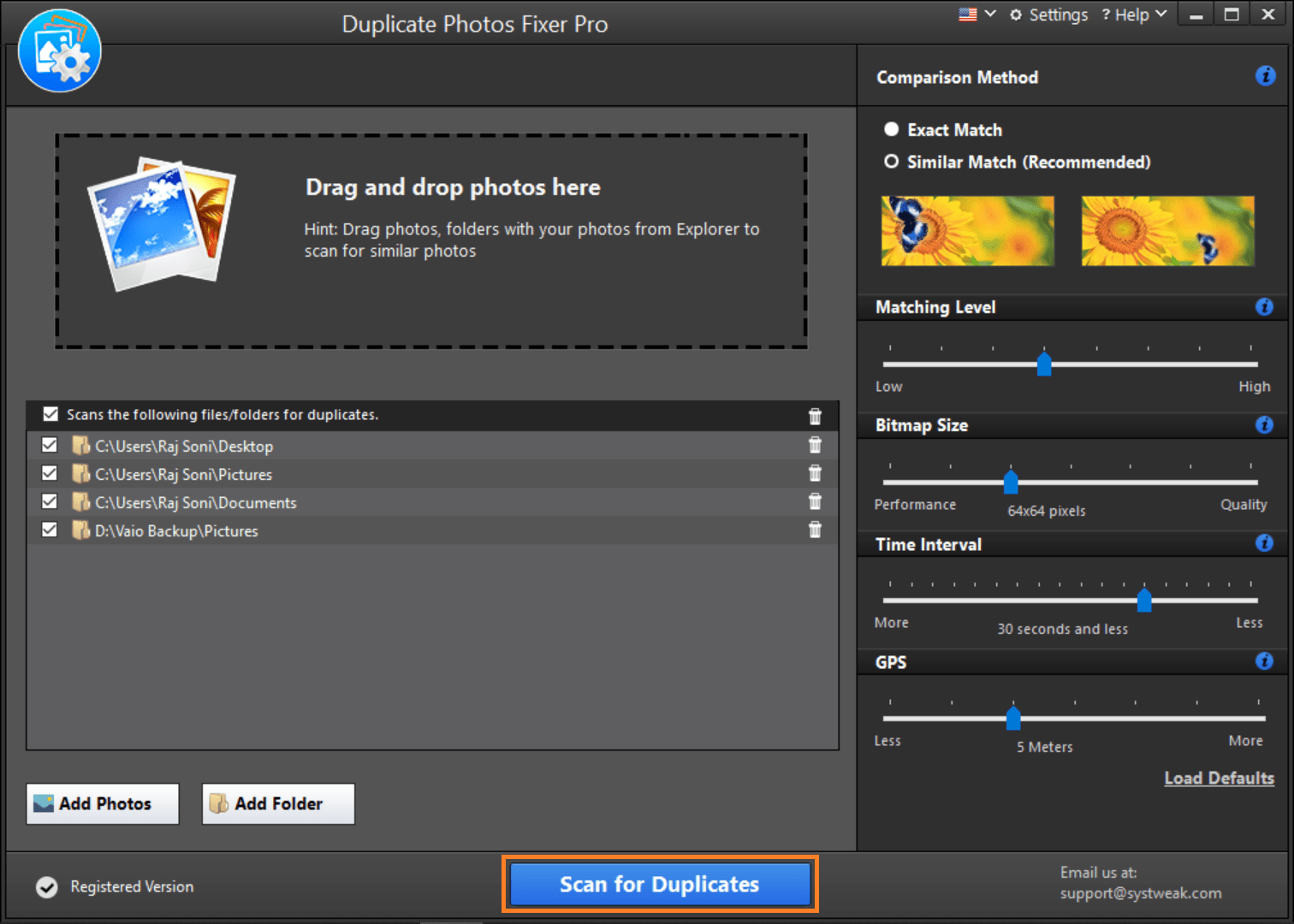
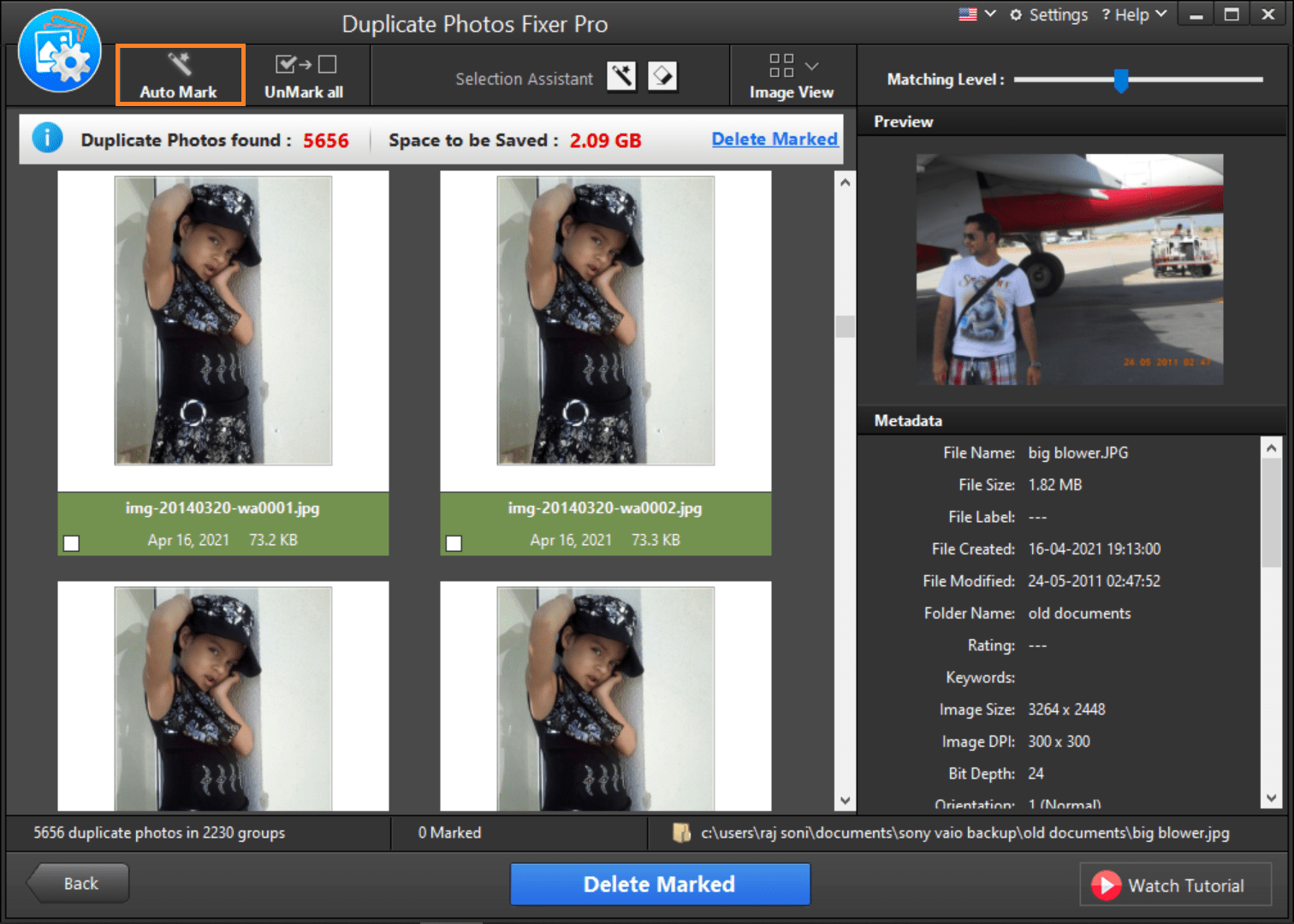
Systweak's Duplicate Photos Fixer Pro is the tool the previous version of this article covered, and it earns a place honestly: it's the simplest of the five. Drag a folder in, hit scan, get grouped duplicates with thumbnails, use Auto-Mark, delete. It also scans Google Drive and external drives, works across Windows, Mac, and mobile, and adjusts matching levels for aggressive or conservative detection. The cost model is the downside — a subscription (around $40/year with frequent discounts, and the trial deletes only a limited number of files) versus one-time or free alternatives above. Check current pricing at duplicatephotosfixer.com.
Best for: beginners who want the least-thinking-possible workflow and don't mind subscribing.
How to Use Duplicate Photos Fixer Pro (Step by Step)
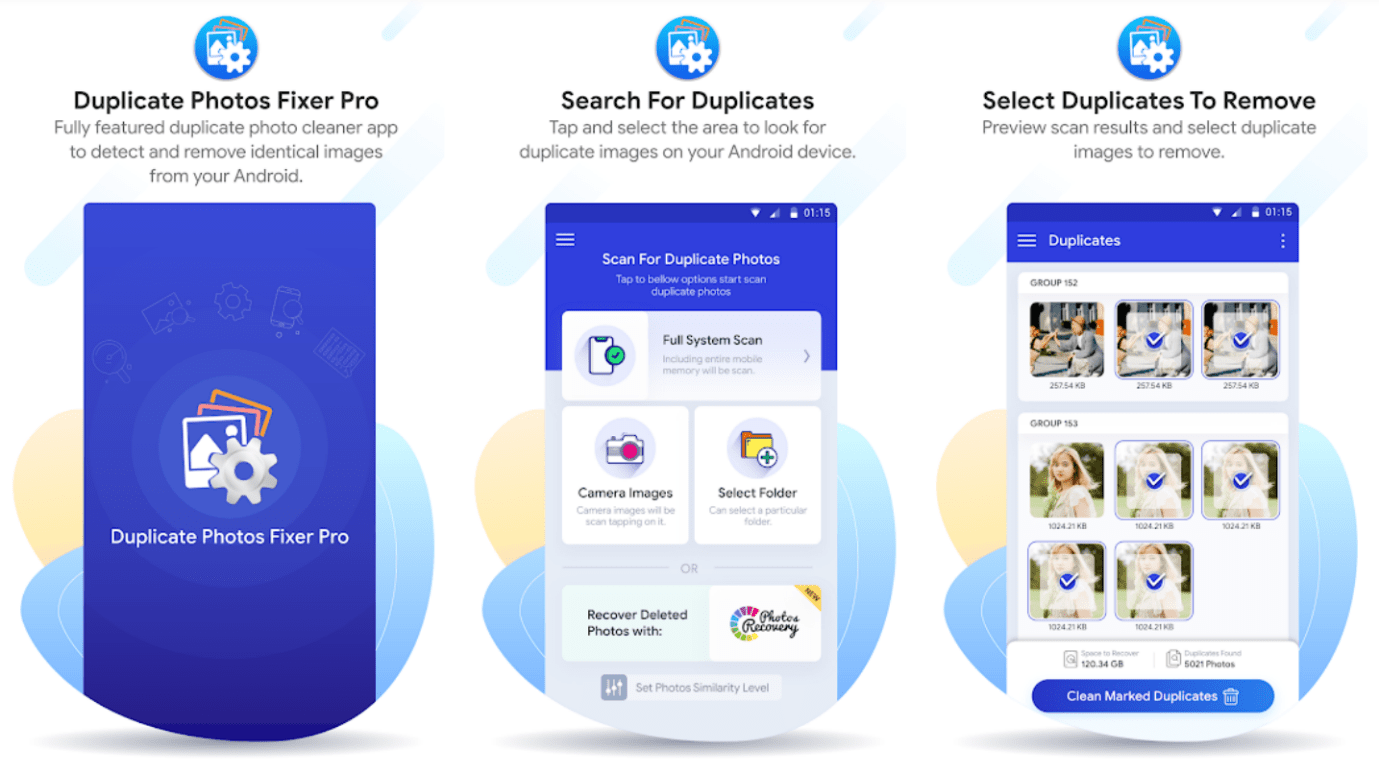
Since it's the beginner favorite, here's the safe workflow:
1. Download and install it from the official site only, then launch it from the Start menu.
2. Configure comparison — matching level, time interval, and GPS criteria if your photos carry location data.
3. Add folders by drag-and-drop or browse — the whole Pictures library, an external drive, or Google Drive.
4. Scan for duplicates and wait for the grouped results.
5. Auto-Mark or hand-pick — Auto-Mark keeps one copy per group (usually the first found); preview each group to make sure the keeper is the right one.
6. Delete Marked sends everything to the Recycle Bin — check the bin before emptying it, because that's your undo button.
5. Czkawka — Fastest for Huge Libraries
Czkawka (Polish for "cavity" — open source, no telemetry, no upsells) is the speed freak of the category: written in Rust, it chewed through a 200,000-file test library in seconds where GUI tools took minutes. It finds identical images, similar images (with adjustable similarity thresholds), videos, music, and broken files. The interface is functional rather than friendly, which is why it's fifth and not first — but for photographers with giant archives or older PCs, nothing else comes close.
Best for: massive photo libraries and speed above polish. Grab it from its GitHub releases page.
Before You Delete: Four Safety Rules
1. Send to Recycle Bin first, empty it a week later. Every tool here can do this — it's your undo.
2. Keep the highest-resolution copy. When in doubt, sort by size or dimensions, not name.
3. Watch cloud folders. Deleting a "duplicate" in a synced OneDrive/Google Drive folder deletes it everywhere; some services have their own duplicate handling.
4. Back up first if the photos matter. A 2-minute copy to an external drive beats permanently losing the only copy of a once-in-a-lifetime shot.
FAQ
What is the best duplicate photo finder for Windows?
Duplicate Cleaner 5 is the best overall — its content-based image comparison and automatic selection rules outclass everything else, with a one-time Pro price rather than a subscription. On a zero budget, dupeGuru's free picture matching is genuinely capable and open-source. Both run fine on Windows 10 and Windows 11.
Is there a truly free duplicate photo finder for Windows 10?
Yes — three on this list are free: dupeGuru (open-source, picture mode with fuzzy matching), AllDup (free for all file types), and Czkawka (open-source, extremely fast). Windows also has no built-in duplicate-photo finder, so a third-party tool is genuinely needed — File Explorer's search only catches files with identical names.
How do I find duplicate photos that aren't exactly identical?
Use a tool with fuzzy or similar-image matching: Duplicate Cleaner Pro's image mode, dupeGuru's picture mode with the similarity threshold lowered, or Czkawka's similar-images module. These compare actual image content — so a resized, cropped, rotated, or re-compressed copy of a photo still matches the original, which filename- and size-based scanning misses entirely.
Is Duplicate Photos Fixer Pro worth the subscription?
Only if you value its simplicity over price. It's the easiest workflow of the five and covers Mac and mobile too, but at roughly $40/year it's the only paid-subscription option here — Duplicate Cleaner Pro costs about the same as a one-time purchase, and dupeGuru or AllDup cost nothing. For most Windows users, the free or one-time tools are the better long-term deal.
Can I trust duplicate finders not to delete the wrong photos?
With the right workflow, yes: use tools that group duplicates with previews, keep deletion going to the Recycle Bin, and review each group before confirming — especially when auto-mark is on. The dangerous pattern is a blind "delete all duplicates" on a folder you haven't backed up. Back up first when in doubt; photo storage is cheap and regret is not.
Do duplicate photo finders work on external drives and SD cards?
Yes — all five tools scan external HDDs, SSDs, USB drives, and SD cards as normal folders; Duplicate Cleaner, AllDup, and Czkawka also handle network shares. That matters because most duplicate photo collections actually live on backup drives and SD-card copies rather than the main C: drive. Just don't delete from the SD card until you've confirmed which copy is the keeper.
Related Reading
- How to Remove Duplicate Files in Windows 10
- 5 Amazing Tools To Find Similar Photos On Windows 10
- 10 Free Tools to Clean Unnecessary Files on Your Windows PC
- How to Speed Up an External Hard Drive
- How to Recover Deleted Photos in Windows, Mac, iOS and Android
My own Pictures folder went from 92 GB to 54 GB in one Sunday afternoon with Duplicate Cleaner — tell me how big your duplicate problem is in the comments and I'll suggest which of the five fits.