Short version: a MacBook does not need a VPN the way it needs updates and backups. macOS is already a hard target — sandboxed apps, signed software, a firewall you can switch on, full-disk encryption by default. A VPN solves problems Apple's tools don't touch: who can see where you're connecting from, what your ISP logs, and which country's internet you get served. Some users hit those problems daily; others never do.
Quick answer: Most MacBook users don't need a VPN for basic security — macOS plus universal HTTPS already handles that. A VPN earns its keep for hiding your traffic from ISPs and network admins, streaming content from other countries, torrenting privately, and working on untrusted networks or remote company systems.
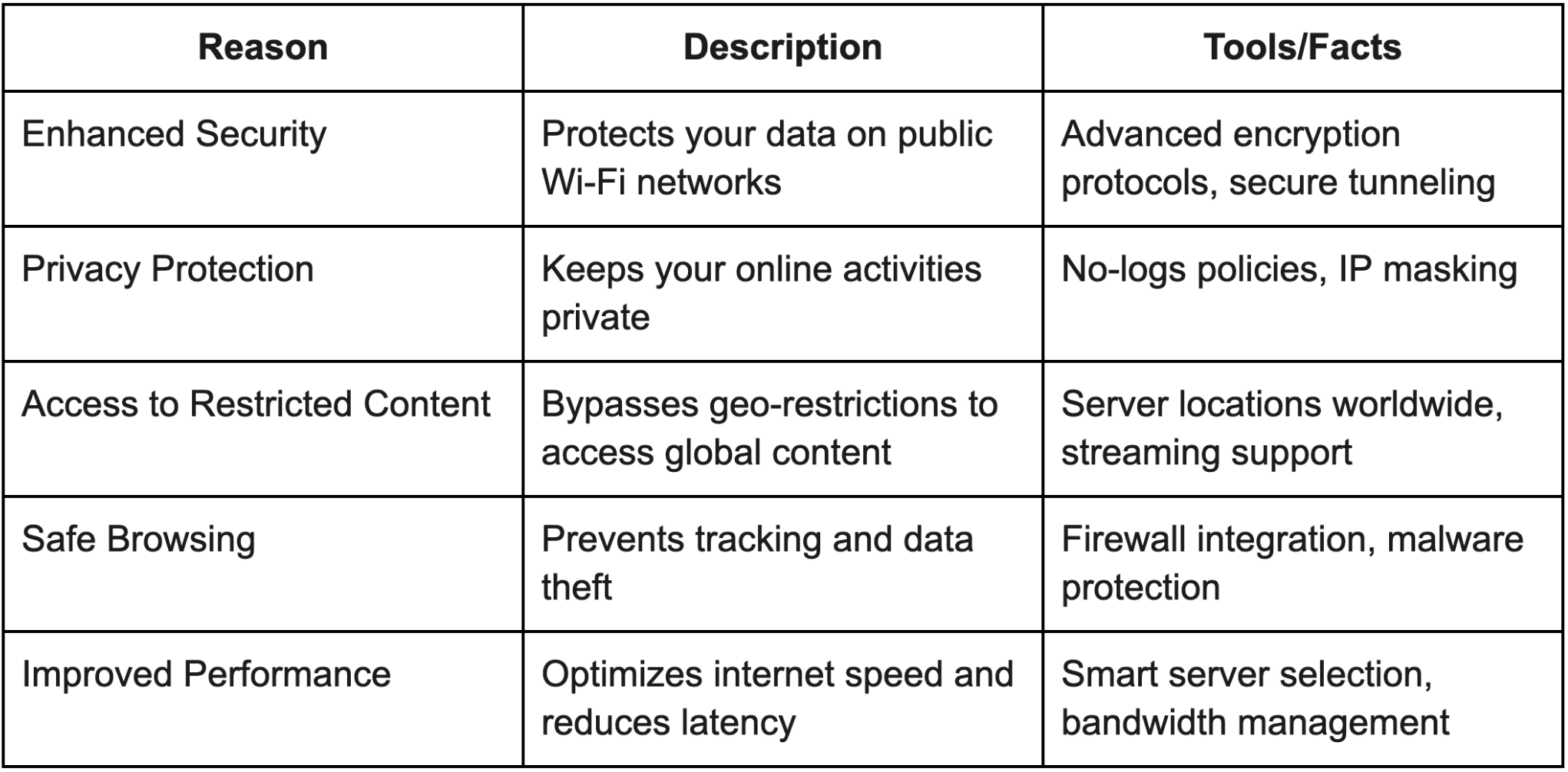
What a VPN actually does on a Mac
A VPN app creates an encrypted tunnel from your MacBook to a server run by the VPN provider. After that, three things change:
- Your traffic exits from the provider's IP address, so websites and apps see the VPN server, not your home or hotel IP.
- Your ISP or Wi-Fi network admin sees one encrypted pipe — they can tell you're using a VPN, but not which sites you visit on non-HTTPS connections or which apps you use.
- Your apparent location is wherever the server is, which is why VPNs unlock other countries' streaming catalogs and price testing.
That's the whole trick. Everything else a VPN seller promises is either a side effect of these three or marketing.
The 2026 reality check on public Wi-Fi
The classic warning — "café Wi-Fi lets hackers read your traffic" — has mostly expired. Nearly every site and app that matters now encrypts its own connections with HTTPS, so the person sniffing the coffee-shop network sees ciphertext whether or not you run a VPN. macOS also stopped auto-joining open networks years ago and warns you before connecting to unsecured ones.
What's still true on public Wi-Fi: the network operator can log which domains you connect to, captive portals remain a favorite spot for credential phishing, and a few local services (printers, file sharing) are better left off. A VPN closes the metadata gap and puts a wall between your MacBook and everyone else on that network — a real benefit, just a narrower one than VPN ads suggest.
What Apple already covers — and what it doesn't
| Layer | What it protects | What it doesn't |
|---|---|---|
| FileVault (on by default) | Your files if the Mac is lost or stolen | Nothing online |
| Built-in firewall | Incoming connections from other devices | Outbound tracking |
| iCloud Private Relay (iCloud+) | Hides your IP and encrypts DNS in Safari and insecure app traffic | Apps using their own encryption; no country choice; not all traffic — see Apple's Private Relay page |
| A VPN | All apps, full traffic path, chosen country | Doesn't make you anonymous or protect you from phishing |
Private Relay is the one people mistake for a VPN. It's a genuine privacy upgrade — websites see a relay address instead of yours, and DNS queries get encrypted — but it only covers Safari browsing and insecure traffic, and you can't pick a country. If you pay for iCloud+ and just want Safari snoops off your back, it may be all you need. If you want every app covered or a specific exit country, that's VPN territory.
The reasons MacBook users still buy one
ISP visibility and throttling. Your ISP can log connections and, in some countries, sell or share that history. A few also slow heavy traffic like streaming or P2P. A VPN hides destination and traffic type in one move.
Streaming and travel. Home-country catalogs, sports broadcasts and news sites vanish the moment you cross a border — including within India, where several services gate content by state or by the telecom you're on. A VPN with servers back home restores it.
Torrenting and P2P. If you share files over BitTorrent, your IP is visible to every peer in the swarm. Whether or not what you share is legitimate, that exposure is the single most common reason privacy-minded users keep a VPN running.
Work. Plenty of company systems still require a VPN — the corporate kind, which your IT department manages. That's separate from the consumer app, but it normalizes the habit.
Shared networks. Hostels, dorms, offices, hotel Wi-Fi — anywhere the network belongs to someone else, a VPN keeps your destinations out of their logs.
What a VPN will not do
- Make you anonymous. Your VPN provider sees everything your ISP saw. Free or fly-by-night providers are a bigger privacy risk than no VPN at all.
- Replace security updates. Malware arrives through downloads, email and fake sites; a VPN doesn't inspect any of that meaningfully.
- Stop phishing. You can log into a perfect replica of your bank through a VPN and still lose your password.
- Speed up your internet. Encryption adds a little overhead. The exception is throttling: if your ISP slows specific traffic, a VPN can hide it and indirectly restore speed. Test both ways before believing any speed claim.
If you do get one, skip the free apps
Free VPNs pay for servers somehow, and the common currency is your data — bundling browsing habits for advertisers, injecting ads, or quietly reselling bandwidth. App Store reviews are full of free VPNs that behaved exactly like the trackers they promised to block. If a VPN earns your trust, it's a paid one with an independent no-logs audit and a long track record; Mullvad and Proton are the two most privacy-respected names to start comparing from, and both run native Mac apps. On an Apple-silicon MacBook, the encryption overhead is barely measurable, so the practical differences between good providers come down to trust and price, not speed.
I keep a VPN on my own MacBook for work networks and travel weeks, and leave it off at home — turning it on when the situation calls for it beats paying for a service I only need occasionally.
Related reading
- What is a VPN and Why Do You Need It? A Guide for Newbies
- What are the Features of a Good VPN?
- Traditional VPN vs. Cloud VPN
Frequently asked questions
Does macOS have a built-in VPN?
No. macOS can connect to VPN networks — there's client support for IKEv2, and any provider's app works system-wide — but Apple doesn't include a VPN service of its own. The closest built-in feature is iCloud Private Relay, which hides your IP in Safari only and isn't device-wide.
Is iCloud Private Relay enough instead of a VPN?
For Safari privacy, often yes — websites and networks see a relay address instead of yours, and DNS is encrypted. But it doesn't cover traffic from apps with their own encryption, offers no country selection, and won't unblock streaming catalogs. If those matter to you, you still want a VPN.
Will a VPN slow down my MacBook?
The Mac itself barely notices — modern Apple silicon encrypts VPN traffic without breaking a sweat. Your internet speed dips a little depending on the server's distance and load. Test your speed with and without the tunnel before accepting a provider's claims either way.
Is using a VPN legal?
In India, the US, the UK and most of Europe, yes — VPNs are ordinary consumer software. A few countries (China, Russia, UAE among them) restrict or license VPN use. Wherever you are, illegal activity stays illegal with a VPN on; the tool hides traffic, not consequences.
Decide what you're actually defending against — ISP logs, a foreign streaming catalog, or a dorm-network admin — and pay for exactly that much VPN.