Ask ten Outlook forums for the fastest OST to PST converter and you will get ten affiliate answers. The practical answer: if Outlook can still open your mailbox, you do not need a converter at all — the built-in export is the fastest and safest route. Third-party tools earn their price in exactly two situations, orphaned and corrupted OST files, and this guide covers both, with the tool comparison kept to what actually differs between them.
Quick Answer: The fastest OST to PST conversion is Outlook's own File → Open & Export → Import/Export → Export to a file → Outlook Data File (.pst) — free, lossless, and usually done in minutes. Use a dedicated converter (Shoviv, Kernel, Stellar and similar) only when the OST is orphaned, corrupted, or you must convert many mailboxes in bulk without Outlook installed.
First, the 30-second version of OST vs PST
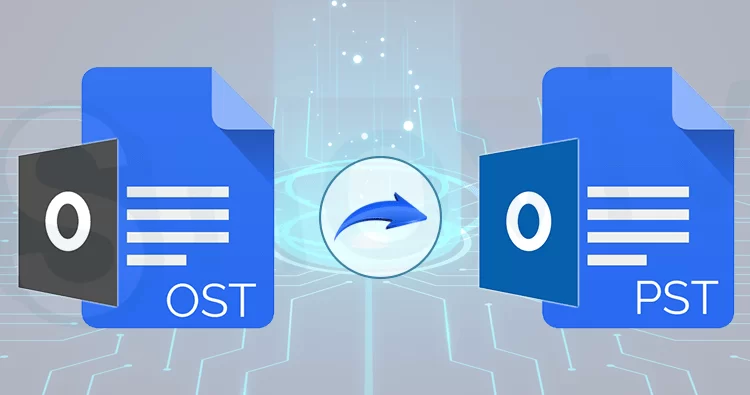
An OST file is Outlook's offline working copy of a mailbox tied to an Exchange, Microsoft 365 or IMAP account; a PST is a portable Outlook data file that stands on its own. OST exists so Outlook works without a connection; PST exists so mail can be backed up, moved between machines, or archived outside the mailbox. That is why "converting" is really exporting: the moment your account is reachable, Outlook can write a PST from the live mailbox with no extra software.
The fastest method: Outlook's built-in export
1. Open classic Outlook on Windows and make sure the account is online (status shows Connected).
2. Go to File → Open & Export → Import/Export.
3. Choose Export to a file → Outlook Data File (.pst).
4. Pick the mailbox root, tick Include subfolders, and set optional filters.
5. Choose a save location, set a password if you want one, and let it run.
A 5-10 GB mailbox typically exports in minutes on an SSD, and the result is guaranteed structurally clean because Outlook writes it natively. Two catches: the export exists in classic Outlook for Windows (the new Outlook and Outlook for Mac handle PST differently), and it only works while the account connects. When it does work, no converter is faster.
When you actually need a converter
Orphaned OST. The mailbox account is gone, deleted, or moved to a new tenant, and only the OST remains on disk. Outlook will not open it without the original profile, so a converter reads the file directly and writes the PST.
Corrupted OST. Outlook crashes or the OST is truncated after a power loss. Converters scan the file structure and salvage what is readable; Outlook's own scanpst.exe repair often cannot help with an offline OST at all.
Bulk or no-Outlook conversions. Migrating dozens of user OSTs on a machine without Outlook installed is converter territory; Microsoft's admin-side answer for whole-tenant exports is PowerShell/eDiscovery scripting, as discussed in Microsoft's Tech Community thread on bulk OST to PST conversion.
What the 2026 tool field looks like
The commercial tools converge on the same feature set: direct OST-to-PST reading, batch conversion, corrupted-file recovery mode, and export to EML, MSG, PDF and vCard. The differences are price, scan depth on badly corrupted files, and interface polish.
| Tool | Stands out for | Best for |
|---|---|---|
| Shoviv OST to PST Converter | Batch processing of large OSTs, split-output option, recovery mode | Big multi-gigabyte archives converted in one pass |
| Kernel OST to PST Converter | Long-established recovery engine, broad format export (EML, MSG, vCard) | Corrupted-file salvage with format flexibility |
| Stellar, Aryson, SysTools equivalents | Comparable feature grids; try before you buy | Comparing free-preview results on YOUR file |
One buying rule matters more than brand: every serious tool ships a free preview that shows what it can recover before you pay. Convert a sample of your actual OST, check that attachments and folders survive, and judge on that output, not on marketing pages. Pricing changes often enough that quoting numbers here would age badly — check the vendor's current page.
The integrity checklist (what "good conversion" means)
- Folder hierarchy intact, including subfolders and empty ones
- Attachments preserved in full, not truncated
- Email metadata kept: sent/received dates, read/unread flags, categories
- Contacts and calendar entries exported in working form (vCard/iCal where needed)
- No duplicate storm after import (a sign of a messy converter)
Run a spot check on five messages from different folders after any conversion, whichever tool you use. Data-integrity problems are rare with reputable converters but catastrophic to discover a year later during an audit or legal hold.
FAQ
Can Outlook export PST without an internet connection?
No. The built-in export writes from the live mailbox, so the account must connect to Exchange or Microsoft 365 first. Offline export of a disconnected OST is exactly the scenario where third-party converters are the only option, since they read the local OST file directly.
Is scanpst.exe enough to fix a corrupted OST?
Usually not for OST files. scanpst.exe (the Inbox Repair Tool) targets PST files primarily; for OST the supported fix is deleting the file and letting Outlook re-sync a fresh copy from the server. If the mailbox itself is gone, re-sync is impossible and a converter's recovery mode is the practical salvage path.
Do free OST to PST converters exist that actually work?
Genuinely free converters impose limits: message counts, per-folder caps, or watermarking. Most "free" downloads are previews of paid tools. The honest free path is Outlook's built-in export when your account still connects — that is why the fastest tool is usually the one you already have.
Which is faster, built-in export or a converter?
Built-in export, whenever it is available, because it streams from the server-side mailbox rather than parsing a local database file. Converters are slower on identical data but add recovery and orphaned-file support that native export cannot do at all.
Will converting OST to PST lose anything?
With native export, no: it is a first-party copy. With converters, quality varies — which is why the free-preview test and the five-message spot check matter. The classic losses are empty folders, embedded objects and some custom view settings, not the messages themselves.
Related reading
- Best Ways to Import OST to Outlook 365 – the reverse direction, into Microsoft 365
- How to Open a PST File Without Outlook – readers and viewers when Outlook is not around
- Convert Outlook Emails to PDF Free – when the destination is a shareable document