I've worked on a 34-inch curved ultrawide for four years and on flat 27-inch pairs for the five before that, so I'll give you the answer the original 2021 version of this article dodged: curved monitors are good for work in some setups and a bad purchase in others — and the difference is your desk, your job, and how many people look at your screen. Here's the honest, updated-for-2026 breakdown.
Quick answer: For most desk jobs, yes — a curved ultrawide (34 inches or bigger) is good for work: documents and code sit closer to your eyes' natural focus, single-wide windows replace dual-monitor clutter, and neck turning drops. But curved screens are the wrong choice for design/CAD work with straight lines, shallow desks, wall mounting, or any screen more than one person views from an angle.
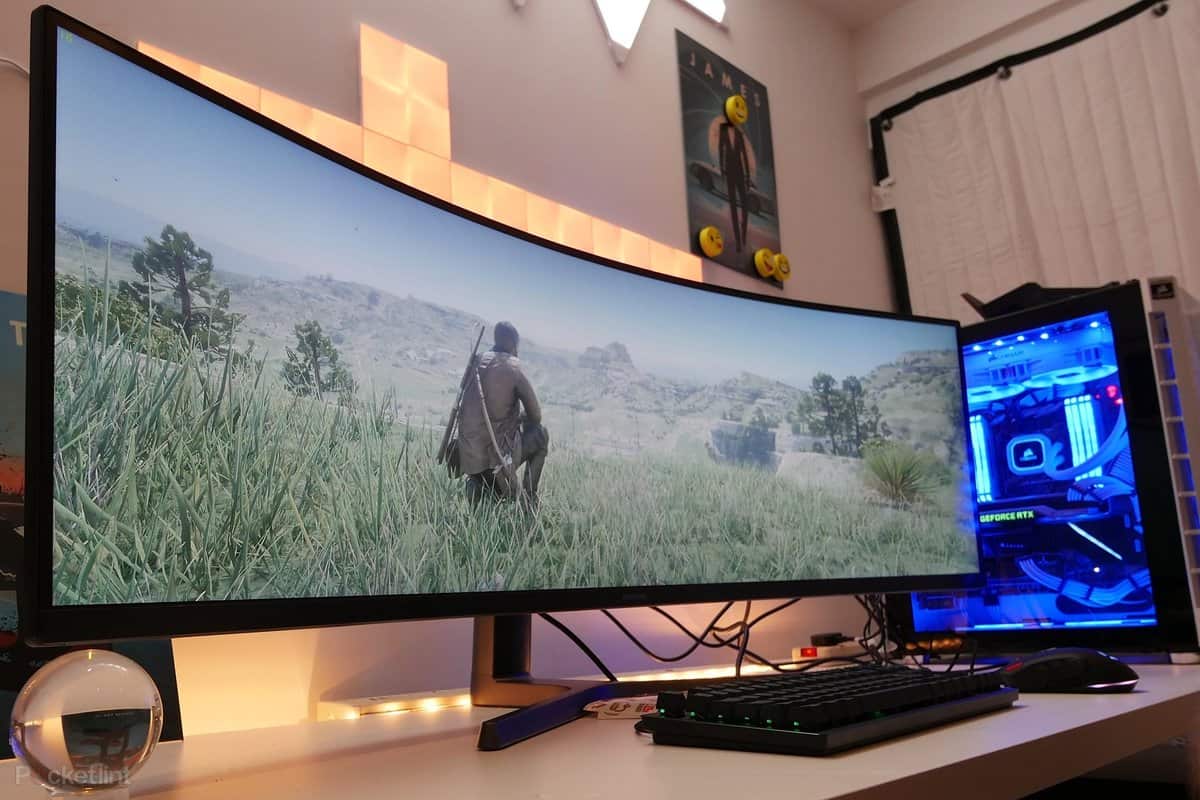
What "curved" actually means in 2026
The curvature number — 1800R, 1500R, 1000R — is the radius of the circle the screen would form, in millimetres. A 1000R monitor curves along a 1-metre circle: aggressive, immersive, and matched to a sitting distance of roughly a metre. 1800R is the gentle wrap that made ultrawides popular.
The 2026 shift that matters for work: curved panels are no longer a gaming-only gimmick. Big OLED ultrawides and 45-inch 5K2K superultrawides have pushed high-quality curved panels into mainstream productivity territory, and most of the best large monitors now ship curved by default. The question has quietly become "do I want the 40-inch flat or the 45-inch curved?" — and the answer is workspace geometry, not marketing.
Where curved monitors genuinely help work
1. A wider, more natural field of view
Your eyes have a roughly rectangular field of view with curved edges — the retina's periphery isn't flat. A curved screen keeps the screen's corners closer to the same viewing distance as its centre, so a wide spreadsheet or timeline fills your vision without the corner-focusing strain a wide flat panel demands. At 34 inches and above, the difference is noticeable within minutes of sitting down; at 27 inches it's negligible, which is why curve debates at small sizes are silly.
2. Less turning, less neck strain
On a flat ultrawide, the screen's far edges are physically farther from your eyes than the centre — so you either lean back or turn your head to read a Slack thread pinned at the edge. The curve pulls those edges toward you, keeping more of the display in comfortable peripheral focus. Over an eight-hour day, less head turning genuinely adds up; most eye-strain advice (the 20-20-20 rule, correct brightness) still matters more, but the curve isn't a gimmick in this respect.
3. Real estate without the dual-monitor tax
This is the practical killer feature: a 34-inch ultrawide gives you two-and-a-bit 27-inch monitors' worth of usable area with no bezel seam down the middle. Writing this article, I have the draft on the left and research in the centre; the reference PDF sits on the right. No stands, no cable mess, no mismatched panels, no OS headaches about which screen the taskbar lives on. Windows' Snap Layouts (and macOS window management) handle thirds and halves natively now — the software finally caught up to the hardware.
4. Focus, weirdly
Because a curved wide screen occupies your whole visual field, it walls off the office around it. Colleagues walking past, windows, the kettle — all of it drops out of view, and deep work gets easier. It's the same reason cinema screens are curved, and it's the benefit people don't predict until they've worked on one for a week.
Where a flat monitor is the right answer
- Design, CAD, video with straight lines: a curve bows vertical lines and complicates judging true geometry. Architects, engineers and print designers stick to flat panels — colour-accurate work is flat-panel territory.
- Shallow desks: a 1000R screen needs serious depth. Pushed too close, the curve distorts and the screen dominates your vision uncomfortably; measure before you buy (you want roughly a metre of eye-to-screen distance).
- Wall mounting: curved panels look wrong flush against a wall and most are VESA-mountable but visually awkward there. Flat wins the wall.
- Screens other people look at: reception displays, huddles, pair-programming on one panel — anyone off-axis sees a distorted image. Curvature is a one-person feature.
- Tight budgets: flat 27-inch 1440p panels remain the cheapest decent screens on the market. Value-per-currency still lives in flatland.
The honest verdict, job by job
| Your work | Curved verdict |
|---|---|
| Writing, email, admin, spreadsheets | Excellent — the core use case |
| Software development (long code lines) | Excellent, especially 34"+ ultrawide |
| Finance/trading (many windows) | Great vs dual monitors; check text clarity at superultrawide sizes |
| Graphic design, CAD, photo/video colour work | Poor — stay flat and colour-accurate |
| Trading desks, reception, shared screens | Poor — off-axis distortion |
| Gaming after hours | Bonus: most curved panels are high-refresh anyway |
If you're weighing the flat-versus-curved decision in depth, the curved-vs-flat comparison at VSS Monitoring covers the measurement side. And once the monitor's picked, don't let the cable undermine it — our guide on whether DP-to-HDMI is worth it covers the connection pitfalls, and how much memory you need for smooth performance keeps the rest of the desk from bottlenecking.
What to look for in a curved work monitor (2026)
1. Size and curve matched: 34-inch at 1500-1800R, 40-49-inch at 1000-1800R. Aggressive 1000R only makes sense at close desk depth.
2. Resolution that earns the width: 34-inch should be 3440×1440 minimum; 45-inch superultrawides want 5120×1440 or the sharper 5K2K options to keep text crisp.
3. USB-C or Thunderbolt with power delivery — one cable to the laptop turns the curve into a dock.
4. KVM switch if you alternate a work laptop and personal desktop; the good 2026 panels include one.
5. Text clarity tech: sharp subpixel layouts and, on OLED, the newer panels have largely tamed fringing that plagued early generations.
Frequently asked questions
Are curved monitors better for your eyes?
Somewhat, at large sizes. By keeping the screen's edges equidistant from your eyes, a curved panel reduces the focus shifting and head turning a wide flat display demands — helpful over long sessions on 34-inch-plus screens. But the bigger eye-strain factors are brightness, blue light at night, breaks and viewing distance; a curve is a modest improvement, not a fix.
What size curved monitor is best for office work?
34 inches at 3440×1440 is the sweet spot: enough width to snap two or three windows side by side, deep enough curves (1500-1800R) to feel immersive without eating a normal desk. Go 40-45 inches only if you have the depth — a metre-plus between eyes and panel — or you'll be turning your head, which defeats the point.
Do curved monitors work with wall mounts?
Most support VESA mounting, but a curved screen against a flat wall looks awkward and the intended wrap-around viewing angle disappears. If wall-mounting is the plan — showroom, gym, reception — buy flat. Curved is for desks where one person sits centred.
Are curved monitors good for programming?
Yes, and many developers consider a 34-inch curved ultrawide the best upgrade they've bought: full-height code on the left, terminal and docs on the right, no bezel between. Caveats: mind text rendering quality at the panel's edges, and if you do precision UI work, keep a flat panel around for judging layouts without curvature baked in.
Is a curved monitor worth it over two flat monitors?
For single-user desk work, usually yes — one seamless panel means no bezel gap, consistent colour and brightness, one cable, and less desk furniture. Two flat monitors still win when you need independent height/pivot adjustment (rotating one panel to portrait is genuinely useful), when you're on a budget, or when clients and colleagues share the screen. Count the total cost including stands and cables before deciding.
Related reading
- Is using DP to HDMI cable worth it?
- How much memory do you need for gaming?
- 10 must-try optimization tricks for PC gaming
Four years on the curve and I'm not going back — but I also design nothing. Tell me your job and desk depth in the comments, and I'll tell you flat or curved.