The original version of this article was written in 2019, when "moving to the cloud" was still a decision a business could postpone. In 2026 it barely is — AI workloads, hybrid teams and subscription software have made cloud the default. But the case for cloud is now more nuanced than a list of buzzwords: the advantages are real, and so are the surprise fees on the other side of the invoice. Here are the seven biggest advantages, updated with what six more years of cloud reality taught us.
Quick Answer: The 7 biggest cloud advantages in 2026: access from anywhere, professional-grade security and backups, real-time collaboration, pay-as-you-grow pricing, zero hardware maintenance, native support for remote work, and instant scalability. The caveats: egress fees, bill sprawl and vendor lock-in — manageable if you know them going in.
1. Your Files and Apps Are Available From Anywhere
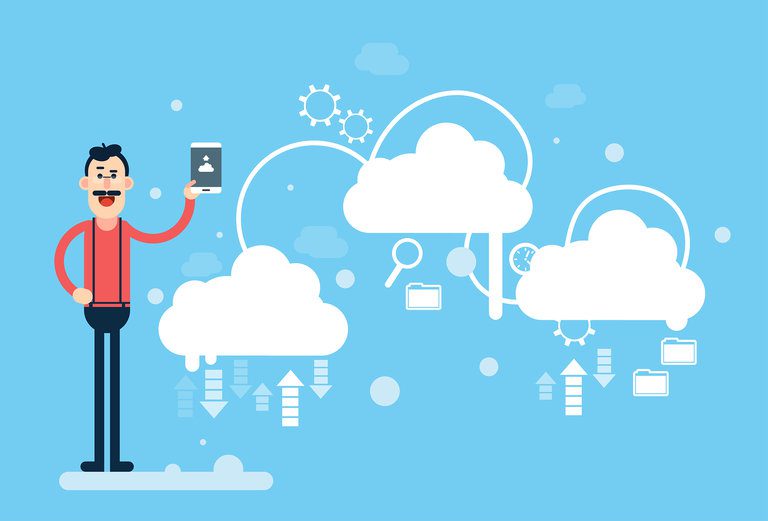
The original advantage hasn't changed, only its scale. What began as "stop emailing files" is now the entire operating model of modern software: your documents, dashboards, CRMs and code repositories live in browsers and apps that work identically in the office, at home, or from a phone in an airport. The 2019 version's framing — competing with burned CDs — already felt dated then; in 2026 the comparison is with VPNs and on-prem file shares, and cloud still wins on simplicity. The practical benefit is continuity: a stolen laptop, a flooded office, a snow day — none of them touch your work.
2. Security Is Better Than What Most Small Teams Can Build
Counterintuitive to newcomers, but six years on it's only truer: hyperscale cloud providers employ security specialists no small business can hire, patch constantly, encrypt by default and replicate data across multiple data centers. Lose a laptop with local files and the files are gone; lose it with cloud files and you sign in somewhere else. The honest footnote: the biggest cloud security risk moved from the provider to configuration — mis-set permissions and stolen credentials, not breached data centers. Shared responsibility means you still do your part (MFA, least-privilege access — our cloud server security guide covers it).
3. Multiple People Work on the Same Thing, Simultaneously
Real-time collaboration is so embedded in 2026 software that its absence feels like a bug. Documents, spreadsheets, design files, code — dozens of people editing live, with version history as the undo button for the whole project. The remote-work connection is direct: without cloud co-editing, the 2020-2022 shift to distributed teams would have collapsed under file-locking and email attachments. It's also the quiet productivity argument for cloud over "a shared drive": the drive stores files; the cloud hosts the work.
4. It's Cheaper — If You Manage It
This is where the 2026 update matters most. The storage itself is nearly free (gigabytes of personal cloud storage cost less than a coffee monthly, and business object storage costs pennies per gigabyte). But enterprise cloud bills fail differently: egress fees (charging you to move data OUT — the reason a surprise bandwidth-heavy workload can cost more than the compute), idle resources nobody turned off, and services multiplying faster than anyone audits them. The discipline that fixed this has a name — FinOps — and for most small businesses it's simply a monthly habit: review the bill, delete orphans, set alerts. Do that and cloud still wins the cost case (our cloud cost optimization guide goes deeper).
5. No Hardware to Buy, House or Maintain
The economics that made sense in 2019 compounded since: no server room, no capital expenditure, no refresh cycles, no forklift upgrades every five years. In 2026 add the AI angle — nobody small can afford the GPUs modern workloads want, but you can rent them by the minute. Scale works the same in both directions: an e-commerce shop can provision 20x capacity for a Black Friday weekend and hand it back Monday, which is the specific superpower owning hardware never had. The trade-off to price in: everything is rented, so costs recur forever — cheap years are cheap, but there are no "paid-off" years.
6. Remote and Hybrid Work Just Works
Written in 2019 as a convenience; since 2022 it's table stakes. A business whose files, phone system and apps live in the cloud hires from anywhere, survives office disruptions without a plan, and onboards a new employee in an hour instead of a week of IT provisioning. The 7th advantage of the original list ("work remotely with ease") and this one have effectively merged — which is itself the story of the last six years: what was an advantage became the baseline everyone assumes.
7. Reliability, Backups and Disaster Recovery You Couldn't Buy Before
The underpriced advantage. Multi-region replication, automated backups, and the ability to rebuild your entire infrastructure from a configuration file mean a fire, ransomware attack or hardware death becomes an afternoon's inconvenience instead of a company-ending event. Small businesses that lose their data to disaster famously struggle to stay open — cloud backup is the cheapest insurance policy in computing, and unlike the insurance analogy, it requires no paperwork: turn on automated backups, test a restore quarterly, done.
The Honest Footnotes
Three things the brochures skip: egress fees (running a data-heavy service on one cloud and serving it elsewhere gets expensive — read the bandwidth pricing before committing), vendor lock-in (the deeper you build on one provider's proprietary services, the more expensive leaving becomes — favor open formats and standard containers where practical), and bill sprawl (every department provisioning its own services is how 400-line invoices happen). None of these reverse the seven advantages above; they're the management overhead of winning.
FAQ
What are the main advantages of cloud hosting in 2026?
Access from anywhere, professional security and backups, real-time collaboration, pay-as-you-grow pricing, no hardware maintenance, remote-work readiness, and instant scalability. Add the 2026 extras: on-demand AI/GPU capacity and disaster recovery that used to be enterprise-only. The counterweights are egress fees, bill sprawl and lock-in — all manageable with monthly bill reviews and open standards.
Is the cloud actually cheaper than owning servers?
For most small and mid-sized businesses, yes — you avoid capital expenditure, over-provisioning and refresh cycles, paying only for what you use. The exceptions: steady, predictable, heavy workloads can cost less on owned hardware over many years, and unmanaged cloud bills can quietly exceed what the workload should cost. The rule of thumb: variable or growing workloads favor cloud; massive, constant, latency-critical workloads sometimes favor ownership (or a hybrid split).
How secure is cloud storage compared to local storage?
More secure against most realistic threats. Cloud data is encrypted, replicated across multiple facilities, and guarded by security teams larger than most companies' entire staff; local storage dies with the disk, the fire, or the stolen laptop. The main cloud risks are account compromise and misconfiguration — so the deciding factor is MFA and access hygiene, not the storage location itself.
What are egress fees and why do they matter?
Cloud providers charge for data leaving their network — typically a few cents per gigabyte, waived or cheap within the same provider's ecosystem. They matter when your architecture moves large volumes out: streaming media, public downloads, or multi-cloud setups. A workload that looks cheap on compute can get expensive on egress. Check bandwidth pricing early, especially if your product serves large files to users.
Can small businesses really benefit from the cloud, or is it for enterprises?
Small businesses arguably benefit most: they get enterprise infrastructure — security, redundancy, AI tools, global reach — with zero capital investment and no IT department. A five-person company runs on the same platforms as a Fortune 500 at a fraction of scale. The enterprises with the most complex needs are the ones weighing repatriation of specific workloads; below that size, the cloud case is rarely close.
How do I avoid surprise cloud bills?
Set billing alerts and budgets from day one, review the bill monthly (it's itemized), delete idle resources religiously, prefer reserved pricing only for steady workloads, and tag resources by project so you know who spent what. Most horror stories trace to forgotten test environments and unbounded auto-scaling — both prevented by a 15-minute monthly habit.
Related Reading
- How Cloud Cost Optimization Maximizes ROI — the FinOps discipline behind advantage #4.
- What Is Cloud Server Security? A Complete Guide — your half of the shared-responsibility model.
- How to Choose the Right Cloud Platform for Your Business — picking the provider itself.
- Why Use Cloud App Development for Your Next Project — building, not just hosting, in the cloud.
Did your cloud bill ever surprise you — pleasantly or otherwise? Tell us in the comments.