


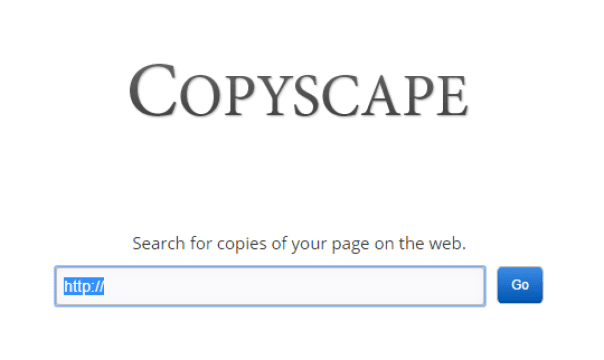
I've published content for a living for over a decade, and checking every article for duplicate content before it goes live has saved me from more than one Google penalty scare. Copyscape is still the famous name — but its free search only tells you that matches exist, and real use means its paid credits. The good news: in 2026 the free tier of several alternatives is genuinely good enough for bloggers and small site owners. Here are the three I actually use.
Quick Answer
The best free Copyscape alternatives in 2026 are Plagium for its generous free searches with AI detection, Quetext for accurate deep-search on moderate-length text, and SmallSEOTools for unlimited quick checks with no signup. All three run in your browser — paste your text and get a colour-coded originality report in under a minute.
Why Look Beyond Copyscape?
To be fair to Copyscape: it remains excellent at what it does, especially Copyscape Premium's copy-paste tracking and site monitoring. But the free version now only flags whether results exist — you need Premium credits (around 5 cents per search) to see the actual matches. For a blogger publishing twice a week, or a student checking one essay, that's friction without much benefit.
Free alternatives have also improved dramatically. The 2026 tools add AI-content detection alongside duplicate detection — something Copyscape's free tier still doesn't offer. Here's how my three picks compare:
| Tool | Free limit | AI detection | Signup needed | Best for |
|---|---|---|---|---|
| Plagium | Generous free searches; paid tiers | Yes | No | Best overall free option |
| Quetext | ~500 words per check | Limited (paid) | No | Best accuracy on long text |
| SmallSEOTools | 1,000 words per check | No | No | Best for unlimited quick checks |
1. Plagium — Best Overall Free Alternative
Plagium takes the top spot because its free search is the least crippled of any tool I tested. You paste text or a URL, and it searches the web for matching content with a clean, colour-coded report. Where it pulls ahead of the field in 2026 is the AI side: Plagium now bundles AI-content detection, so you can check both whether text is copied and whether it reads like machine-generated filler — increasingly the same problem for editors.
It's run by Septet Systems, which also sells school and publisher tiers, so the infrastructure feels maintained rather than abandoned. Heavy users will hit free limits eventually — the pricing page has the current caps — but for a blogger checking their own drafts, the free tier is comfortably enough.
Best for: bloggers and editors who want free duplicate checks with AI detection thrown in.
2. Quetext — Best for Accuracy on Longer Documents
Quetext is the tool I trust most when accuracy matters more than volume. Its DeepSearch technology does contextual matching — it catches paraphrased copying that simpler word-matching checkers miss — and the interactive report highlights matched passages side by side with their sources. Free accounts get around 500 words per check, which covers a blog post or a university essay's key sections.
The free tier deliberately leaves the fanciest features (bulk uploads, longer checks, full AI detection) to the paid plans. But the core plagiarism score and colour-matched report are honest and readable, and I've repeatedly seen Quetext flag rewritten plagiarism that other free checkers waved through. If you check one high-stakes document, check it here.
Best for: students, journalists and editors verifying important documents where a miss is costly.
3. SmallSEOTools — Best for Quick, Unlimited Checks
SmallSEOTools' plagiarism checker is the workhorse of the three. Paste up to 1,000 words, hit check, and it scans against web pages and its own article database, then lists every matching URL with the duplicated sentences highlighted in red. No account, no per-day payment wall — you can check your entire editorial calendar in one sitting.
The trade-off is depth: it does plain text matching rather than contextual analysis, so cleverly paraphrased copying slips past more often than with Quetext. It's also ad-supported, which makes the interface busier than the others. As a first-pass filter before publishing — is anything in this draft already published verbatim? — it's unbeatable for free.
Best for: content teams doing volume checking across many drafts.
Also Considered: CopyGator and DupliChecker
Honest notes on two services from older roundups:
- CopyGator — the RSS-monitoring service that alerts you when your content gets republished still answers, but the site shows real signs of neglect (stale statistics, filler blog content). I wouldn't build a monitoring workflow on it in 2026. Set up Google Alerts for your article titles instead — free and actively maintained.
- DupliChecker — still online and free, and a long-standing popular checker. It sits here rather than in the top three only because its aggressive bot-protection blocks automated testing tools like ours — no reflection on the product itself. If you use it, it's a perfectly reasonable extra check; we simply rank the three above higher on accuracy and free-tier limits.
How I Check an Article Before Publishing (My Routine)
1. Self-check first: run the draft through SmallSEOTools to catch accidental duplication — quotes, product specs, boilerplate I forgot to rewrite.
2. Deep-check anything borrowed: if a section is based on someone else's reporting, Quetext's contextual matching tells me whether my paraphrasing actually escaped the source's wording.
3. Spot-check with Plagium when the piece is AI-assisted, using its AI detection as a second opinion.
4. Fix, don't just detect: a flag isn't a fail — add attribution, rewrite the passage properly, or quote it with a citation. The goal is original work, not a clean report.
FAQ
Is there a truly free alternative to Copyscape?
Yes — SmallSEOTools and Plagium both offer genuinely free checks in 2026, funded by ads or paid tiers rather than crippled free modes. The limits are real (word caps per check, occasional daily limits) but a working blogger checking their own drafts won't pay anything. What no free tool replicates is Copyscape Premium's ongoing monitoring of the whole web for copies of your published work.
Which plagiarism checker is most accurate?
Among free tools, Quetext's DeepSearch is the most accurate I've tested — it catches paraphrased duplication that word-matching tools miss. Turnitin remains the academic gold standard but isn't publicly available. Remember that accuracy also depends on the corpus: tools that search only the open web will miss content behind paywalls, private databases and printed books.
Can plagiarism checkers detect AI-generated content?
Duplicate detection and AI detection are different problems — a checker can find zero matches and the text can still be AI-written. Plagium now bundles AI detection with its plagiarism search, which is why it earns the top spot here. Dedicated AI detectors exist, but all of them, including commercial ones, produce false positives; treat their scores as signals to investigate, not verdicts.
Is it safe to paste unpublished drafts into these tools?
Reasonably, with precautions. Your text is transmitted to the checker's servers, and free tools typically don't promise to exclude submissions from future comparison databases. SmallSEOTools states it doesn't store or republish your text; Quetext offers the same assurance. For highly sensitive unpublished work — a patent draft, an embargoed story — check a few representative paragraphs instead of the full document.
How do I check if someone stole MY content?
Three free methods: search distinctive sentences from your article in Google in quotes — copied pages usually rank right up. Set Google Alerts for your post titles and brand phrases to catch future copying. For systematic monitoring, Copyscape Premium's copy-paste protection remains the paid benchmark. When you find theft, a polite takedown email to the site's host resolves most cases.
Related Reading
- Best Grammar Checker for English Bloggers
- Must-Have AI Tools for Bloggers and Tech Creators
- How Long Does Writing a Book Really Take?
—
I've published thousands of checked articles over ten years of blogging — if you're deciding between these tools for a specific project, ask in the comments and I'll tell you what I'd use.






Thanks for sharing this wonderful post. google