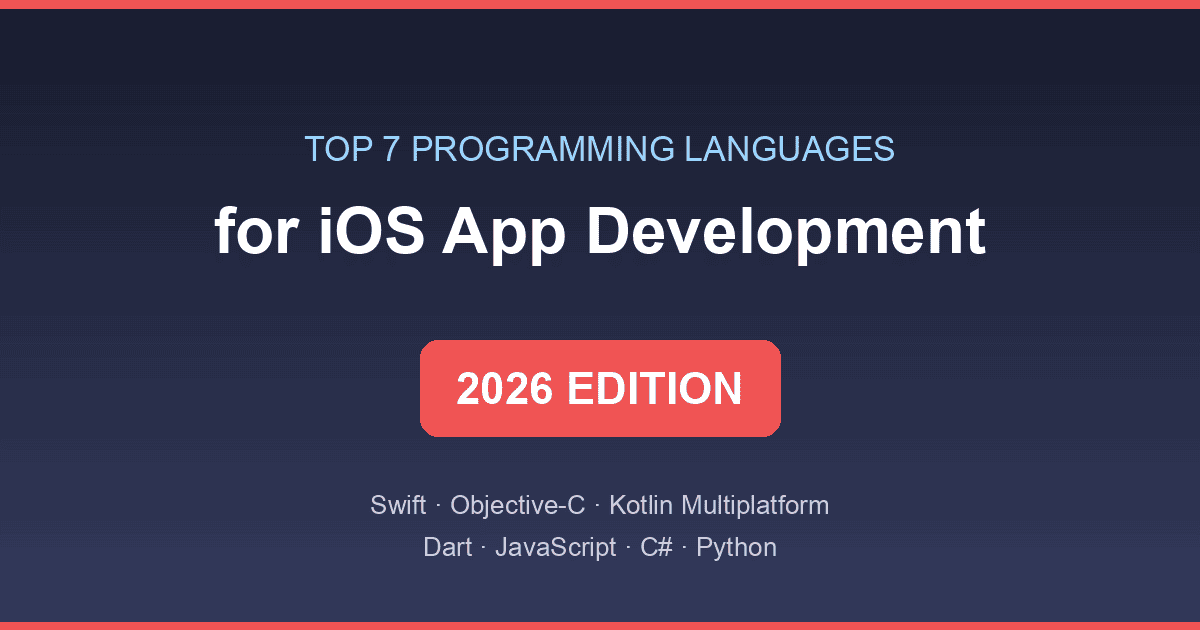
Choosing a language is the first real decision in any iOS project, and in 2026 it's less obvious than "use Swift." Native Swift is stronger than ever, but Kotlin Multiplatform has matured, Flutter and React Native keep improving, and Apple's own SwiftUI has changed what "writing an iOS app" even looks like. Here are the seven languages worth your time this year, and what each is actually best for.
Quick answer: Swift is still the default choice for native iOS apps — it's Apple's official language and the safest bet for performance and App Store work. Choose Kotlin Multiplatform to share logic with an Android app, Dart with Flutter or JavaScript with React Native for cross-platform UI, and Objective-C only to maintain existing code.
The Short Version
| Language | Approach | Best for | Learning curve |
|---|---|---|---|
| Swift | Native iOS | Most new iOS apps | Moderate |
| Objective-C | Native iOS | Maintaining legacy codebases | Steep |
| Kotlin Multiplatform | Shared logic | Teams shipping iOS + Android | Moderate |
| Dart (Flutter) | Cross-platform | Fast UI iteration on both platforms | Gentle |
| JavaScript / TypeScript (React Native) | Cross-platform | Web teams moving to mobile | Gentle |
| C# (.NET MAUI) | Cross-platform | Microsoft-stack shops | Moderate |
| Python | Niche | Prototypes and tooling, not App Store apps | Gentle |
Now the details, including where each one falls short.
1. Swift — the Default, Still
Swift is Apple's official language for iOS, iPadOS, macOS, and beyond, and it remains the safest answer to "what should I build my iPhone app in?" Apple maintains it openly at the official Swift site, the tooling is first-party, and new OS features reach Swift first — if iOS 26 ships a capability, Swift gets the API on day one.
The language itself has settled nicely: value types, optionals, and protocols keep code expressive without the pointer gymnastics of its predecessor, and the stricter concurrency checking introduced with Swift 6 has made async code far less error-prone. SwiftUI, Apple's declarative UI framework, is now mature enough that many apps are written almost entirely in it rather than the older UIKit.
Best for: any iOS-only product, anything that needs maximum performance or day-one API access, and virtually every new project.
Watch out for: it compiles slower than interpreted languages, and deep UIKit interop still requires experience you won't get from tutorials.
2. Objective-C — the Maintenance Language
Objective-C ran iOS for two decades before Swift arrived, and an enormous amount of production code still depends on it. That's its remaining job: reading and extending older codebases, maintaining SDKs that expose Objective-C interfaces, and handling the occasional C/C++ interop edge case in games and media apps.
Best for: developers inheriting pre-2015 codebases and teams wrapping C libraries.
Watch out for: nobody should start a new app in Objective-C in 2026 — Apple's newest frameworks are Swift-first, hiring is harder, and the syntax is genuinely punishing for newcomers.
3. Kotlin Multiplatform — the Shared-Logic Contender
Kotlin Multiplatform (KMP) is the quiet success story of the last three years. Made by JetBrains and now stable for production, KMP lets you write your business logic — networking, data layers, analytics, parsing — once in Kotlin and compile it natively for both iOS and Android, while each platform keeps a fully native UI. Google has endorsed it for exactly this purpose, and with Compose Multiplatform now supporting iOS UI as well, some teams share close to everything.
For an iOS developer this matters even if you never write Kotlin: your Android counterparts can stop re-implementing the same logic twice, and what reaches your Swift UI layer is tested and consistent.
Best for: teams shipping the same app on both platforms that don't want to give up native UIs.
Watch out for: iOS-side KMP tooling and community answers are still thinner than Android's; you'll want at least one developer comfortable in both worlds.
4. Dart with Flutter — the UI Speed Run
Flutter compiles Dart to native code and draws every pixel of the interface with its own engine, which is why a Flutter app looks identical on iOS and Android — pixel-perfect brand consistency that's hard to achieve any other way. Development is fast: hot reload shows changes instantly, and the widget catalog covers most product needs. Weigh the trade-offs in our full guide to the pros and cons of Flutter for app development.
Best for: startups and product teams that need polished apps on both platforms from one codebase, especially UI-heavy apps.
Watch out for: you're locked into Flutter's rendering; native platform look-and-feel is approximated rather than real, and apps that need deep platform integration carry extra bridging work.
5. JavaScript and TypeScript with React Native — the Web Team's Route
React Native lets web developers build mobile apps with React, rendering real native controls rather than drawing them. Backed by Meta and used by thousands of production apps, it reached a milestone recently when its New Architecture became the default — a rewrite that fixed years of performance complaints. Teams with existing React skills ship surprisingly quickly, and TypeScript has largely solved the "JavaScript is too loose for real apps" objection. Official docs live at React Native's site.
Best for: organizations with strong web/React teams adding mobile without hiring native developers.
Watch out for: version upgrades still demand discipline, and apps with heavy native features (cameras, background processing, bluetooth) end up writing as much native code as they escaped.
6. C# with .NET MAUI — the Microsoft Path
C# remains a first-class, pleasant language, and .NET MAUI (Multi-platform App UI) is Microsoft's current framework for building iOS and Android apps from one C# codebase alongside Windows. It's the natural choice where a company already runs on Microsoft tooling and Visual Studio, with shared business logic and mature enterprise libraries. Details are at Microsoft's MAUI page.
Best for: enterprise teams inside the .NET ecosystem that need a mobile companion app.
Watch out for: the community is smaller than Flutter's or React Native's, platform-specific bugs can take longer to resolve, and few consumer-app studios choose it.
7. Python — Great Language, Wrong Job
Python appears in these lists every year, and every year the honest answer is the same: you can build iOS apps with Python via frameworks like Kivy or BeeWare, but you shouldn't ship a serious App Store product that way. Python's strengths — readability, libraries, machine learning — shine in the backend and in prototyping app concepts, and ML-heavy features often do run in Python server-side while Swift handles the client.
Best for: prototypes, internal tools, and the server side of your iOS app.
Watch out for: App Store packaging friction, inferior native performance, and a hiring market that expects Swift for iOS work.
So Which Should You Learn or Use?
If you're starting from zero and serious about iOS, learn Swift — there is no realistic alternative for native work. If you already know another ecosystem, the calculus shifts: Android/Kotlin developers should look hard at Kotlin Multiplatform, web developers at React Native, and .NET teams at MAUI. Cross-platform frameworks are no longer a compromise; they're a legitimate architecture decision with different trade-offs than native, and teams streamlining their development with AI tooling increasingly mix both — native shells with shared cross-platform modules where it saves real time.
FAQ
Is Swift enough for iOS app development in 2026?
Yes — Swift plus SwiftUI covers the overwhelming majority of new iOS apps, from small utilities to flagship products. You'll encounter Objective-C when integrating older third-party SDKs, and some teams add Kotlin Multiplatform or Flutter modules to share code with Android. But for skills, hiring, and day-one access to Apple's newest APIs, Swift alone remains a complete foundation.
Is Kotlin good for iOS development?
Kotlin doesn't run directly as a native iOS UI language, but Kotlin Multiplatform compiles Kotlin to native code for sharing business logic across iOS and Android, and it's production-stable with Google's backing. Many teams keep native Swift user interfaces while sharing their networking and data layers in Kotlin — the pragmatic middle ground between two fully separate apps and a cross-platform framework.
Flutter vs. Swift: which is better for iOS apps?
They solve different problems. Swift produces the most performant, most native-feeling iOS apps and is the right call for iOS-first products. Flutter ships one codebase to iOS and Android with a consistent, attractive UI, making it faster and cheaper for dual-platform products. If iOS is your only target, choose Swift; if both platforms matter equally and budget is finite, Flutter earns its keep.
Can I build iOS apps with JavaScript?
Yes — React Native is the established way, used in production by major companies worldwide. You write JavaScript or TypeScript with the React model, and the framework renders genuine native UI components. It's an especially strong option for web teams, though apps that lean heavily on native capabilities will still need Swift or Objective-C for the deep parts.
Do I still need to learn Objective-C?
Only in specific situations: maintaining an older codebase, reading documentation or Stack Overflow answers written before Swift, or working with legacy SDKs. New iOS developers should prioritize Swift and only backfill enough Objective-C to read it — which is genuinely all most careers require in 2026.
What's the fastest language to learn for iOS?
Dart and JavaScript are the gentlest entry points, particularly if you already know web development. If you're committed to native iOS specifically, Swift itself is deliberately beginner-friendly — Apple designed it as a teaching language with playgrounds for instant feedback — so starting with Swift directly is very reasonable even for a first language.
Related reading
- Pros and cons of Flutter for mobile app development
- Native app to Flutter migration: a decision guide
- How to use Bonjour for iOS app local networking
- Streamlining app development processes with AI tools
Which language is your team betting on this year — and did cross-platform pay off for you? Tell us in the comments.