Quick answer: The gaming tech that changes how you play in 2026 is AI upscaling (NVIDIA DLSS and AMD FSR), cloud streaming through services such as GeForce NOW and Xbox Cloud Gaming, and VR headsets with hand and face tracking. Each one trades some setup cost or learning for smoother frames, lower upfront spend, or more natural controls.
Gaming has come a long way from 8-bit Super Mario and blocky, Lego-like landscapes. Current hardware renders scenes that would have looked unreal a decade ago. This update covers the technologies that matter for players now, what each one does for you, and where the hype is still ahead of reality.
AI upscaling and frame generation
Upscaling renders a game at a lower resolution, then uses AI to rebuild a sharp image at your display's resolution. NVIDIA's DLSS and AMD's FSR are the two names you will see most. They let mid-range graphics cards run demanding games at higher settings.
Results vary by game. Frame generation can add input lag in fast shooters, so turn it on, play for ten minutes, and compare. If it feels laggy, switch it off and keep plain upscaling.
Cloud gaming
Cloud services run the game on a remote server and stream the video to your screen. GeForce NOW and Xbox Cloud Gaming are the main options. You do not need a powerful PC, but you do need a stable connection. [VERIFY: current minimum bandwidth for 1080p on each service]
Cloud gaming is a good test before you buy hardware. Libraries, tiers and prices change often, so check each service's current plan before you subscribe.
VR and AR headsets
Standalone headsets, which need no PC, are now the common choice for VR gaming. The 2022 version of this guide pinned VR lag on 5G. In practice, Wi-Fi quality and your headset's refresh rate often matter more than the network speed you pay for. Keep the router close and on a 5 GHz or 6 GHz band.
Apple's Vision Pro, launched in February 2024, is a mixed-reality headset aimed mainly at productivity rather than gaming. Apple's visionOS developer page shows what the platform supports.
Face and eye tracking
Face tracking maps your expressions onto your avatar, which makes social VR feel more personal. Eye tracking, found on some higher-end headsets, lets the system render full detail only where you look. That saves processing power for the rest of the scene.
Hand and motion tracking
Hand tracking uses cameras on the headset to follow your fingers, so you can navigate menus or pick up objects without a controller. It works well for casual games and menus. It is less precise in fast combat, where controllers still win on reliability.
The old 2022 idea of a sensor that reads your hand as a controller is now real, but it is still early. Expect the best results in puzzle and rhythm games rather than competitive shooters.
Phones and controllers
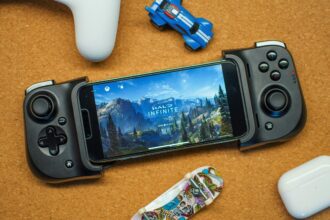
Phones have the largest player base of any gaming platform, mainly because they are always in your pocket. Bluetooth controller support makes many mobile titles feel close to a console. If you mostly play on a phone, a clip-on or Bluetooth controller is the single biggest upgrade.
Where to start
1. Own a mid-range GPU? Turn on AI upscaling before you consider a new card. It is often the cheapest frame-rate gain.
2. Unsure about your internet? Try a free trial of a cloud service on your usual Wi-Fi before you buy a console or PC.
3. Shopping for VR? Try a headset in a store if you can. Comfort and weight matter more than the spec sheet for long sessions.
If you want more ways to get the most from your hardware, our guides on PC gaming optimization tricks and how much memory you need for gaming are good next reads.
Frequently asked questions
Is cloud gaming worth it compared with a console or gaming PC?
It is worth it if you play a few hours a week and want to try many games without buying hardware. If you play daily or need the lowest latency for competitive games, a local console or PC is still the better choice.
Does AI upscaling make games look worse?
It can look sharper than native rendering in some games and softer in others. Switch between the upscaling modes in the game's settings and compare the same scene side by side before you decide.
Do I need a 5G phone for mobile cloud gaming?
No. A steady Wi-Fi connection or a good 4G/5G signal is what matters. Check the service's latency and bandwidth requirements before you play over mobile data.