

Running a WooCommerce store is a lot more than listing products and waiting for orders to roll in. As store volumes grow, handling these tasks manually becomes a bottleneck that costs time, introduces errors, and ultimately hurts the customer experience.
The good news is that the WooCommerce ecosystem has a rich selection of plugins built to automate and simplify these daily operations. Whether you are a solo merchant or managing a warehouse team, the right combination of tools can dramatically reduce the administrative overhead of running your store. This article covers some of the most practical plugins across key operational areas, from invoicing and shipping documents to order exports, promotions, and analytics, so you can build a stack that actually works for your business.
1. WooCommerce PDF Invoices, Packing Slips & Credit Notes
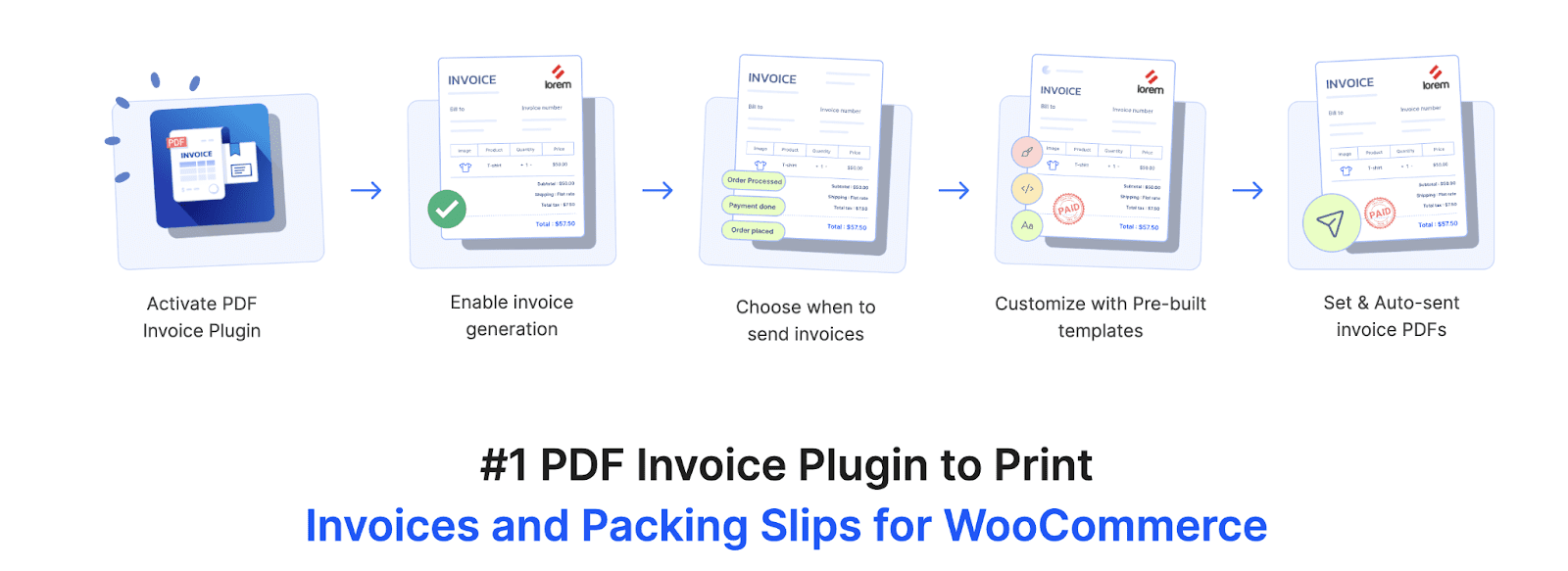 Every WooCommerce order generates a paper trail, and managing that documentation efficiently is one of the first operational challenges store owners face. PDF invoices & Packing Slips for WooCommerce plugin is a comprehensive solution for generating and managing all essential order documents from a single place. The plugin auto-generates PDF invoices, packing slips, and credit notes, attaches them to the relevant WooCommerce order emails, and allows bulk printing or downloading as a ZIP file. It supports sequential custom invoice numbering with prefix/suffix options, annual auto-reset of invoice numbers, and the ability to generate invoices for historical orders, a feature particularly useful when migrating to the plugin or running catch-up billing.
The free version of the PDF Invoice plugin lets WooCommerce stores automatically generate and attach basic PDF invoices to customer emails. Beyond the basics, the plugin offers a level of customization that suits a wide range of business types. Store owners can use a drag-and-drop visual editor or a code editor to design branded invoice templates, add product images and SKUs, include tax fields such as VAT/GST/ABN, display product attributes and metadata, and embed a “Pay Now” link directly into the invoice PDF so customers can settle outstanding payments without logging in.
2. ATUM Inventory Management — Stock Management Labs
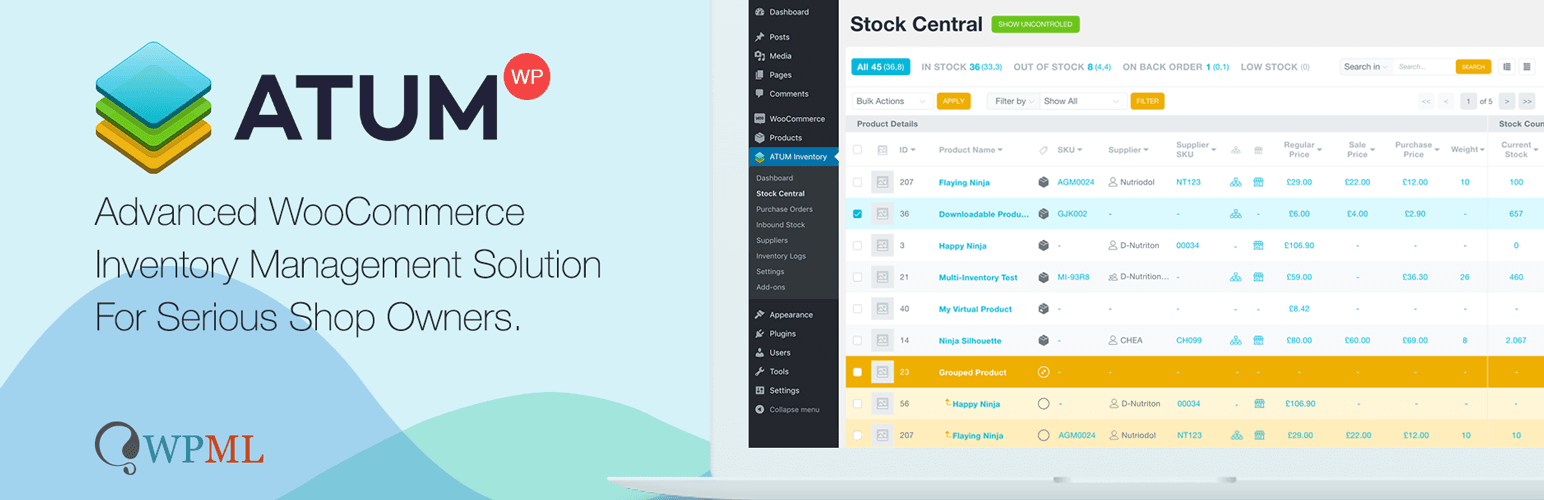 WooCommerce’s default stock management is functional for small product catalogs, but as inventory complexity grows, with multiple suppliers, purchase orders, warehouse locations, and manufacturing components, it quickly falls short. ATUM Inventory Management is a free plugin (with premium add-ons) that replaces the native WooCommerce stock screen with a full-featured inventory dashboard. The Stock Central view gives store owners a live overview of every product’s stock levels, supplier, cost price, and sales velocity, all on a single screen that can be edited in line without jumping between individual product pages.
The premium purchase orders module allows you to create and send POs directly to suppliers from within WordPress, receive stock against those orders, and update inventory automatically on receipt. For stores that manufacture or bundle products, the Product Levels add-on tracks raw materials and finished goods using a Bill of Materials system, helping prevent stockouts at the component level before they create problems at the finished product level. ATUM’s reporting tools surface insights about slow-moving stock, reorder points, and overall inventory value — data that would otherwise require hours of manual spreadsheet work each week.
3. Smart Coupons for WooCommerce
 Promotions are a day-to-day part of most WooCommerce stores, but managing coupon campaigns manually, creating codes, setting usage limits, tracking redemptions, and emailing store credits can eat up a surprising amount of admin time. WebToffee’s Smart Coupons for WooCommerce is a feature-rich coupon plugin that extends WooCommerce’s native coupon system with advanced discount rules, BOGO (Buy One Get One) deals, store credits, gift vouchers, URL-based coupons, and auto-apply functionality that removes the need for customers to type a code at checkout. Coupons can be set to activate or expire on specific dates, trigger automatically when cart conditions are met, and target customers based on purchase history, user role, location, or payment method.
For daily operations, the bulk coupon generation feature is a significant time-saver. You can create and export hundreds of unique single-use codes for a campaign in just a few clicks. The plugin also supports abandoned cart coupons and signup coupons, helping recover lost sales and automatically welcome new customers without manual follow-up. Store credits and gift vouchers can be issued directly to customers as a goodwill gesture or refund alternative, keeping that entire workflow within WooCommerce.
With both a free version and a premium tier, the plugin scales well from simple discount setups to sophisticated multi-condition promotional strategies. The free version of Smart Coupons plugin provides essential features to create and manage basic WooCommerce coupon campaigns, including discounts, BOGO offers, auto-apply coupons, and conditional rules.
4. WooCommerce Subscriptions

From a daily operations standpoint, Subscriptions reduce fulfillment work by automatically creating renewal orders and triggering the same processing workflow already in place for one-time purchases. The subscriber management screen gives store admins clear visibility into active, paused, and canceled subscriptions, along with tools to manually adjust billing dates, apply discounts, or process upgrades and downgrades. For stores selling consumables, digital access, or service-based products, this plugin converts what would otherwise be a constant cycle of re-engagement campaigns into predictable, automated revenue — with detailed reporting to track subscriber growth and churn over time.
5. Order, Coupon & Subscription Import Export
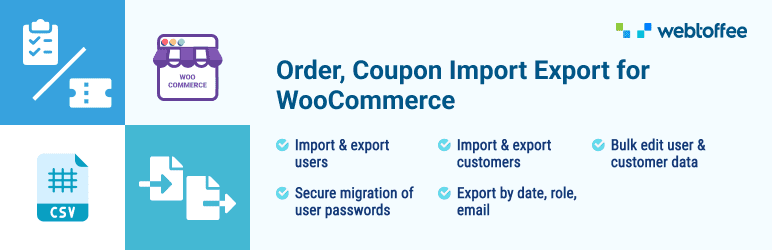 Exporting order data for accounting, fulfillment coordination, or reporting is a routine task that WooCommerce’s native tools handle only minimally. Advanced Order Import & Export Plugin for WooCommerce lets you export orders, coupons, and subscriptions to CSV, XML, or Excel with advanced filtering options, by date range, order status, payment method, product, or customer, so you get exactly the data slice you need rather than a raw dump of everything. Export templates can be saved and reused, and scheduled automatic exports can be configured to run on a recurring basis without any manual triggering.
The import side of the plugin is equally practical for day-to-day management. Store owners can bulk-update order statuses, migrate orders from another platform, import subscription records, or restore coupon data after a migration, all without touching the database directly. The plugin supports both quick import/export for straightforward bulk tasks and an advanced mode with custom field mapping for more precise data handling.
6. WooCommerce Customer / Order / Coupon Export
 For stores that need a more fulfillment-focused export workflow with automated delivery options, the WooCommerce Customer / Order / Coupon Export plugin by SkyVerge is a well-regarded alternative. It lets you export order, customer, and coupon data to CSV or XML with fully customizable field selection, and supports automated exports delivered via FTP, HTTP POST, or email on a recurring schedule. Custom export formats can be saved and reused, and the export process runs asynchronously in the background, so it does not interrupt admin activity.
This plugin is particularly useful when you need to push order data automatically to a third-party fulfillment system, mailing list, or ERP at regular intervals. Once an order is included in an automated export, it is marked as exported, preventing duplicates in future runs. The format builder allows you to rearrange columns, add custom meta fields, and tailor the output to match whatever system is receiving the data — making it one of the cleaner options for setting up a repeatable, low-maintenance data pipeline between WooCommerce and external tools.
7. ShipStation Integration
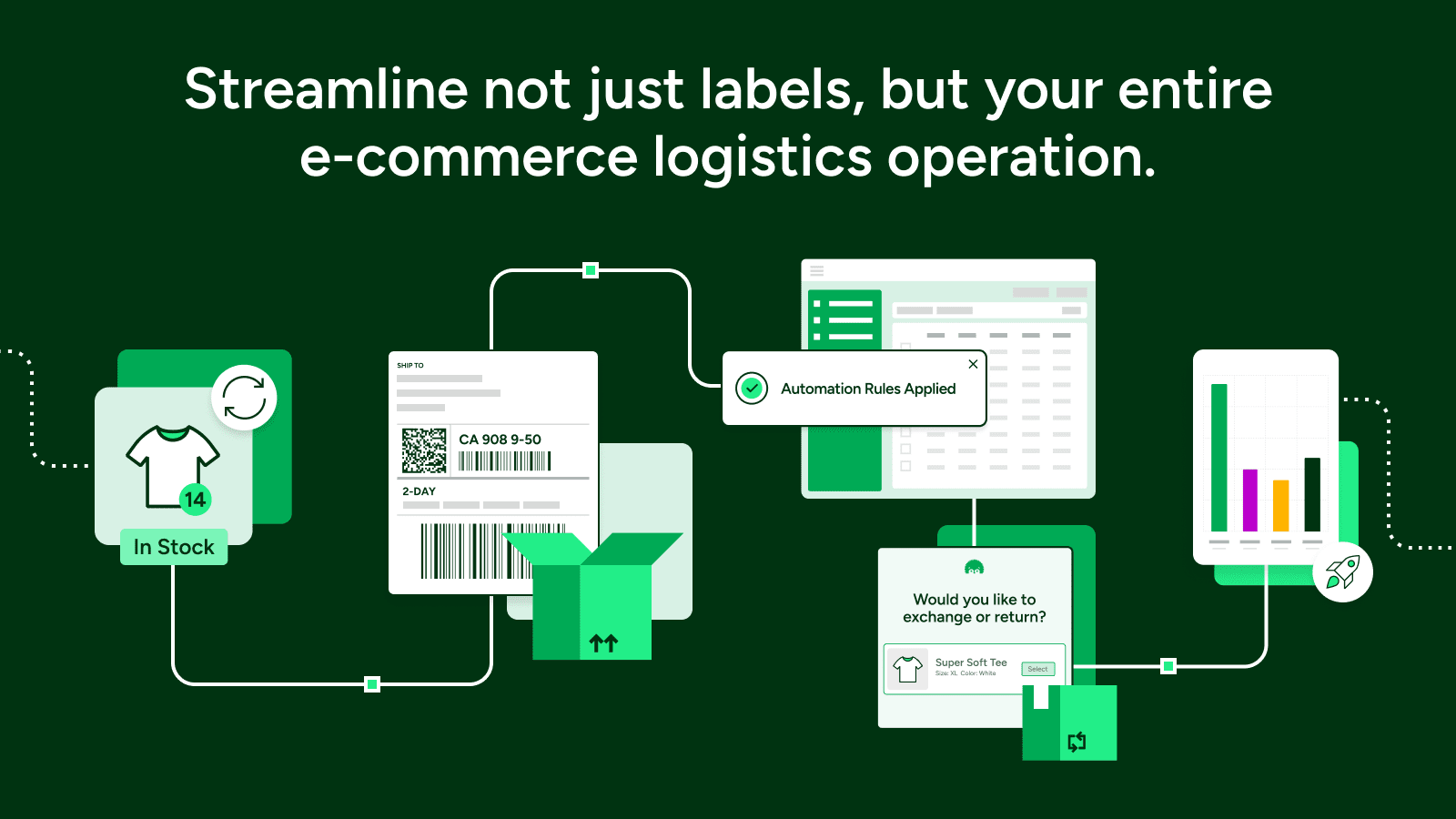 Shipping is often the most labor-intensive daily operation for physical product stores. ShipStation is a shipping management platform with a native WooCommerce integration that imports orders, allows batch creation of shipping labels across multiple carriers (UPS, FedEx, USPS, DHL, and others), and automatically pushes tracking numbers back into WooCommerce. The platform supports rate comparison across carriers, automation rules to assign shipping methods based on order criteria, and packing profiles to pre-configure which boxes should be used for which products.
For stores processing more than a handful of orders per day, the time saved by printing a batch of labels in a single session rather than managing carrier accounts individually is substantial. ShipStation also handles international documentation, customs declarations, and multi-warehouse routing, which makes it a viable long-term tool even as the business scales. Its branded tracking pages and automated customer notifications mean that shipping updates reach customers without any manual intervention from the store team, and all fulfillment data stays synchronized back to WooCommerce in real time.
8. GDPR Cookie Consent Plugin

The automatic script-blocking system scans the website, matches detected cookies against a built-in cookie dictionary, and assigns them to appropriate categories, blocking all cookies by default until the user provides consent. A detailed consent log records cookies consented to, timestamps, and anonymized IP addresses of each visitor, giving site owners a reliable audit trail for regulatory proof of compliance.
9. Metorik
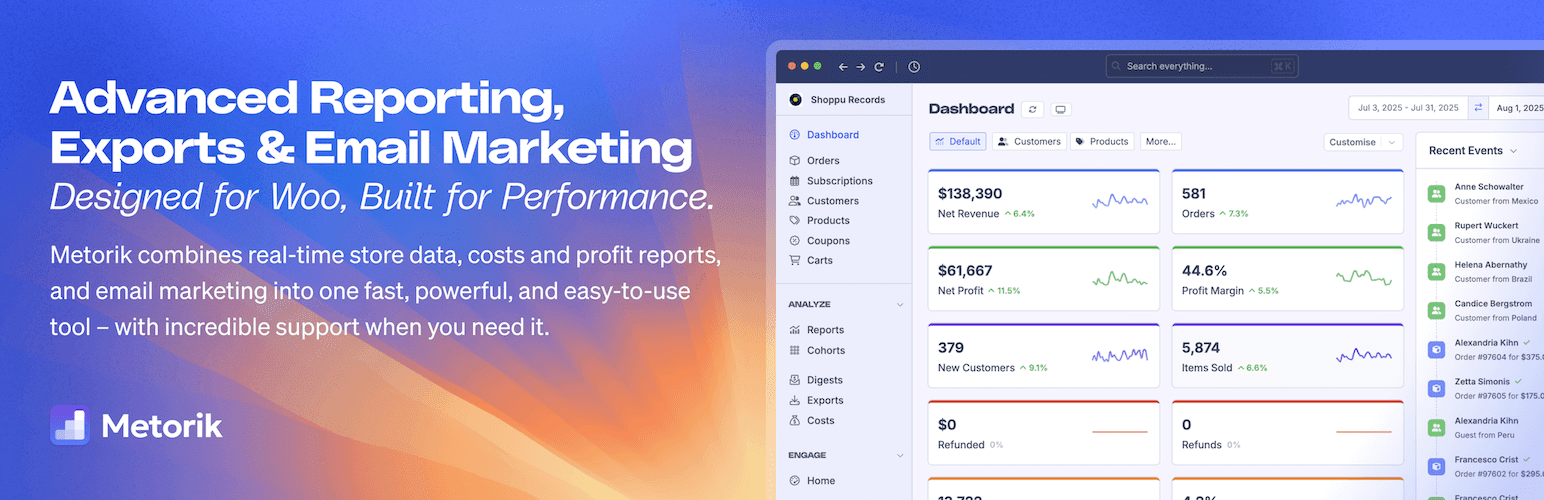 Understanding how your store is actually performing on a daily basis requires data that WooCommerce’s native reports simply do not surface clearly. Metorik is a real-time analytics and customer management platform built specifically for WooCommerce stores. It provides a live dashboard showing revenue, orders, average order value, and new customers, with the ability to drill down by product, category, coupon, or customer segment.
Metorik offers over 75 built-in reports covering orders, refunds, subscriptions, taxes, customer cohorts, product performance, and more, all filterable and comparable across time periods in real time.
10. WooCommerce Product Feed Plugin
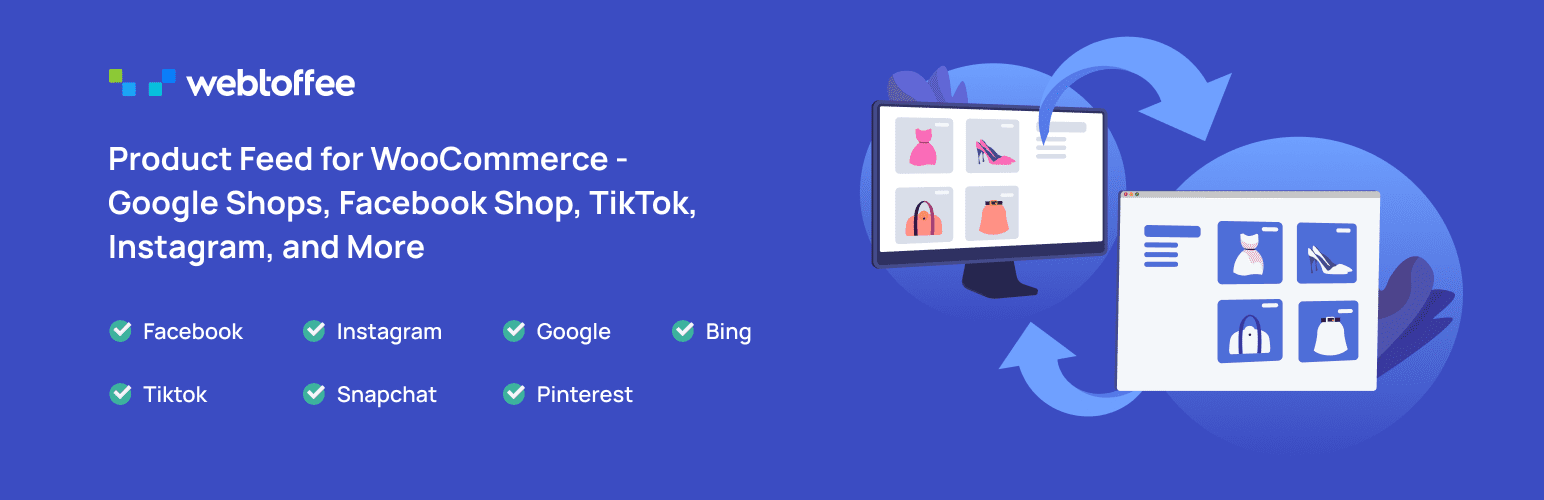 Selling across multiple platforms requires accurate and well-structured product data. The WooCommerce Product Feed plugin enables store owners to generate optimized product feeds for various sales channels and marketplaces. It simplifies the distribution of product information, making it easier to showcase products across platforms while maintaining listing consistency.
The plugin supports multiple currencies and integrates with multilingual tools, ensuring that product data is displayed accurately for international audiences. It is available in both premium and free versions, allowing store owners to start with essential feed generation features and scale up as needed.
By automating feed creation and updates, the plugin helps reduce manual effort and ensures product data remains consistent across all connected channels.
Conclusion
No two WooCommerce stores have identical operational needs, but most encounter the same friction points as they grow: document management becomes a chore, inventory falls out of sync, shipping slows down, and reporting is always one step behind. The tools covered in this article address those friction points directly, automating the repetitive, surfacing the important, and connecting workflows that would otherwise require constant manual coordination.
A practical approach is to identify which area of your daily operations is consuming the most time or creating the most errors, and start there. For many stores, that begins with order documentation and invoicing, getting PDFs generated, attached to emails, and archived automatically is a foundational step that pays dividends across accounting, customer service, and compliance. From there, layering in inventory management, smarter promotions, reliable shipping, and data visibility compounds the efficiency gains over time.