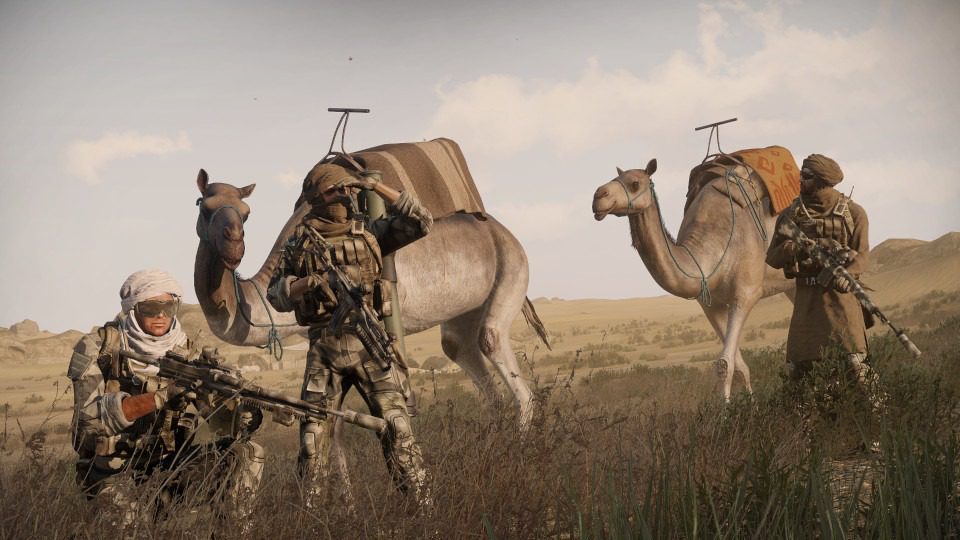
Image credit: Arma 3 Official Website
A decade after launch, Arma 3 still runs some of the deepest multiplayer milsim on PC, and owning your server is how you get the game at its best — your mods, your missions, your rules, no admin drama. I've run community Arma servers (self-hosted and rented) through several years of mods breaking on patch day, and this guide condenses what I wish someone had told me before the first one: the hosting options, the real hardware costs, the setup steps, and the fixes for the problems everyone hits.
Quick Answer
To host an Arma 3 server in 2026, either rent a slot from a game-hosting provider (roughly $10–30/month for a 20–60 slot server — easiest) or run the free dedicated server files on your own hardware (need ~6+ GB RAM, a strong CPU and good upload bandwidth). Configure the mission pool and mods, open Steam query ports, then manage players with a admin whitelist.
Why Host Your Own Arma 3 Server?
Arma 3's public servers are a lottery: mods you don't own, mission rotation you hate, admins that vanish mid-session. Your own server fixes all of it:
- Total control — mission pool, difficulty (including the veteran settings purists want), view distance caps, mod packs and player whitelist are all yours to set.
- Consistent performance — a dedicated box reserved for your community beats an overloaded public server, especially with 40+ players and heavy mods.
- A stable home for a community — persistent campaigns, unit operations and Antistasi-style campaigns need a server that's always up, not a friend's PC that reboots on patch day.
- Costs that scale fine — split among a squad, hosting costs less per person than a pizza night per month.
Renting vs Self-Hosting: Which Route?
Renting from a game-server host is the right start for most people: the provider handles the dedicated box, DDoS protection, Steam updates and reboots. You manage the mission files and mods from a web panel. Expect roughly $10–30/month depending on slot count and provider sales — check current pricing, it moves constantly.
Self-hosting uses Bohemia's free dedicated server files (available via SteamCMD) on your own hardware or a rented VPS/dedicated box. It's cheaper per slot at scale and endlessly configurable, but you own the entire stack: Windows or Linux server administration, port forwarding, firewall, OS updates and DDoS exposure.
My advice after doing both: rent first, self-host when your community's needs outgrow the panel. The software knowledge transfers directly — the Arma server config is identical either way.
Steps to Setting Up an Arma 3 Server
1. Choose your route and provider (or hardware). For rentals, prioritise data-centre location near your players (latency matters more than raw CPU in Arma), mod support (Steam Workshop integration saves hours) and DDoS protection.
2. Install the dedicated server files. On a rental this is a one-click install; self-hosting pulls the server via SteamCMD using the app ID Bohemia documents — the community Steam guide remains the standard walkthrough for the full setup.
3. Configure server.cfg. Set your server name, password, max players, mission rotation (`Missions={}` class), voting settings and admin IDs. Arma's config files are famously picky — one syntax error and the server loops on startup, so change settings incrementally.
4. Sort the mods. Workshop integration ( rentals) or a mod-manager setup (self-hosted) must match exactly what players subscribe to — version mismatches are the number-one reason people can't join. Pin your mod set and announce changes before you restart.
5. Open the ports. Steam query and game ports (2302–2317 range, plus Steam query port) must pass your firewall and router NAT. This is where most first-time self-hosters stall.
6. Set basic security. Enable BattlEye, require a password while testing, and whitelist admins by UID. Verify ownership before going public — an open Arma server with admin rights floating is a griefing magnet.
7. Test, then invite. Join from a friend's machine outside your network, confirm mods sync and missions load, then advertise on your community's Discord and the Arma forums/Reddit.
Hardware Reality: What an Arma 3 Server Actually Needs
Arma's simulation is famously CPU-bound — the server ticks every AI, bullet and vehicle. Practical guidance: a strong single-thread CPU (Arma loves clock speed), 6–8 GB RAM free for a modest modded server (10+ GB for heavy AI missions with many players), and an SSD. Bandwidth matters for 30+ players: rough budget is 0.1–0.3 Mbps upload per player plus headroom.
The classic mistake is judging by cores: Arma distributes across cores poorly, so a 16-core budget CPU often trails a 4-core high-clock one. This is also why renting frequently wins — hosts buy the high-clock silicon players can't justify at home.
Troubleshooting the Common Problems
- Players can't connect / server invisible: port forwarding and firewall, almost every time. Verify the query port responds from outside your network (online port-check tools), and remember Windows Defender Firewall counts as a firewall.
- "Cannot join — mod mismatch": your server's mod versions differ from the client's. Re-verify the mod pack, and force a Steam Workshop update check after every Arma patch.
- Rubber-banding and desync: usually CPU saturation or insufficient bandwidth. Check the server's FPS (not client FPS) in the admin console; below ~20 server FPS, reduce AI count or view distance caps.
- Post-patch crashes: the classic Arma patch-week experience. Pause updates until your mods are confirmed compatible, and keep a working mod-set backup so one broken mod can't hold your community hostage.
- Memory leaks on long uptimes: schedule nightly restarts — every veteran server does it, and so should yours.
Security Best Practices
Keep the server binary and OS patched; run BattlEye at all times; never hand out admin credentials (use UID whitelists); and restrict remote desktop/SSH on a self-hosted box to your own IPs. Back up the mission files and config before every patch cycle — restores after a bad update take minutes when you have them and take days when you don't.
Choosing a Hosting Provider
Long-running Arma hosts include names like Host Havoc, GTXGaming, Survival Servers and Nitrado — each with panel differences, mod-install ergonomics and pricing that shift year to year. Rather than trusting any single review (this one included), test three things before committing: support responsiveness (open a pre-sales ticket and time the reply), Workshop mod integration (does it subscribe and sync, or do you FTP everything?), and the refund window (you want at least 72 hours to bench-test the box). The provider your community's Discord recommends is usually right for your region.
FAQ
How much does an Arma 3 server cost in 2026?
Rented servers typically run roughly $10–30 per month for 20–60 slots depending on provider and region, with per-slot pricing dropping as slots rise. Self-hosting's costs are your hardware and electricity (or a $15–40/month VPS/dedicated box) plus your time. Prices move with sales and hardware cycles, so treat these as planning ranges and check providers' current pricing pages.
Can I host an Arma 3 server on the same PC I play on?
Technically yes — the dedicated server files are free and can run alongside the game. Practically, Arma 3 is CPU-hungry on both ends, so a single mid-range machine will stutter client and server together once mods and AI pile up. It's fine for testing with three friends; for a real community, a separate box or a rental keeps the experience playable.
Do Arma 3 server players need to own the DLC I run?
Yes for creator DLC: players must own DLC packs whose content (maps, factions) the server requires, otherwise they can't join that mission — Bohemia's store pages show current pack rules. Regular mods from the Workshop are free for everyone to download. Good server admins list required DLC in the server name and mod-set description to prevent join-attempt confusion.
How many players can an Arma 3 server handle?
A well-specced dedicated server handles 60+ slots in vanilla play; heavy AI missions with large mods realistically cap around 30–50 players before server FPS drops. The CPU is the ceiling, not the slot licence — watch server FPS rather than player count, and tune AI counts and headless-client offloading (a standard technique for serious units) when performance sags.
Is hosting an Arma 3 server still worth it now that Arma 4 is coming?
For Arma 3 players, absolutely — Bohemia has kept Arma 3 supported years past launch and its modded ecosystem remains unmatched in scale, while its successor's platform is still maturing. Communities invest in Arma 3 servers today with the reasonable expectation of at least a long transition window, and much of the hosting knowledge carries forward when the community eventually migrates.
Related Reading
- How Much Memory Do You Need for Gaming?
- 10 Must-Try Optimization Tricks for PC Gaming
- 7 Key Features of Network Switches for Gaming
- The Evolution and Impact of Online Gaming
—
I've run both rented and self-hosted Arma servers for communities of 10 to 60 players — if you're stuck on a specific setup step, describe it in the comments and I'll point you at the fix.