I’ve jumped between at least a dozen calendar apps on my iPhone over the years — usually because a new job, a new device, or a frustrated Sunday-evening planning session sent me hunting. After settling on my current setup, I went back and re-tested the four apps that keep earning their spot on my Home Screen: Google Calendar, Outlook Calendar, Fantastical, and Any.do.
This guide is for anyone whose events live on an iPhone but whose life doesn’t: maybe your work runs on Google or Microsoft, maybe your family shares iCloud, maybe you just want one app that stops double-booking you.
Quick Answer
Google Calendar is the best free iPhone calendar app for most people. If you live in Apple’s ecosystem and want the nicest design, get Fantastical. Outlook Calendar wins if your work email is Microsoft 365, and Any.do is the pick when you want tasks and calendar in one place. All four sync reliably — the real difference is in price, design, and how each handles reminders and shared events.
Comparison at a Glance
App | Best for | Price | Platforms | Natural-language input |
|---|---|---|---|---|
Google Calendar | Best free option, cross-platform | Free | iOS, Android, Web | Yes |
Outlook Calendar | Microsoft 365 / work email | Free; premium with M365 | iOS, Android, Web | Basic |
Fantastical | Apple users wanting design + power | Free tier; Premium ~$4.75/mo [VERIFY current pricing] | iOS, macOS, watchOS | Excellent |
Any.do | Calendar + task management combo | Free tier; Premium ~$4.99/mo billed yearly [VERIFY] | iOS, Android, Web | Yes |
How I Tested
I used each app as my only calendar for at least two weeks on an iPhone, with the same set of shared family events, recurring work meetings, and reminders. I paid attention to four things: how fast it is to create an event, how well it plays with other calendar accounts (iCloud, Google, Outlook), whether the Apple Watch and widget experience holds up, and what you actually get for free.
1. Google Calendar — Best Free Calendar for iPhone
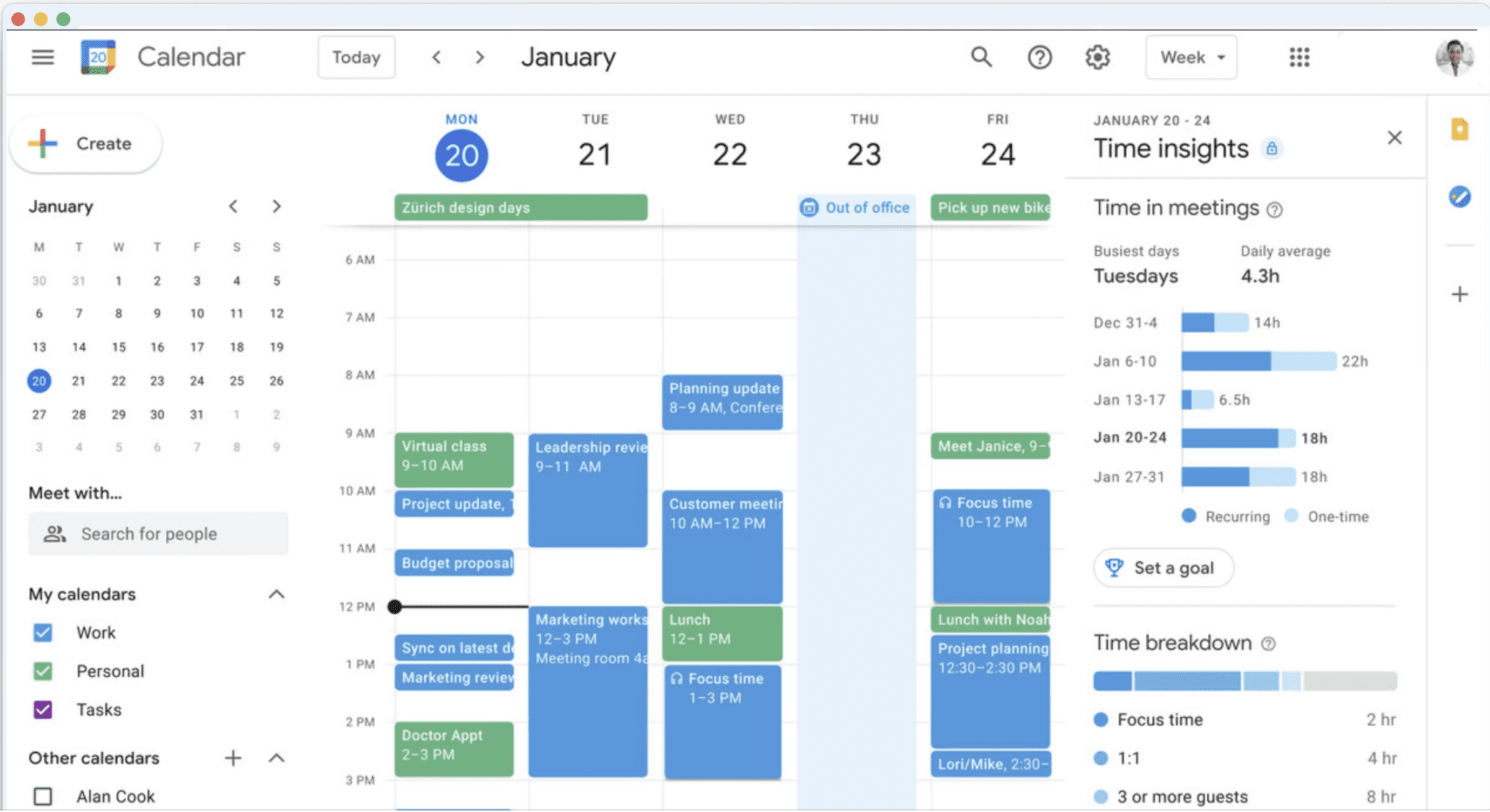
Google Calendar is the app I keep coming back to, and the one I install for family members who just want something that works. Create an event on your iPhone, and it’s on your Android tablet, your laptop, and your colleague’s screen before you’ve locked the phone.
What makes it the default pick:
- Cross-platform sync that never surprises you. iPhone, Android, Windows, Mac, and any browser — same events, instantly.
- Time Goals and scheduling assist. It finds open slots when you’re booking meetings with people whose calendars you can see.
- Google Tasks integration. Turn an email into a task with a date, and it shows up right in the calendar view.
- Shared calendars done right. Family, team, or a shared “home” calendar — each with its own color.
Where it falls short: the iPhone app is good but not great-looking, task management is basic (it’s really a to-do list, not a planner), and there’s no built-in journaling or habit tracking. Offline editing has improved, but I’ve occasionally seen slow sync on flaky hotel Wi-Fi.
Pricing: Free. No premium tier, no locked features.
Verdict: best for almost everyone, and the safest first choice.
2. Microsoft Outlook Calendar — Best for Work and Microsoft 365
If your workday runs on email, Outlook Calendar quietly becomes your most-used app. On the iPhone it bundles mail and calendar in one place, which sounds cluttered but works — the calendar is two taps from your inbox, and meeting invitations arrive exactly where you’ll answer them.
Why it earns its spot:
- Email and calendar in one screen. Accept a meeting invite from an email without switching apps.
- Scheduling across colleagues. Seeing coworkers’ availability makes finding a slot a ten-second job.
- Solid shared and group calendars, with the familiarity your IT department appreciates.
The catch: the richest features sit behind a Microsoft 365 subscription, the interface is busier than the other three, and personal users who don’t live in Outlook email won’t feel the benefit.
Pricing: Free for personal use; premium features with Microsoft 365 (~$6.99/month for personal [VERIFY current pricing]).
Verdict: best if your work life is Microsoft — skip it otherwise.
3. Fantastical — Best Design and Apple-Ecosystem Experience
Fantastical is the app that made me care about calendar design. It looks and feels like Apple built a power-user calendar: clean, fast, with genuinely useful widgets and the best Apple Watch view of any app I’ve tested.
Its party trick is natural-language event creation. Type “lunch with Priya Tuesday 1pm at the café near her office” and it parses the day, time, and location. After a week, typing dates the old way feels slow. It also handles calendar sets — one tap to switch between “Work”, “Personal”, and “Family” views instead of toggling five checkboxes.
It also pulls in weather forecasts for event days, supports to-dos alongside events, and syncs across iPhone, iPad, Mac, and Apple Watch.
The downsides are real, though: the best features need the Premium subscription, and there’s no Android or Windows app — if your partner or team lives outside Apple’s world, sharing gets awkward.
Pricing: free for basic use; Premium runs roughly $4.75/month for individuals and $7.50/month for a family of up to five (annual billing), with per-seat team pricing available [VERIFY current pricing].
Verdict: best for Apple-only users who want the nicest experience and will pay for it.
4. Any.do — Best for Calendar + Tasks in One App
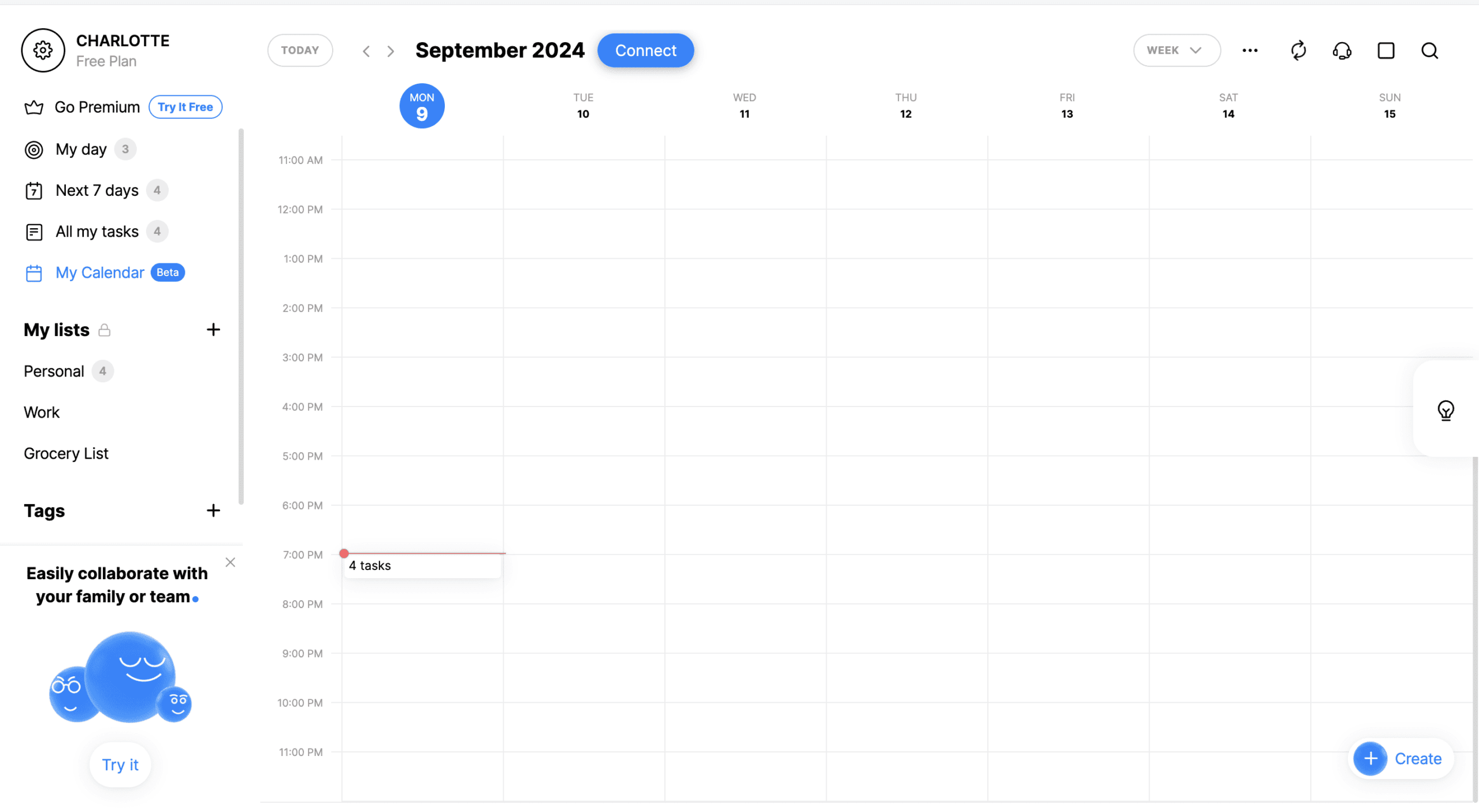
Any.do approaches the problem from the task management side: your to-dos and events live in one timeline, so “finish the proposal” and “proposal meeting” sit in the same view. If your problem isn’t remembering meetings but remembering what to prepare for them, this is your app.
What works well:
- Tasks and events together. The morning overview combines your day’s events with your action items — a genuinely useful daily briefing.
- Cross-platform sync across iPhone, Android, Mac, Windows, and web, so mixed-device households stay in sync.
- Shared lists and assigned tasks for family or small teams.
Be aware: the free version is limited (fewer task features, basic views), and while sync is solid now, I’ve seen occasional slow updates in past versions.
Pricing: free tier; Premium starts around $3–8/month depending on billing cycle (~$4.99/month billed yearly).
Verdict: best if your real problem is tasks, not meetings.
Which One Should You Install?
- You want free and reliable: Google Calendar. Done.
- Your employer runs on Microsoft 365: Outlook Calendar.
- You’re all-Apple and love polish: Fantastical (worth the subscription if you live in your calendar).
- Your to-do list matters as much as your schedule: Any.do.
My own setup: Fantastical as the front-end, Google Calendar as the backbone — Fantastical’s design on top of Google’s cross-platform sync gives me the best of both.
FAQ
Which iPhone calendar app is completely free?
Google Calendar and the personal tier of Outlook Calendar are fully free with no feature paywalls. Fantastical and Any.do both have free tiers, but their best features — like Fantastical’s calendar sets or Any.do’s advanced reminders — require a subscription.
Can these apps sync with iCloud Calendar?
Yes. All four can display and edit your iCloud calendars on iPhone. Fantastical integrates most deeply with iCloud and Apple Reminders; Google and Outlook treat iCloud as one account among several.
Do these apps work on Apple Watch?
All four have watch apps or complications. Fantastical has the best Watch experience in my testing; Google Calendar’s is functional but plain; Any.do’s reminders translate well to the wrist.
Can I share a calendar with my family?
Google Calendar has the strongest shared-calendar system, including a dedicated family calendar. iCloud sharing works well if everyone is on Apple devices; Any.do covers shared tasks rather than full calendar sharing.
Is Fantastical worth paying for?
If you check your calendar a dozen times a day and own multiple Apple devices, yes — natural-language input, calendar sets, and the widgets save real time. If you open your calendar twice a week, stick with Google Calendar’s free app.
I’ve used this exact shortlist to stop double-booking myself — if you’re juggling work, family, and side projects, ask me anything in the comments.