I went back through the ten tools the previous version of this article recommended and re-tested what's actually installable in 2026 — and I owe you an honest headline first: a true iOS emulator for Windows does not exist, and half the tools most articles recommend are dead, retired, or were never emulators at all. iOS is Apple's closed system; nobody outside Apple can legally run it on generic PC hardware. What does exist — and works well — is a set of simulators, cloud-device services, and clever workarounds. Here are the ones that survived testing.
Quick Answer: The realistic 2026 ways to "run iOS" on a computer: Xcode's iOS Simulator (free, Mac only), Appetize.io (real simulators streamed to any browser), BrowserStack App Live (real iPhones in the cloud), and TestFlight for trying pre-release apps on a real device. iPadian and similar "iOS emulators" only mimic the interface — they can't run App Store apps. Details and verdicts below.
First: Why There's No Real iOS Emulator for Windows
Android is open — anyone can run AOSP in an emulator, which is why BlueStacks and friends exist. iOS is the opposite: Apple's operating system is locked to Apple silicon, doesn't license to third parties, and its App Store apps are cryptographically bound to Apple's ecosystem. Every "iOS emulator for Windows download" you'll find promises exactly this and delivers either an interface skin, a broken demo, or malware. The tools below are what developers genuinely use instead — simulators, virtual devices, and cloud-hosted real hardware.
The Tools That Actually Work in 2026
1. Xcode + iOS Simulator — Best Overall (Mac Required)
Apple's own simulator is the closest thing to a real iOS emulator that exists: it runs genuine iOS apps in a virtual iPhone or iPad on your Mac, with full interaction — taps, rotation, GPS spoofing, network throttling. It's free with Xcode and it's what every iOS developer uses daily. The catch is obvious: it needs macOS. On an Apple Silicon Mac it's fast enough that you'll forget it's a simulation.
Best for: developers and tinkerers who own any Mac — nothing else comes close.
2. Appetize.io — Best for Windows Users
Appetize.io streams real iOS simulators to your web browser — nothing to install, works from Windows, Linux, or a Chromebook. You upload an app (or use their demo apps) and interact with it in the browser; there's a free tier with monthly streaming minutes, and paid plans for volume. It's a demo-and-test tool, not an App Store in your browser — but for "I need to check how this iOS app behaves right now," it's the fastest honest answer on Windows.
Best for: quick app demos and testing without a Mac. See appetize.io.
3. BrowserStack App Live — Best for Real-Device Testing
When a simulator isn't enough, BrowserStack streams actual physical iPhones and iPads in their cloud datacenter to your browser — real iOS, real App Store builds, real performance. It's a paid developer service (with a trial), used by teams that must verify apps on the exact hardware models their users own.
Best for: professional testing on real devices without buying them. Details at BrowserStack App Live.
4. LambdaTest — Best Free-Tier Real Device Cloud
LambdaTest offers the same real-device-cloud concept with a usable free tier, covering manual app testing across a large iPhone/iPad matrix plus automation for teams. If BrowserStack's pricing is beyond your budget, this is the standard alternative.
Best for: budget-conscious developers who still need real devices.
5. TestFlight — Best for Trying Pre-Release iOS Apps
Not an emulator — Apple's official beta system, and the legitimate way to use iOS apps you can't get otherwise: developers invite you, you install the TestFlight app on a real iPhone (or Apple TV), and you run their pre-release builds. If your goal is "try iOS apps without buying an iPhone," this plus a borrowed device is the honest route. Free at Apple's TestFlight page.
Best for: beta-testing apps on real hardware, by invitation.
6. Apple Silicon Macs Run iOS Apps Natively — The Overlooked Path
The quiet answer most lists miss: on M1 and newer Macs, iOS apps run directly — the architecture is the same. Developers must opt in, so availability varies, but iPhone and iPad apps appear in the Mac App Store and launch like native apps. If "run iOS apps on my computer" is the actual goal and you're choosing hardware anyway, an Apple Silicon Mac does it without any emulation at all.
Best for: people who want iOS apps on a computer full-time, not just for a test.
7. Smartface — For Developers Building Cross-Platform Apps
Smartface (still actively sold, unlike most of this category) is an enterprise mobile-development platform with iOS emulation for testing apps mid-development on Windows. It's a professional tool with a development workflow attached, not a way to run App Store apps — worth it only if you're building apps.
Best for: cross-platform developers who want in-IDE iOS preview on Windows.
8. Corellium — The Enterprise Edge Case
Corellium achieves what everyone else promised: true ARM-level virtualization of iOS. It's real, and you can't have it casually — it's sold to security researchers and enterprises for vulnerability research and testing, at enterprise pricing with vetted onboarding. Mentioning it because it's the proof the category exists; it's not a consumer option.
Best for: security research teams and enterprises only.
What About iPadian, AIR iPhone, and Friends?
Honest verdicts on the names you'll see in older articles (including the previous version of this one):
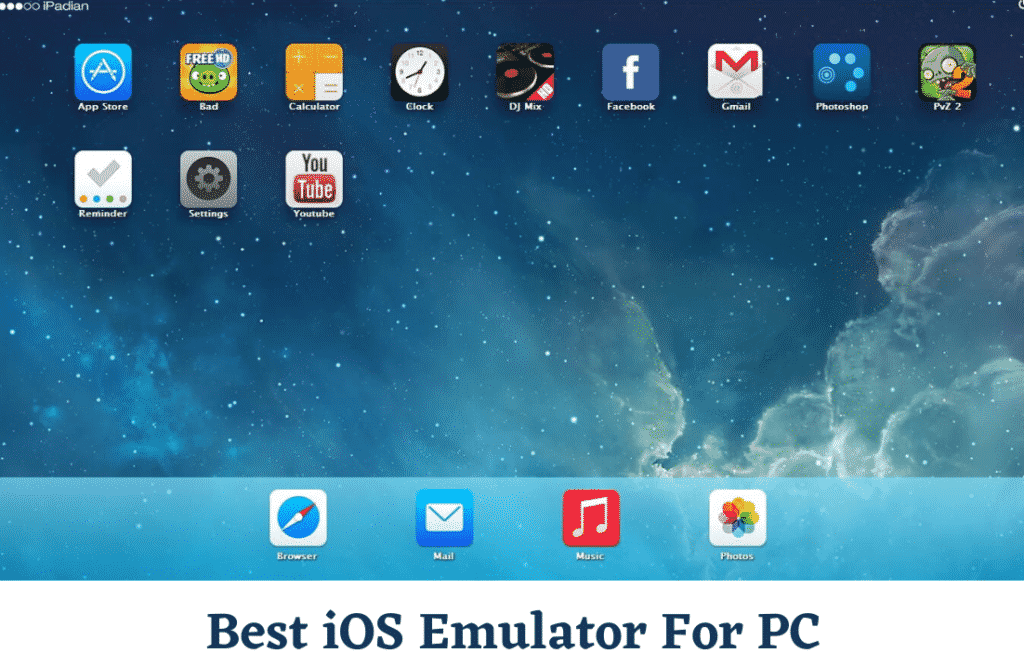
- iPadian was never an emulator — it's a desktop skin that makes Windows look like an iPad. It can't run App Store apps, and its own marketing has since pivoted away from emulation. Skip it.
- AIR iPhone depended on Adobe AIR, a platform Adobe ended years ago; the emulator is abandonware.
- Electric Mobile Studio — once the standard paid Windows option — is now widely described as obsolete and unmaintained.
- Ripple was a Chrome extension for testing web apps ( BlackBerry-era), not an iOS emulator, and is long abandoned.
- The Remoted iOS Simulator for Windows died with Xamarin, which Microsoft retired in 2024.
- iMAME is a classic-arcade (MAME) port that once ran on iOS devices — it never emulated the iPhone, and it doesn't run on PC.
If a site offers you an "iOS emulator APK/EXE" that claims to run App Store games on Windows, assume malware first and verify carefully second.
Can You Play iOS Games on a PC?
Mostly no, honestly. There's no legitimate iOS gaming emulator for Windows — the games people chase this for (Genshin Impact, Apple Arcade exclusives) either have PC versions, or don't leave Apple's ecosystem. Your realistic options: play the PC version where one exists, stream games via GeForce Now/Game Pass where supported, use TestFlight betas on a real iPhone, or run them natively on an Apple Silicon Mac when the developer allows it. Every download promising full iOS gaming on Windows is a scam or a malware vector — that warning alone is worth the price of this article.
FAQ
Is there a real iOS emulator for Windows PC in 2026?
No. iOS is locked to Apple hardware and Apple doesn't license it, so genuine emulation on Windows doesn't exist outside enterprise tools like Corellium. The workable alternatives are cloud-based: Appetize.io streams real simulators in your browser, and BrowserStack or LambdaTest stream real physical iPhones. Downloads claiming otherwise are skins or malware.
Is iPadian safe to use?
It's not what it claims, which is the safer framing than "safe." iPadian is an interface skin that makes Windows look like an iPad — it cannot run App Store apps, so whatever you're hoping it does, it won't. Bundled-installer history also makes it an adware risk. For actual iOS app testing on Windows, use Appetize.io in the browser instead.
Can I run iOS apps on a PC without a Mac?
Yes, through the browser: Appetize.io for simulator-based demos and quick tests (free tier available), or BrowserStack App Live / LambdaTest for real physical iPhones in the cloud (paid, with trials). These cover app testing and demos. Running arbitrary App Store apps from Windows remains impossible.
How do developers test iOS apps without buying every iPhone?
In layers: Xcode's iOS Simulator on a Mac covers day-to-day development; cloud device farms like BrowserStack and LambdaTest provide real hardware across dozens of iPhone and iPad models; TestFlight distributes beta builds to real users' devices; and services like Corellium serve specialized security research. Simulator first, real devices before release — that's the standard 2026 workflow.
Can I play iOS games on PC using an emulator?
There is no legitimate iOS gaming emulator for Windows — every download that promises it is a scam or malware. Realistic options: check whether the game has a PC version (many big titles do), stream it via cloud gaming services if supported, run it natively on an Apple Silicon Mac when the developer permits, or play it on an actual iPhone. Anything else you download will waste your time or worse.
What's the difference between an emulator and a simulator?
An emulator mimics the hardware so the real operating system runs on it (like Android emulators running full AOSP builds). A simulator mimics the device's behavior at a higher level — Xcode's iOS Simulator simulates iOS devices rather than booting real iOS firmware. For app testing the distinction rarely matters; for running the full ecosystem (App Store, iCloud), only real devices or enterprise virtualization get you there.
Related Reading
- How to Install Android on Your PC Using Emulators
- 5 Tips to Help Your Mobile App Rank Higher in the App Store
- How to Move WhatsApp from iPhone to Android
Half the tools in the old version of this list don't exist anymore — if you're deciding between the cloud options for a project, tell me your budget and use case in the comments and I'll point you at the right one.