




Keeping track of physical equipment shouldn’t feel like a scavenger hunt, but for growing businesses, it often does. Misplaced tools and laptops cause chaos and confusion, not to mention increasing your costs.
Instead of managing all of your physical assets with paper check-in/check-out procedures or out-of-date spreadsheets, AI makes it possible to digitize the entire process. It works with your asset tracking software and smart QR codes to catalog and track items with nothing more than a photo or video.
While AI might sound like a pricey enterprise tool, businesses of all sizes use this technology to track their assets. Consult this guide to learn why AI is so helpful for managing physical assets, how the process works, and examples of how to leverage this tech across nearly any use case.
Manual Asset Tracking Is Slowing You Down—And Costing You Money
Spreadsheets, paper logs, whiteboards, shared drives, and “Just ask Dave, he knows where it is” collapse under the weight of real-world operations when you have hundreds of items.
Manual tracking causes so many issues, including:
- Regularly lost items: Tools drift between job sites, laptops rotate among employees, lab equipment ends up in the wrong drawer, and no one remembers who last touched what. Every missing item means wasted time searching for equipment, and that lost productivity adds up fast.
- Spreadsheets decay: Even the most carefully maintained spreadsheet will become outdated in days. People forget to update it, data goes stale, naming formats change, and eventually, the file becomes yet another part of the chaos.
- Overbuying: When teams can’t find what they need, they often assume it’s lost and buy another one. These unplanned purchases drive up costs, especially in environments with high-value assets or specialized parts.
- No accountability: Without clear tracking, no one knows who last used an item or whether it was returned in working condition. The lack of accountability creates friction and slows down workflows.
Unreliable data and reactive processes snowball into rising costs and mounting frustration in your business. That’s exactly why more companies are replacing these old tracking processes with automated AI tools that anyone can use.
Why Use AI for Managing Physical Assets?
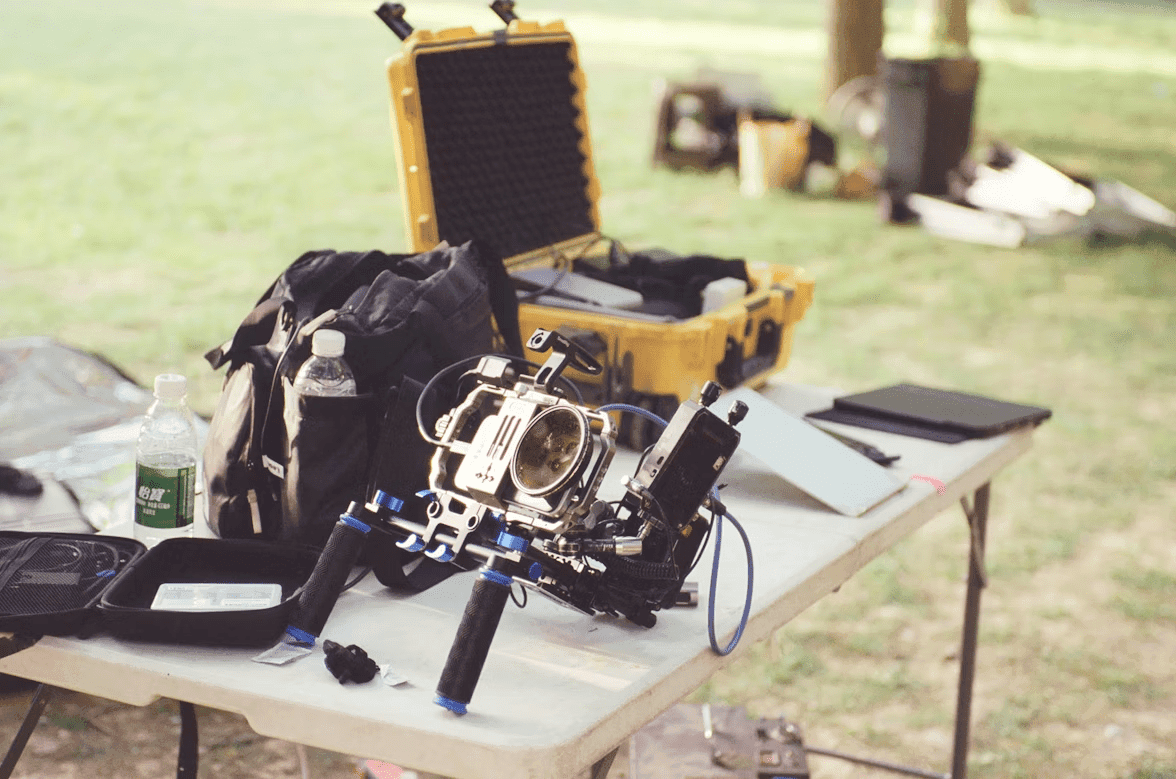
You need a way to manage all the laptops, tools, lab gear, and other equipment in your organization. Still, it’s exhausting to manage all of it manually. AI changes the equation by offering so many benefits for managing physical assets.
Faster Data Entry
Instead of typing item details into spreadsheets or wrestling with outdated systems, AI image recognition lets you identify and catalog assets simply by taking a photo or short video. That alone eliminates hours of administrative work and dramatically improves accuracy.
Better Accuracy
With AI, it’s possible to extract small but important details without hours of manual effort. This technology can recognize objects, suggest categories, and even extract details like color, brand, or count. Platforms like Scanlily take this a step further with video-based recognition that can itemize multiple objects at once while capturing audio notes in the background.
Mobile-Friendly Setup
Most AI asset management tools are designed to work on your employees’ phones. There’s no need to lug around a laptop or manage a clunky spreadsheet: everything is available on the devices your team already carries everywhere.
Paired with QR codes, AI gives your team a fast, mobile-first way to track everything. Some platforms don’t even require your team to download an app. They just scan the QR code, add the relevant information to the URL, and get back to work.
How AI Image Recognition Works for Cataloging Physical Assets

You don’t need a team of developers or AI experts to use AI image recognition. This technology is surprisingly accessible, allowing organizations of all sizes to get organized without technical expertise.
Employees simply snap a photo with their smartphone, and the AI does the rest. The technology can determine:
- What the item is and its uses
- A likely category
- Colors or branding information
- Quantities
This approach is much more efficient than traditional equipment tracking systems, which require you to update all this information manually.
Most AI solutions can document multiple assets simultaneously. Some solutions, like Scanlily, even allow users to walk through a room while recording a video.The AI then itemizes each object into a “container,” generates descriptions, and captures any spoken notes as searchable metadata.
Done right, AI can become the backbone of a more intuitive inventory system, providing the visibility your team needs to do their best work.
Where QR Codes Come In
AI can speed up inventory, but if you want to create a detailed log for specific assets, you need to tag everything with a QR code. With a QR code asset management workflow, you can add an instant, scannable digital record to every object.
Simply create a QR code in your software, print it, stick it to the asset, and start tracking information for each piece of equipment. The team can scan the QR to add notes, videos, photos, or bookings without any manual input, thanks to AI.
Instead of relying on special apps or clunky hardware, a QR label links to a URL. Any team member can scan it with their phone’s native camera and instantly see the item’s details, history, attachments, and location. When paired with AI-generated records, QR codes provide a fast, universal touchpoint that eliminates bottlenecks and inconsistencies.
6 Use Cases for Physical Asset Management With AI

AI isn’t a feature that’s reserved for big companies. This tool provides a smarter way to catalog and track assets. Here are some high-impact ways teams are already applying AI to physical asset tracking:
- Asset onboarding: Instead of typing item details into a system, teams can photograph or record a short video, and AI will generate descriptions, categories, and counts. That drastically speeds up asset tracking setup.
- Field inventory updates: Technicians and creators can walk through job sites, warehouses, or studios, capturing photos or videos while AI itemizes everything.
- Equipment tracking: AI-generated records paired with QR codes for inventory give teams a clear, real-time view of where everything is. That’s especially helpful for tracking expensive IT gear, like laptops and monitors.
- Manufacturing tracking: QR-coded assets combined with AI-generated metadata make it easy to log who checked out what and when. This strengthens accountability for labs, schools, construction teams, and studios.
- Storage organization: AI helps teams standardize bins, shelves, and storage areas, giving every location a clean record that integrates with QR code tracking systems.
- Scanning in large spaces: Some AI tools can capture dozens or even hundreds of items at once. AI creates a structured “container” of inventory, dramatically speeding up audits and reducing labor.
- Finding Items: Ask the AI inventory system questions in natural language about where certain items are and find them that way. This allows finding items with broad descriptions, even if you don’t know their precise names.
- Knowing where to put items: Take a picture of an item and allow AI image recognition to find it in the inventory and tell you where it belongs.,
Adopt AI Without A Time-Consuming Overhaul
Physical asset management used to be a tremendous source of stress, especially for small teams. Fortunately, AI tools – paired with QR codes – remove complexity. When you combine automated image recognition with a simple QR code inventory system, you reduce manual data entry and create a workflow that’s intuitive enough for anyone on your team to use.
If you’re exploring how to modernize your own operations, start small with these steps:
- Identify a specific area, like IT equipment or creative tools, where inaccurate or outdated records create friction.
- Test AI tools by photographing or recording a short video of a sample set of assets to see how much manual work it removes.
- Standardize naming conventions and locations. This will make it much easier to integrate QR codes into your tracking workflows.
- Document what works, refine the process, and expand gradually to other storage areas.
By approaching AI-powered asset tracking as a series of small, practical improvements – not a massive overhaul – you can build a system that’s scalable and easy for everyone to adopt.