When a controller works in one PC game and refuses to respond in another, the culprit is almost always the input API behind the scenes — and thirty years into PC gaming, the DirectInput vs XInput split is still the thing to understand. I'll walk you through what each one actually is, where you'll still hit them in 2026, and why Microsoft's newer GameInput API is quietly ending the argument.
Quick Answer: DirectInput (1995) is Windows' old, now-deprecated input API — flexible but complicated, still used by older wheels, sticks, and retro gear. XInput (2005) is the newer, simpler Xbox-standard API that most modern PC controllers and games default to. For players, Steam Input mostly erases the difference; for developers, Microsoft's GameInput API is the official replacement for both.
An API (application programming interface) is just a standard way for two pieces of software to talk — here, the game asking Windows "which buttons are pressed on the controller right now?" Windows sits between the game and the hardware, translating controller signals into something any game can read. DirectInput and XInput are the two translation standards you'll encounter, and matching them wrong is why a gamepad sometimes acts like a mysterious unknown device instead of a controller.
What Is DirectInput?
DirectInput shipped in 1995 with the original DirectX on Windows 95, and it was designed to cover everything: joysticks, steering wheels, flight yokes with throttle quadrants, force-feedback devices, even extra keyboards and mice. That flexibility is why it supports up to 8 axes and 128 buttons per device — headroom no gamepad needed, but exactly what simulation hardware uses.
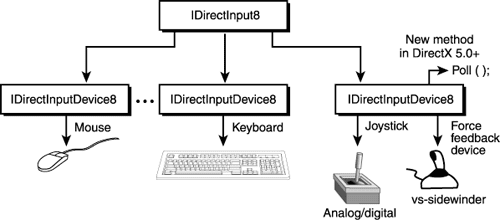
The catch is complexity: DirectInput leaves the game to figure out what each axis and button means. Two controllers report their inputs completely differently, so games needed per-device handling or manual mapping. Microsoft deprecated DirectInput years ago — it still ships in Windows for compatibility, which is why pre-2005-era controllers, budget racing wheels, and retro-adapter dongles still work at all — but it's a legacy path now.
What Is XInput?
XInput arrived in 2005 alongside the Xbox 360, built around one specific job: make the Xbox controller the reference device for Windows gaming. Instead of "here are 8 anonymous axes," XInput says "this is the left stick, this is the right trigger, here's a rumble request" — fixed roles, automatic mapping, and standardized vibration support.
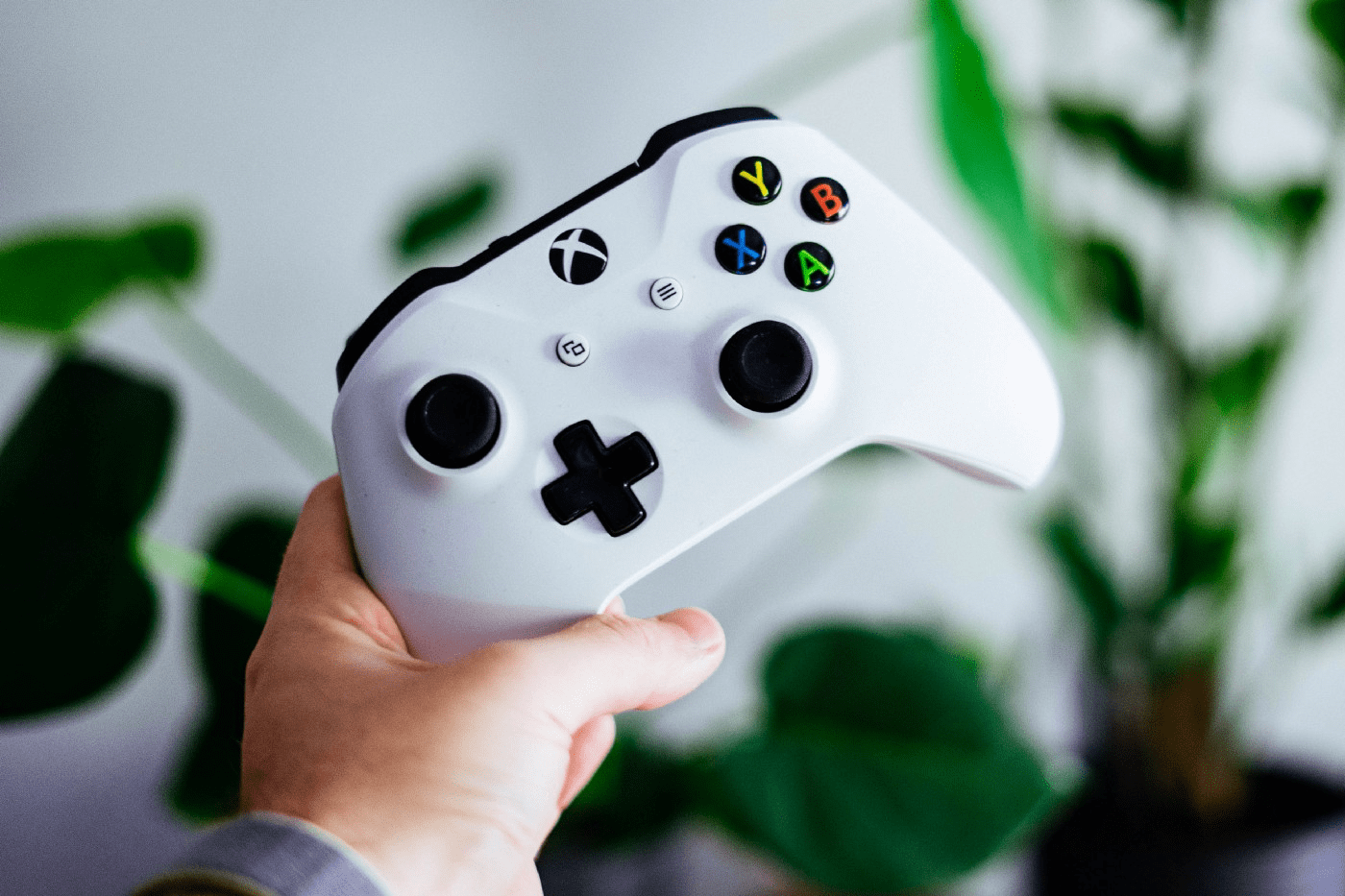
That standardization won. Xbox One and Xbox Series X|S controllers use it on PC, and third-party makers (8BitDo, GameSir, Logitech and the rest) build their PC gamepads to speak XInput — or offer a switch so they can. The official XInput documentation remains the reference for developers today.
DirectInput vs XInput: The Real Differences
| DirectInput | XInput | |
|---|---|---|
| Introduced | 1995 (DirectX 1.0) | 2005 (Xbox 360 era) |
| Status | Deprecated, compatibility only | Standard for PC gamepads |
| Inputs supported | Up to 8 axes, 128 buttons, POV hat | 4 axes, 10 buttons, 2 triggers, D-pad |
| Button mapping | Game must figure it out | Automatic, fixed layout |
| Rumble | Per-device, awkward | Built-in, standardized |
| Device range | Wheels, sticks, pads, oddities | Xbox-style gamepads |
| Developer effort | High | Low |
| Best today for | Legacy sims gear, retro adapters | Modern gamepads, most games |
The input-count difference matters for niche gear: a racing wheel with separate pedals, shifter, and clutch, or a flight setup with a throttle quadrant, simply doesn't fit XInput's fixed gamepad shape — which is why simulation hardware is where DirectInput (or newer APIs) survives.
Enter GameInput: Microsoft's 2026 Answer
The plot twist most players haven't heard: Microsoft has already built the successor to both. GameInput, part of the modern Game Development Kit, is a functional superset of XInput, DirectInput, Raw Input, and the Windows gaming input APIs — one interface that handles gamepads, wheels, flight sticks, keyboards, and mice, with the high-level mapping XInput lacked and the hardware breadth DirectInput had. Microsoft's GameInput overview recommends it for all new code, and an XInput-on-GameInput wrapper keeps older titles running while developers migrate.
You'll never install GameInput yourself — it ships inside games (especially Xbox/Game Pass titles on PC) and Windows components. But it's why newer titles increasingly just work with everything from a Series X|S pad to a DualSense to a full HOTAS setup.
What This Means for You as a Player
In practice, 2026 PC gaming has made the API question almost invisible — thanks to a third layer:
- Steam Input is the great translator. Steam detects your controller, picks (or emulates) the right API per game, and lets you remap everything. If a game doesn't see your gamepad, launching it through Steam with Steam Input enabled fixes it more often than any driver hunt.
- Most modern controllers offer mode switches. Many third-party pads ship in XInput mode (or let you toggle XInput/DirectInput/Switch-style modes with a key combo). If your controller acts oddly in one game, check its manual for the mode-switch shortcut.
- Legacy gear is where DirectInput still appears. An old Logitech wheel, a PS2-era adapter, or a budget flight stick may present itself as a DirectInput device — and modern games that only speak XInput will ignore it. Wrapper tools (like x360ce) or Steam Input's translation bridge the gap.
Quick Troubleshooting Guide
1. Controller works on desktop, not in a game: the game probably wants XInput — enable Steam Input, or set the controller to XInput mode.
2. Buttons scrambled or sticks swapped: the game is reading a DirectInput-style mapping — remap in-game or force the game through Steam Input.
3. Old wheel/stick not detected at all: it's likely a deprecated-API device; try a wrapper or check the maker's site for a modern driver (get drivers from the manufacturer, never from third-party "driver updater" sites — those are adware farms).
4. Rumble missing: XInput handles vibration natively; DirectInput rumble needs per-device support, so older devices may simply not rumble in modern games.
FAQ
Is DirectInput still used in 2026?
Yes, but only as a compatibility layer. Windows still ships it, older simulation hardware (racing wheels, flight sticks, retro adapters) still speaks it, and a handful of older games still read it. Microsoft deprecated it long ago, no new development targets it, and modern games overwhelmingly default to XInput or GameInput. If your gear works, you never need to think about it.
Which is better, XInput or DirectInput?
For gamepads, XInput — automatic mapping, standardized rumble, and universal modern game support make it strictly the practical choice. DirectInput "wins" only on raw input capacity (8 axes, 128 buttons), which matters for simulation hardware that XInput's fixed gamepad shape can't represent. They're tools for different generations of hardware, not competing upgrades.
Why do some PC games not recognize my controller?
Usually an API mismatch: the game reads XInput while your controller presents as a DirectInput device (or vice versa). Launch the game through Steam with Steam Input enabled — it translates between the two. For non-Steam games, switch your controller to XInput mode (many pads have a toggle) or use a wrapper like x360ce. Updating drivers from the manufacturer's own site is the last resort.
What is Microsoft's GameInput API?
GameInput is Microsoft's modern input API for Windows and Xbox — a functional superset that replaces XInput, DirectInput, Raw Input, and the older Windows gaming input interfaces with one system covering gamepads, wheels, flight sticks, and keyboards/mice. It's recommended for all new development, ships inside games rather than as something you install, and includes an XInput wrapper so existing games keep working during the transition.
Do PlayStation controllers use XInput on PC?
Not natively — DualSense and DualShock 4 controllers use their own USB/BT protocols, which modern Windows games increasingly support directly, and Steam Input maps them cleanly for everything else. Some launcher titles treat them as DirectInput-style devices, which is why PS pads sometimes feel inconsistent outside Steam. DS4Windows and similar tools wrap them as XInput for older games.
How many buttons can XInput handle?
XInput's fixed layout is 10 digital buttons, 2 analog triggers, a D-pad, two analog sticks (4 axes), and vibration — by design. Anything beyond that shape needs a different API: DirectInput allowed up to 8 axes and 128 buttons, and Microsoft's GameInput handles modern devices with extra inputs (paddles, gyro, triggers with haptics) that neither legacy API described well.
Related Reading
- PlayStation 5 vs Xbox Series X: Which to Choose?
- How To Troubleshoot Startup Errors On Xbox
- What Is an API?
I've rescued more "broken" controllers with the Steam Input toggle than with any driver — if your gamepad is misbehaving in a specific game, name it in the comments and I'll tell you what usually fixes it.