A server without a control panel is a bare Linux box waiting for you to type every command by hand. A good panel turns that box into something you can actually run: websites, email, SSL, backups, firewalls — all from a browser. I've installed most of the panels below on cheap VPSes at one point or another, and the differences matter more than the feature lists suggest. The catch in 2026 is that the pricing picture has shifted again — cPanel raised prices again this February, Plesk changed its billing model in January, and the free options have matured fast — so the "default choice" isn't as obvious as it used to be.

Quick Answer: For most people, cPanel is still the safest paid choice — familiar, everywhere, bundled with most hosts — but it costs from $35.99/month self-hosted in 2026. CyberPanel is the best free option if you'll keep it patched. Plesk wins on Windows servers and WordPress tooling, and DirectAdmin is the lightweight, cheaper cPanel-style alternative. Match the panel to how many sites you run and how much you want to touch the terminal.
What Is a Cloud-Based Control Panel?
A cloud control panel is a web-based dashboard for managing hosting infrastructure: virtual machines, storage, DNS, email, and the websites running on top. Instead of SSH-ing in to edit config files, you click. Under the hood the panel is doing exactly what you'd do by hand — restarting services, writing virtualhost configs, requesting certificates — just without the typos.
There are two flavors worth separating. Hosting panels (cPanel, Plesk, CyberPanel, DirectAdmin) manage websites, email, and domains on a server. Cloud consoles (AWS, Google Cloud, Azure) manage the infrastructure itself — instances, volumes, networks. This guide covers the first kind: panels you put on your server to run websites.
What a Control Panel Actually Does
Feature lists are mostly the same across panels, which is why pricing and usability decide the winner. The core jobs:
- Server management — create sites, manage services, start/stop/restart, adjust PHP versions
- Storage and backups — scheduled backups, snapshots, one-click restores
- Networking and DNS — domains, zone files, firewalls, load balancing
- Security — SSL/TLS issuance and renewal, access roles, fail2ban-style brute-force protection
- Email — mailboxes, spam filtering, forwarders (still a deciding feature for agencies)
- Monitoring — CPU, RAM, and disk usage with alerts before things fall over
- App deployment — one-click WordPress, staging sites, Git deployment, Docker support
The Best Cloud Control Panels at a Glance
| Panel | Best for | 2026 self-hosted price | Free version |
|---|---|---|---|
| cPanel/WHM | The familiar default; agency and reseller hosting | Admin $35.99/mo · Pro $53.99/mo · Premier $69.99/mo | No |
| Plesk | Windows servers, WordPress toolkit, polish | Web Admin $16.99/mo | No (trial) |
| CyberPanel | High performance on a budget; VPS owners | Free (OpenLiteSpeed); paid LiteSpeed Enterprise | Yes |
| DirectAdmin | Lightweight, low resource use | Personal PLUS ~$7/mo · Lite $15/mo · Standard $29/mo | No |
Prices are per-server licenses from the vendors directly (February/January 2026 rate cards) — cPanel pricing, Plesk pricing, and DirectAdmin pricing all publish current tables. Hosting resellers often license these cheaper, and most shared hosts bundle cPanel into plans you'd buy anyway.
cPanel: The Industry Default
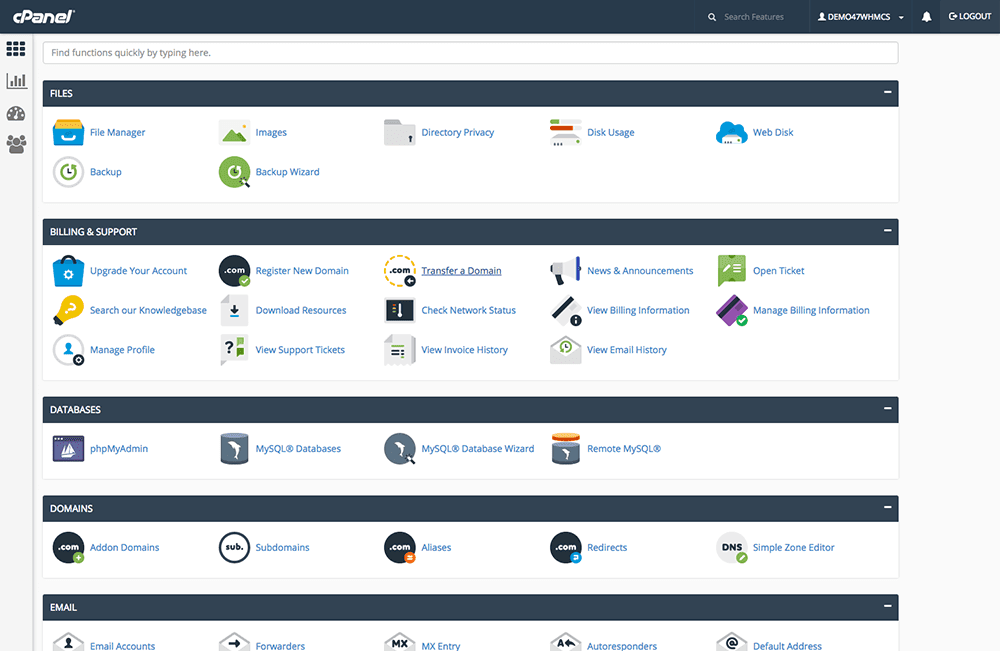
cPanel is what most people picture when they hear "hosting control panel," and after two decades it remains the default on shared and reseller hosting. The interface hasn't aged into ugliness like many rivals, and every hosting tutorial on the internet assumes you're using it. File management, email accounts, domains, databases, cron jobs, SSL — everything is where a tutorial says it is, which sounds trivial until you're troubleshooting at 1 a.m.
The 2026 reality check is price. cPanel moved to per-account licensing years ago and has raised rates steadily; as of February 2026 the cloud tiers run $35.99/month (Admin, 5 accounts), $53.99/month (Pro, 30 accounts), and $69.99/month (Premier, 100 accounts + $0.49 per account beyond). Dedicated-server licensing requires Premier. If you run cPanel yourself, budget for annual increases — or check whether third-party resellers' licenses, which run noticeably cheaper, suit your setup. If your host bundles cPanel, none of this is your problem, and honestly, that's the best way to buy it.
One more point in its favor: if you ever migrate hosts, cPanel-to-cPanel moves are the least painful transfers in hosting.
Plesk: The Windows Answer (and the WordPress One)
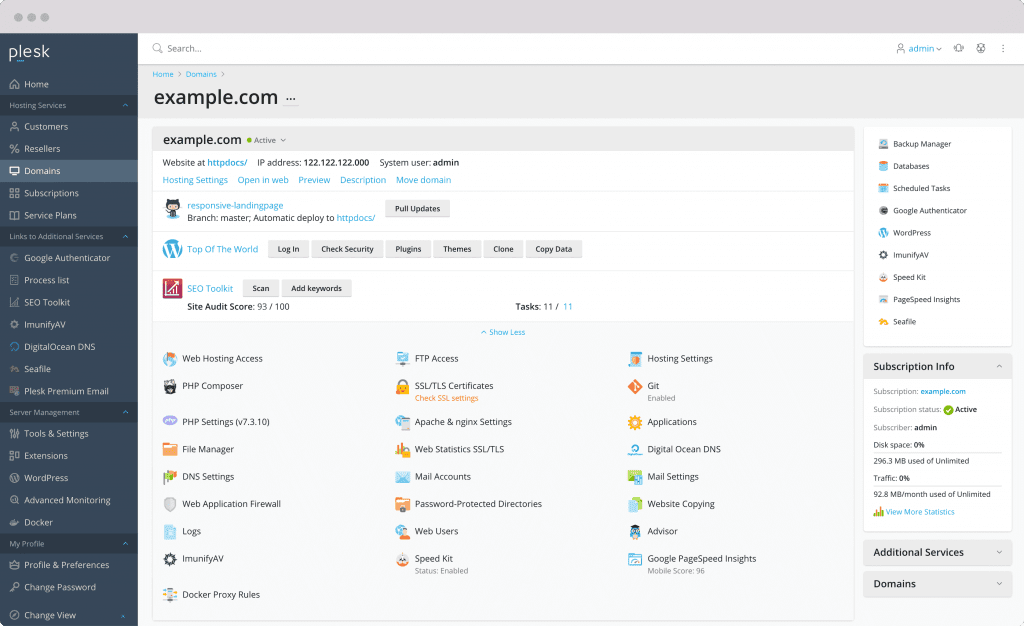
Plesk does everything cPanel does, runs on both Windows and Linux, and has quietly become the most developer-friendly of the paid panels. Its WordPress Toolkit is the standout: one-click installs, mass plugin and theme updates across every site on the server, staging, and security hardening — it's the main reason agencies with dozens of WordPress clients pick Plesk.
Docker support, Git deployment, and an extensions marketplace round out the developer story, and the interface is arguably the cleanest in this whole category. Pricing starts at $16.99/month for Web Admin (10 domains, month-to-month), with Web Pro and Web Host tiers above it — note that Plesk restructured its pricing and billing model in January 2026, so check the current table before committing to a term. If Plesk's pricing puts you off, CyberPanel maintains a guide to Plesk alternatives that maps the field.
CyberPanel: The Free High-Performance Pick
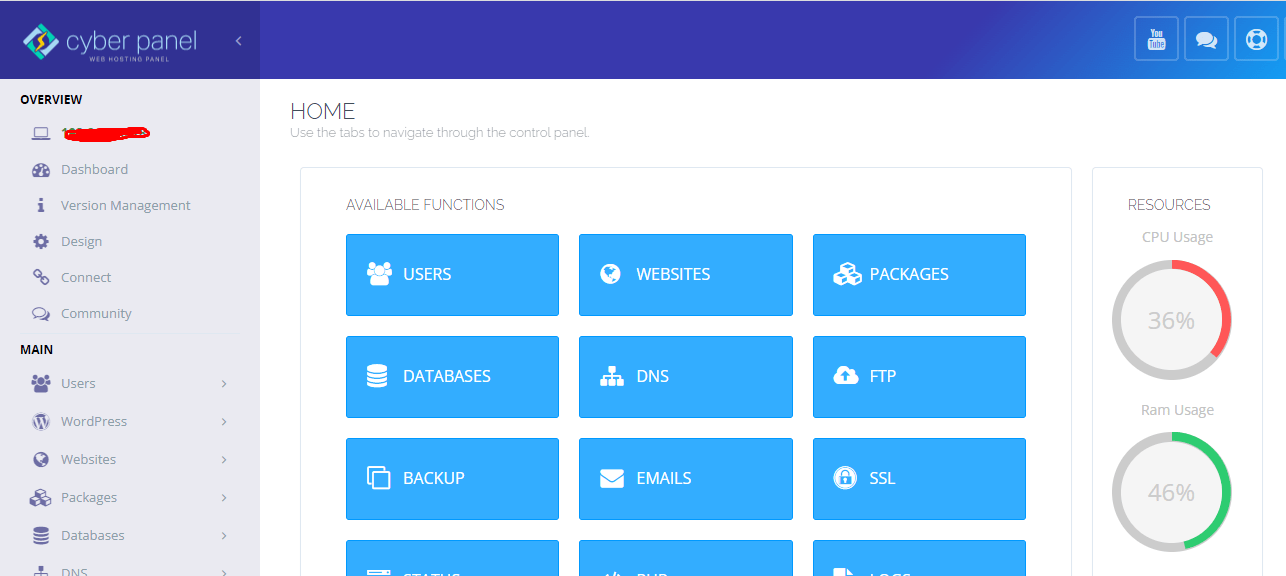
CyberPanel is the open-source option that trades on speed: it's built around the LiteSpeed/OpenLiteSpeed web server, which serves WordPress and other PHP apps noticeably faster than a default Apache setup — often without any tuning on your part. One-click WordPress with staging, automatic Let's Encrypt SSL, multi-PHP support, Git deployment, email, and DNS management are all in the box, and it runs comfortably on a $5–10/month VPS.
The honest history: in October 2024, researchers disclosed a critical unauthenticated remote-code-execution flaw, and ransomware crews hit thousands of unpatched CyberPanel servers within hours before version 2.3.8 landed the same day the bug was reported. It was a rough episode — but the response was fast, and the project has since adopted a structured two-stage security release model, with patches and maintenance releases shipping through mid-2026. My verdict: CyberPanel is genuinely excellent for hands-on owners who apply updates promptly, and a poor fit for anyone who sets up a server and forgets about it. Every panel on this list depends on you patching; CyberPanel just made that lesson public.
DirectAdmin: The Lightweight Budget Alternative
DirectAdmin has been around nearly as long as cPanel, and its pitch hasn't changed: do the same job with a fraction of the RAM, a simpler interface, and lower license costs. It handles files, email, domains, DNS, SSL, and apps through a clean three-level layout (Admin, Reseller, User) that resellers in particular find tidy.
Current pricing undercuts everyone in the paid tier: Personal PLUS around $7/month for a single server, Lite at $15/month (10 accounts, 50 domains), Standard at $29/month with no account limits — all with unlimited vendor support. Where its account caps bite, the company publishes its own roundup of DirectAdmin alternatives. For a small personal server, it's the cheapest respectable paid panel you can buy.
Free Panels Worth a Look
- CloudPanel — a modern, free panel focused on PHP/Node stacks on Debian/Ubuntu; clean and fast.
- HestiaCP — community-maintained fork of VestaCP; simple mail-plus-sites hosting on a VPS.
- aaPanel — feature-packed free panel with a big app marketplace; expect upsells.
- RunCloud / GridPane / ServerAvatar — "control-plane" services that manage your cloud servers from outside rather than installing on them; popular with WordPress agencies.
How to Choose
1. Your host bundles cPanel? Use it. Nothing else to decide.
2. Windows or heavy WordPress management? Plesk.
3. Small VPS, tight budget, willing to patch promptly? CyberPanel.
4. Cheapest paid license, low-spec server? DirectAdmin.
5. Not sure? Install two free options on a $5 VPS for an afternoon — panels are easy to try and cheap to delete.
Frequently Asked Questions
Do I need a control panel at all?
Not strictly — you can run a server with the command line, Docker, and config management tools, and many developers do. But a panel saves real time on the boring parts: SSL renewals, email, DNS, backups, and user accounts. If you manage sites for other people, a panel is close to mandatory, because clients expect to log in and see something they understand.
Is cPanel free?
No. cPanel is a paid license on top of your server, starting at $35.99/month for the 5-account Admin tier as of 2026. What confuses people is that most shared hosting plans include cPanel — the host pays the license. So cPanel is "free" on a $3 shared plan and $35.99/month on your own VPS. If you're paying for it yourself, compare the free panels seriously.
Which control panel is best for WordPress?
For pure WordPress management, Plesk's WordPress Toolkit is the most polished — bulk updates, staging, and security hardening across many sites at once. CyberPanel's OpenLiteSpeed stack is the best free performer for WordPress speed. cPanel works fine and has the most tutorial coverage. Any of the three serves WordPress well; the differences are workflow and price, not capability.
Is CyberPanel safe after the 2024 hack?
The October 2024 incident — ransomware exploiting an unauthenticated remote-code-execution bug — hit unpatched servers within hours of the flaw's public disclosure, and the fix shipped the same day. The project has since formalized its security release process and kept shipping patches through 2026. Safe, like any self-managed panel, is conditional: apply updates promptly, keep ports firewalled, and don't expose the panel port to the whole internet.
Can I switch control panels later?
Yes, but treat it as a migration, not an upgrade. Panels structure accounts, email, and configs differently, so the practical route is: build the sites fresh on the new panel (or use its importer), then move data and cut over DNS. cPanel-to-cPanel host moves are the one easy case, with mature transfer tooling. Plan a maintenance window and keep full backups before you start.
Related Reading
- Shared vs VPS vs Managed WordPress Hosting: Which Is Best for You?
- What Is Cloud Server Security? A Complete Guide
- 7 Things to Remember Before Buying a Web Hosting Service
- Best Cheap VPS Hosting Services
I've broken and rebuilt enough servers to appreciate a panel that stays out of the way — if you're torn between two of these, tell me your stack and site count in the comments and I'll give you a straight answer.
—
This article was originally contributed by guest author Maria Khan, product manager at CyberPanel — find her on Facebook. It has since been fully rewritten and updated for 2026 by the TechBii editorial team.